
Do LED Lights Interfere With Garage Door Openers?
It's not the light itself causing the problem — it's the LED driver's high-frequency switching leaking RF noise straight into the band your garage door opener listens on.
 Eugen
EugenEugen Nikolajev
Creator of LED Lighting Info
Hi, I am Eugen. I was always one of those kids who had all sorts of weird lighting gadgets for every occasion.
Now, I want to share my knowledge and experience about lighting with you on LED Lighting Info.
Read my editorial standards
Key Takeaways
Some LED bulbs leak radio noise from their driver circuit, and your household wiring radiates that noise onto the same band your garage door opener listens on. Confirm the cause by switching the bulbs off and retesting the remote, then fix it — in this order — by swapping in an FCC-certified bulb, clipping a ferrite core onto the cable near the fixture, or shielding the wiring.
If your garage door remote suddenly stopped working at its usual range right after you swapped in new LED bulbs, an LED should be the first suspect — and the fix is usually a few dollars and ten minutes.
Here is how the interference actually happens, how to confirm an LED is the cause in your setup, and which fix to try first.
Why Do LED Lights Interfere With Garage Door Openers?
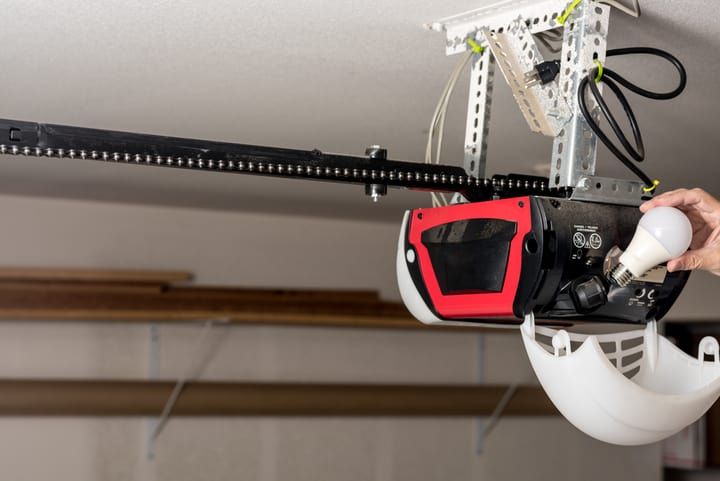
It is not the diode itself that radiates noise — it is the bulb’s LED driver. The driver is a small switch-mode power supply that rectifies the mains AC and chops it at high frequency to produce the regulated DC current the LEDs need. That high-speed switching generates stray RF energy from roughly 100 kHz up into the tens of MHz.
Cheaper bulbs cut corners on the filtering and shielding that is supposed to contain that noise. It then leaks onto your household wiring, which acts as an unintentional antenna and radiates it across the room — often right into the band your garage door opener’s receiver is tuned to.
In the US, LED bulbs are required to comply with FCC Part 15 limits on unintentional RF emissions. Compliant bulbs carry an FCC mark on the base or packaging. Uncertified imports are by far the most common culprits, so checking for an FCC mark is a quick filter when shopping for replacements.
For measured examples of how much RF noise different LED bulbs put out, this page from LED Benchmark has tested examples of A19, MR16 and tube LEDs.
What Frequency Are Garage Door Openers?
Most North American garage door openers operate between roughly 300 and 400 MHz, with 315 MHz and 390 MHz the two dominant frequencies today. Modern Chamberlain and LiftMaster openers (post-February 2022, with the yellow Learn button) and current Genie units use both bands together — dual-frequency — so the receiver can hop to the cleaner channel when it detects interference.
In Europe and most of the rest of the world, 433.92 MHz is standard, with 868 MHz on newer systems. Smart openers may also communicate over Wi-Fi (2.4 / 5 GHz) or Z-Wave instead of, or alongside, conventional RF.
The interference does not come from the visible light an LED emits — those photons sit at hundreds of THz, which is irrelevant to RF reception. The driver’s noise lives in the kHz to tens of MHz range and bleeds straight into the band an opener listens on.
| Region / Type | Common Frequencies | Notes |
|---|---|---|
| North America | 315 MHz, 390 MHz | Modern Chamberlain/LiftMaster (post-Feb 2022) and current Genie use both bands together |
| Europe and most of the world | 433.92 MHz, 868 MHz | 868 MHz on newer systems |
| Smart / Wi-Fi openers | 2.4 / 5 GHz Wi-Fi, Z-Wave | Often pair a Wi-Fi link with a 315 / 390 MHz backup remote |
What If You Have a Smart or Wi-Fi Opener?
If your opener is a smart Wi-Fi model (Chamberlain MyQ, Genie Aladdin Connect, and similar), the Wi-Fi side runs at 2.4 / 5 GHz — well above what an LED driver radiates — so app or phone-trigger problems there usually trace back to router or connectivity issues rather than RFI. Most smart openers still ship with a traditional RF remote operating in the 315 / 390 MHz band, and rolling-code remotes (Security+ 2.0 and similar) sit on the same band, so they remain just as susceptible to LED interference as older systems.
How to Confirm LED Interference Is the Problem
Before buying ferrite cores or new bulbs, verify the cause. Work from the easiest check first.
- Switch off the LED bulbs nearest the opener at the wall switch — especially any inside the opener’s own light socket or sharing the same fixture loop.
- Try the remote from your usual range. If the opener now responds normally, an LED is the most likely culprit.
- If you have several LED bulbs in the area, turn them back on one at a time and re-test after each, until the offender shows itself.
- If the opener still misbehaves with every LED off, the cause is something else: a flat remote battery, a misrouted antenna wire on the opener motor unit (it should hang freely), or another 315 / 390 MHz transmitter in the area (cordless phones, baby monitors, or a neighbour’s opener).
How to Fix LED Interference With a Garage Door Opener
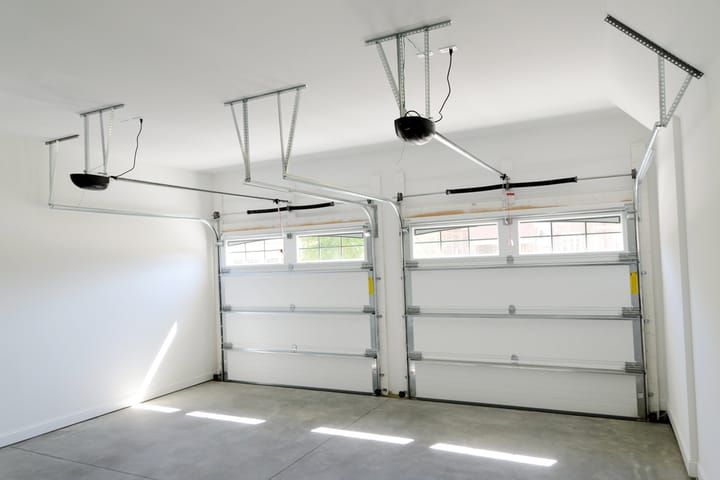
Once you have confirmed an LED is the source, there are three fixes. Try them in this order — cheapest and easiest first.
1. Replace the Bulb
This is the cheapest fix and almost always the right place to start. Swap the offending LED for a different brand, ideally one with an FCC mark on the base or packaging. Better-quality bulbs use a properly filtered driver and will not leak as much noise.
If you have other LED bulbs around the house, try one in the offender’s socket as a quick test. If the opener starts working again, you have confirmed it is a bulb issue rather than the fixture or wiring.
Enclosed or hard-wired fixtures with integrated LEDs cannot be re-bulbed. If the offender is one of those, skip ahead to the ferrite fix.
2. Clip a Ferrite Core Onto the Cable
Ferrites are the small black cylinders you have probably seen near the plug end of laptop chargers and monitor cables. They use a ferrite material that presents a high impedance to high-frequency current, absorbing RFI energy and dissipating it as heat — not blocking or reflecting it.
Because the noise is generated inside the bulb but the household wiring is what radiates it, clipping a ferrite onto the cable near the fixture is usually the most effective place to suppress it.
How to Install a Ferrite Core on a Light Fixture Cable
Switch off the power at the breaker before touching a fixture’s wiring. Then:
- Identify the power cable running into the light fitting — the section of cable between the fixture and the wall or ceiling box.
- Pick a ferrite core with an inner diameter that fits snugly around the cable jacket. Too loose and it will not do much; clip-on kits typically include a few sizes (a 3 mm to 13 mm range covers most household cables).
- Snap the ferrite over the cable jacket, with both conductors (line and neutral) passing through the core together. That is how a ferrite suppresses common-mode RF noise — clipping it onto a single conductor of an AC cable does almost nothing.
- Position the ferrite as close to the bulb fitting as possible — within roughly two to four inches.
- For more attenuation, loop the cable through the ferrite two or three times before snapping it shut.
- Restore power and test the opener.
A note on terminology: a household lamp cable is AC and does not have a “negative” wire — that vocabulary only applies to DC circuits. Online guides that tell you to clip the ferrite onto “the negative cable” are wrong. The ferrite must enclose the line and neutral conductors at the same time, both passing through the same core, for it to do its job.
3. Shield the Wiring
If swapping the bulb and adding a ferrite have not fixed it, the next step is shielding the wiring itself. Either replace the existing wiring in the fixture with pre-shielded cable, or add tubing (Amazon) lined with a metal mesh that blocks RF.
Tubing usually has to be slid over the cable, so the wiring has to be disconnected to fit it. Disconnect power at the breaker first — the braided mesh will conduct current if it touches a live conductor.
This is a noticeably bigger job than the other two, which is why I would only reach for it after the easier fixes have failed.
What I’d Try First
My rule of thumb: try a different bulb before anything else. An FCC-certified replacement is a few dollars, takes thirty seconds to swap in, and resolves the problem the vast majority of the time. If the offending LED is sealed into an integrated fixture and cannot be replaced, clip a ferrite core onto the fixture’s power cable instead — same low cost, ten-minute job.
LED bulbs are still worth keeping. They use a fraction of the power of what they replaced and last far longer; the interference issue is almost always a quality-of-bulb problem rather than an LED-technology problem.
If the same bulb is also disrupting other devices in the house, my guide on LED lights interfering with Wi-Fi and other appliances covers the same logic for the rest of the home.
FAQ
Will any LED bulb interfere with my garage door opener?
No — the issue is concentrated in cheaper, uncertified bulbs whose drivers leak more RF noise than the spec allows. FCC-certified LEDs from established brands very rarely cause the problem. If your current bulb has no FCC mark on the base or packaging, that alone is reason enough to try a different one.
My opener is a smart Wi-Fi model — can LEDs still cause issues?
The Wi-Fi side of a smart opener runs at 2.4 / 5 GHz, well above what an LED driver radiates, so connection issues there are usually a router or app problem. However, most smart openers ship with a traditional RF remote that operates at 315 / 390 MHz, and that remote is just as susceptible to LED interference as a remote on an older opener.
Will a ferrite core damage my bulb or fixture?
No. A ferrite core is a passive component that simply clips around the cable jacket. It does not break the circuit, change the voltage or current, or draw power — it only absorbs high-frequency noise and dissipates it as heat in the ferrite material.
Can I just wrap the bulb in foil to block the signal?
No. The noise is conducted out through the bulb’s power cable, not radiated through the glass envelope, so wrapping the bulb does nothing useful for interference. It also traps heat against the bulb and creates a fire risk — do not do it.