
Do LED Lights Interfere With WiFi And Other Appliances? WiFi Signal Tested
The visible light an LED emits at 400 THz can't touch your WiFi — it's the switching driver inside that radiates noise right into the same band as your 2.4 GHz network.
 Eugen
EugenEugen Nikolajev
Creator of LED Lighting Info
Hi, I am Eugen. I was always one of those kids who had all sorts of weird lighting gadgets for every occasion.
Now, I want to share my knowledge and experience about lighting with you on LED Lighting Info.
Read my editorial standards
Key Takeaways
LED lighting does emit a small amount of electromagnetic interference, but the diode itself is almost never the culprit. The driver inside the bulb (or the power supply behind a strip light) is where the noise actually comes from, and a poorly designed driver can spill that noise into the radio bands your other devices rely on.
If you've noticed your WiFi slowing down, your radio buzzing, or your TV picking up patterns after installing new LED lights, you're not imagining it — but the cause might surprise you.
In this guide, I'll explain:
- The frequency range that actually matters for LED interference (and why it's not 400 THz)
- How LED lighting might interfere with WiFi signals
- Whether LEDs interfere with radios and speakers
- If LED lighting can interfere with TVs
- If LEDs cause interference with cellphones
- How to diagnose and fix LED light interference
What Frequency Do LED Lights Operate At?
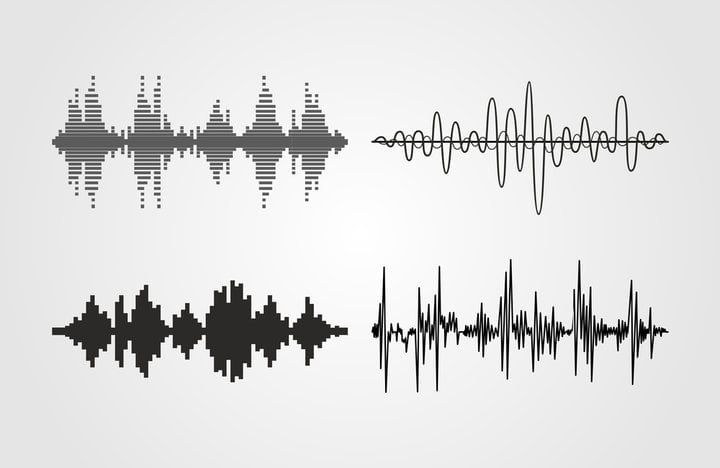
There are really two frequencies to talk about with LEDs, and confusing them is the source of most "LEDs can't possibly interfere with WiFi" myths.
The visible light an LED emits sits at roughly 400–790 THz — far above any WiFi, radio, or appliance band. The light itself can't interfere with WiFi.
The interference people actually experience comes from the LED's switching driver. Drivers are switch-mode power supplies that chop the AC mains at tens of kilohertz to a few megahertz, and they radiate noise from roughly 150 kHz to 30 MHz through the wires (conducted) and 30 MHz to 1 GHz through the air (radiated). That radiated band overlaps directly with FM and DTV broadcast and the lower harmonics around the 2.4 GHz WiFi band, which is why a poorly designed driver can disrupt them.
Here is a comparison of common household devices and the frequencies their interference (or signal) actually occupies.
| Household Item | Frequency Range |
|---|---|
| Cordless Phones | 1.9 GHz (DECT 6.0); legacy models on 900 MHz, 2.4 GHz, or 5.8 GHz |
| Microwaves | 2.4 GHz |
| Hairdryers | 60 Hz mains + broadband RF noise from brushed motor |
| WiFi | 2.4 GHz, 5 GHz, or 6 GHz (WiFi 6E/7) |
| LED Driver EMI | ~150 kHz – 1 GHz (depends on driver design) |
Notice that LED driver EMI sits squarely in the same band as broadcast radio, DTV, and the harmonics around WiFi's 2.4 GHz channels. The argument that "LED frequencies don't overlap with WiFi" is only true for visible light — at the driver level, there's plenty of overlap. Cheaper bulbs with worse filtering are by far the most likely to cause noticeable problems.
Can You Change The Frequency Of LED Lights?
You can't change the EMI band a driver radiates into — that's set by the driver's switching design. If the noise from a particular bulb is causing problems, the fix is to replace the bulb (or its power supply) with a better-filtered model, not to try to retune it.
LED Lights WiFi Interference Tested
LED lights emit a small amount of electromagnetic interference that can disrupt a WiFi signal. In practice, it's usually only an issue when you're using LEDs with an older halogen transformer, or when you've packed a lot of lights into a small space (Christmas lights are the classic example).
Two parts of an LED setup can cause radio interference: the diode itself, and the driver that regulates current to the diode. The diode is almost never the problem — the driver almost always is.
A regular LED bulb with a well-designed driver won't cause enough interference to interrupt your WiFi.
I ran a test to confirm this — using a laptop next to an LED table lamp, switched on and off.
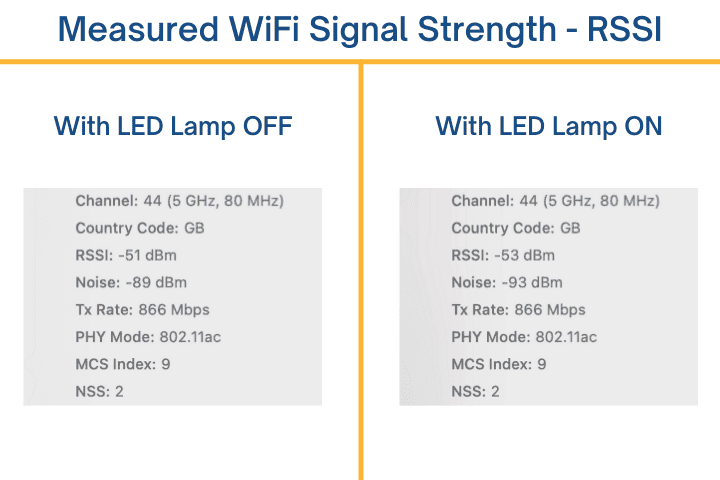
The Received Signal Strength Indicator (RSSI) is the indicator where a lower number means a stronger signal.
The RSSI is only two points different with the lamp on — within normal fluctuation levels.
The noise value is about four points higher, which shows there's very minor interference in the signal — but that could just as easily be from cellphones or tablets in the house. So my LEDs caused no measurable WiFi interference.
If you're using an LED with an older halogen transformer, those tend to generate more interference and you might notice signal issues near the fixture.
LED lights can also interfere with WiFi when there are enough of them in a small space — most noticeable when people decorate their homes for Christmas.
More LED drivers running together means more aggregate radio-frequency noise, increasing the chance of interference.
Quick Fix: Try Switching WiFi Bands
Modern routers broadcast on 2.4 GHz and 5 GHz, with WiFi 6E and WiFi 7 routers adding the 6 GHz band. LED driver harmonics are far more likely to disrupt 2.4 GHz than the higher bands. If your laptop or phone supports it, connect to your 5 GHz or 6 GHz network and see whether the problem disappears — it's the cheapest test you can run before changing anything else.
Why Do LED Lights Interfere With Radio?
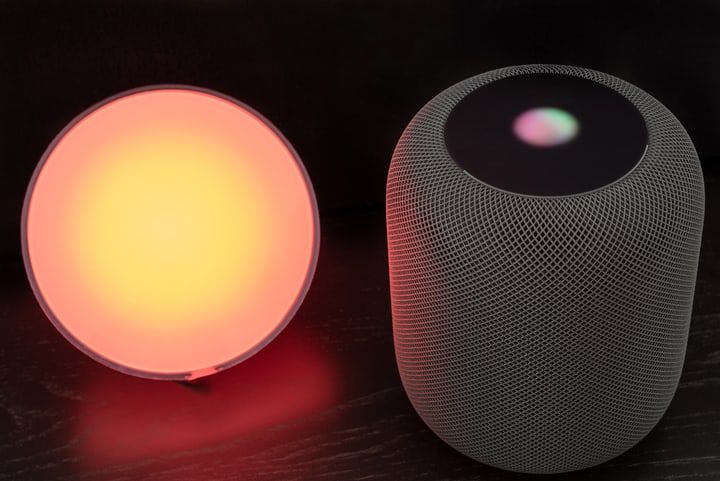
LED driver EMI sits in the same band as AM/FM broadcast and the audio circuitry of nearby speakers, so in some cases LEDs really can cause audible buzzing or radio static. Unshielded wiring and ground loops make it worse.
The odds of the EMI from a single LED bulb causing radio issues are still low. Ground loops — where the lights are plugged into the same circuit as a radio, with a common ground — are a much more common cause.
Unshielded wires cause issues when the wires for your lighting and your radio run close to each other.
I've a full guide on LEDs causing speakers to buzz — read that if you want to know more.
Can LED Lights Interfere With TV?
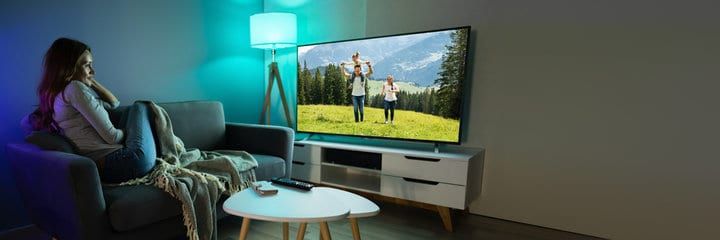
It's possible for LED lights to interfere with TVs, but it's not common. If you're still using an over-the-air antenna, you might notice the interference on certain DTV channels — those broadcasts sit in the same 30 MHz–1 GHz range as LED driver radiated emissions.
LED strip light interference is becoming more common for TVs because people install bias-lighting strips on the back of the screen — having so many LEDs and a single power supply that close to the antenna and tuner can produce visible signal issues.
The weak EMI from a single LED lamp or strip is typically not enough to cause problems on its own. Cheap, unshielded power supplies are the recurring offender.
Do LED Lights Interfere With Cell Phones?
An LED's electromagnetic field rarely interrupts your cellphone signal — you'd likely have to be standing very close to the fixture to notice anything.
Normally you can fix the issue just by walking away from the light — that's enough to stop any signal interference.
How to Fix LED Light Interference
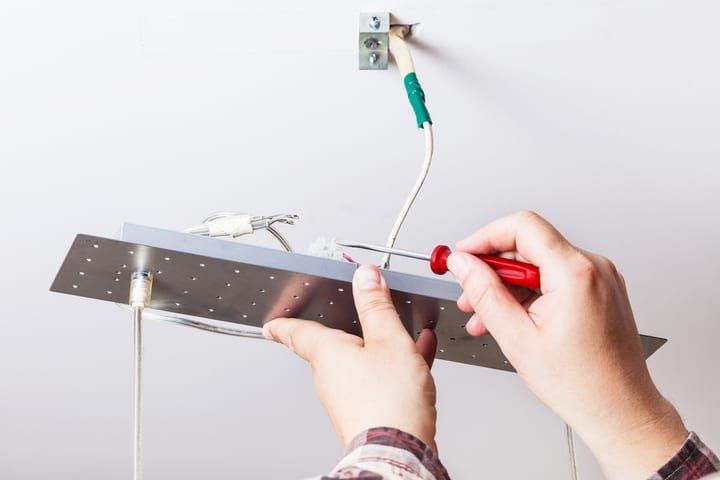
There are several ways to reduce the interference from your lights:
- Buy better-quality bulbs
- Replace older transformers or strip-light power supplies
- Check for an old, non-LED-rated dimmer in the circuit
- Reduce the length of your lighting wires (or shield them)
- Add ferrite beads to your lighting wires
Before trying any of these, confirm that your lighting is actually the cause:
- Wait until the interference is actively occurring (slow WiFi, buzzing radio, TV pattern noise).
- Turn off all LED lights in the affected area.
- Check whether the interference stops.
- If it stops, the LEDs are the cause — try the fixes below. If it doesn't, the source is something else.
Get Quality LED Light Bulbs
Low-quality LED bulbs are far more likely to cause radio or WiFi interference because their drivers are built to a lower standard, with minimal EMI filtering.
FCC-certified bulbs are tested to keep their unintentional emissions within FCC Part 15 limits, which makes interference much less likely — but it's not a guarantee. The FCC itself acknowledges that compliant devices can still produce harmful interference in some installations, which is why manufacturers are required to provide mitigation guidance to users. Cheap, uncertified bulbs are the more common culprit by a wide margin.
If you bought a deal-of-the-day pack from an unfamiliar brand, swapping to a known-quality bulb often fixes the problem on its own.
Transformer Or Power Supply Might Be An Issue
There are two common locations where a transformer can introduce interference: an older halogen transformer left in place when low-voltage halogens were swapped for LED retrofits, or the external power supply behind LED strip lights.
If your interference is from low-voltage retrofit bulbs, replace the original transformer with one rated for LED loads, or switch to mains-voltage LED bulbs with their own self-contained drivers. (Note: halogens use transformers, not ballasts — ballasts are specific to fluorescent and HID lamps.)
If the problem is with strip lights, replace the power supply with a better-quality, properly filtered model. Cheap strip-light bricks are one of the most common EMI offenders in the home.
Check The Dimmer
If you replaced incandescent or halogen bulbs with LEDs but kept the original wall dimmer, that dimmer is a strong suspect. Older TRIAC dimmers chop the AC waveform in a way that produces broadband RF noise, and they were never designed for LED loads. The combination of a TRIAC dimmer and an LED bulb often causes audible buzzing in nearby radios or speakers, plus visible flicker.
The fix is straightforward: replace the dimmer with one labeled LED-compatible — ideally a trailing-edge dimmer designed for low-wattage LED loads.
Reduce The Length Of Wiring
Long wire runs act as antennas — they radiate driver EMI more efficiently the longer they get. Shortening cables, or replacing them with shielded cables, reduces how much noise leaks into the surrounding air.
If the wiring is buried in ceilings or walls, this is a trickier fix — exhaust the other options first.
Add Ferrite Beads To Wires
Ferrite beads are passive noise suppressors that clip onto a wire. They block high-frequency noise from radiating out of (or into) the cable, and they're a quick, low-effort fix for driver EMI.
Look for a set that includes multiple sizes — a pack with 4–5 inner-diameter options gives you the flexibility to match different wire gauges. Clip them onto the lighting wires as close to the lights as possible, and they should noticeably cut down the EMI.
Final Words
If your LED lights are causing interference, you don't have to live with it.
Whether your WiFi is sluggish or your radio, TV, or cellphone is acting up, a quick on/off test will tell you if the lights are the cause — and a better bulb, an LED-rated dimmer, or a few ferrite beads is usually all it takes to fix it. None of that compromises the energy savings that drew you to LEDs in the first place.
Worried about outdoor LED lights interfering with garage door openers? I've a guide just for that scenario.