
Do Smart Bulbs Work Without WiFi? Troubleshooting Quiz
Wi-Fi-only smart bulbs go dark the moment your router reboots — but a bulb with Bluetooth still responds from your phone, no internet required.
 Eugen
EugenEugen Nikolajev
Creator of LED Lighting Info
Hi, I am Eugen. I was always one of those kids who had all sorts of weird lighting gadgets for every occasion.
Now, I want to share my knowledge and experience about lighting with you on LED Lighting Info.
Read my editorial standards
Key Takeaways
Some smart bulbs only use Wi-Fi on the 2.4 GHz band, which means a local Wi-Fi connection is needed for the bulbs to communicate with the phone app. However, the majority of newer bulbs also include a Bluetooth radio for short-range control between the app and the bulb when there is no Wi-Fi signal. Other bulbs avoid Wi-Fi entirely and use a low-power mesh protocol like Zigbee, Z-Wave, or Thread, paired to a dedicated hub.
Will My Smart Bulb Work Without WiFi?
Answer a few quick questions about your smart bulb setup and current situation, and I'll tell you whether your lights will still respond — and what to do if they won't.
6 questions — takes about a minute
Answers are anonymous and may be used to improve content.
Smart bulbs are sold on the promise of app and voice control, but most of that experience runs through your home Wi-Fi. So what happens when the router reboots, the ISP goes down, or the bulb in the back bedroom can't get a signal? The answer depends on which wireless protocol your bulb actually uses.
Can You Use Smart Bulbs Without Wi-Fi?
There are plenty of reasons your bulbs might lose Wi-Fi: a router reboot, an ISP outage, weak signal in a back room, or simply moving the lamp out of range. Whether the bulb still responds depends on what other radios it has.
Smart bulbs use one or more wireless protocols to talk to your phone or hub — Wi-Fi, Bluetooth, Zigbee, Z-Wave, and Thread are the main ones. Each behaves differently when the internet drops:
| Protocol | Hub required? | Works without internet? | Typical range | Example brands |
|---|---|---|---|---|
| Wi-Fi only | No | No (needs router + Wi-Fi) | Whole-home Wi-Fi coverage | TP-Link Kasa, older Wyze |
| Bluetooth | No | Yes (phone-to-bulb only) | ~30 ft (10 m) indoors | Philips Hue Bluetooth, GE Cync |
| Zigbee | Yes (Zigbee hub) | Yes, for local control | ~30–50 ft per hop, mesh extends it | Philips Hue, IKEA Tradfri, Sengled |
| Z-Wave | Yes (Z-Wave hub) | Yes, for local control | ~100 ft per hop, mesh extends it | Aeotec, GE Enbrighten |
| Thread / Matter | Yes (Thread border router) | Yes, fully local | Mesh, room-to-room | Nanoleaf Essentials, newer Hue |
If your bulb is Wi-Fi-only and the router is down, you're stuck with the wall switch. Every other option above gives you some form of offline control.
Will a Smart Bulb Work Through Bluetooth?
Bluetooth is the simplest way to run a smart bulb without Wi-Fi. The bulb has its own short-range radio, so your phone or tablet can pair with it directly — no internet, no router, no hub.
Most newer Philips Hue bulbs include Bluetooth alongside Zigbee, and brands like GE Cync, LIFX, and Sengled offer Bluetooth-capable models too. To control the bulb without Wi-Fi:
- Make sure the bulb has power — the wall switch must be on.
- Open the manufacturer's app on a Bluetooth-enabled phone or tablet (iOS or Android, with BLE 4.0 or later — most devices from the last decade qualify).
- Wait for the app to detect the bulb automatically, then tap Add device, Connect, or Pair.
- Use the app's normal controls — on/off, brightness, color — exactly as you would over Wi-Fi.
Bluetooth range for smart bulbs is typically around 30 feet (10 meters) indoors, though it varies by manufacturer and is reduced by walls, metal, and 2.4 GHz interference. In practice, you need to be in the same room as the bulb.
If you want to control your smart bulb from outside the home, you still need a hub that's online — Bluetooth alone won't reach you when you're away.
How to tell if your smart bulb has Bluetooth
- Check the box or product page for a Bluetooth logo or a "Bluetooth + Wi-Fi" badge.
- Look at the manufacturer's spec sheet — it should list each radio (Wi-Fi 2.4 GHz, Bluetooth LE, Zigbee 3.0, etc.).
- If the app store listing mentions "works without a hub" or "set up via Bluetooth," the bulb has a Bluetooth radio.
- When in doubt, try pairing with Wi-Fi turned off on your phone — if the app finds the bulb, it's Bluetooth-capable.
Can You Control Multiple Smart Bulbs With Bluetooth?
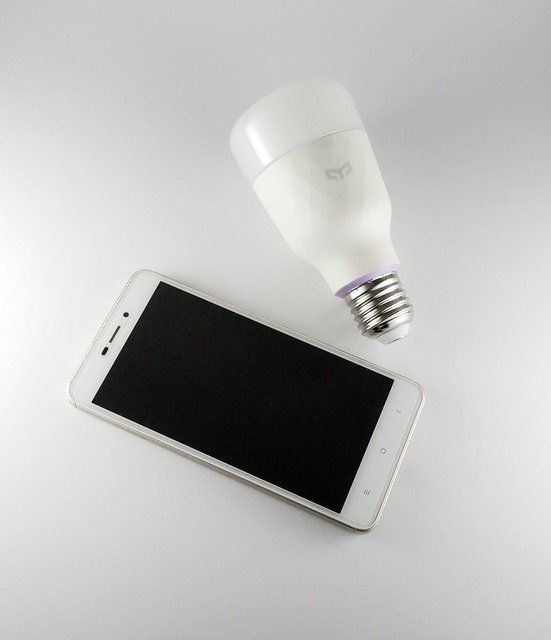
Each smart bulb brand provides a dedicated app for Bluetooth control. On first setup, stand close to the fixture so the app can find the bulb cleanly.
Many Bluetooth smart-bulb apps cap how many bulbs you can connect. Philips Hue's Bluetooth app, for example, supports up to 10 bulbs without a Bridge; LIFX, Govee, and Sengled each set their own limits. If you want more bulbs or whole-home grouping, you'll need to add a hub.
You can group bulbs in a single room so one tap controls them all together. What you can't do over Bluetooth alone is control bulbs across the house from outside it — Bluetooth is short-range by design, and you'd need to be near each fixture.
Related reading: Can Smart Bulbs Be Used Outside?
What About Zigbee, Z-Wave, and Matter?
Wi-Fi and Bluetooth aren't the only games in town. Several low-power protocols power some of the most popular smart bulbs on the market, and they all behave differently when the internet goes down.
Zigbee
Zigbee is a low-power mesh networking protocol used by many smart bulbs, including the original Philips Hue line. It needs a coordinator — usually a dedicated hub or bridge like the Hue Bridge, SmartThings hub, or an Amazon Echo with built-in Zigbee — to relay messages between your phone, your router, and the bulbs. Mains-powered Zigbee bulbs also act as routers themselves, extending the mesh as you add more devices.
The current Hue Bridge supports up to 50 lights and around 63 devices total; the new Hue Bridge Pro (2025) raises that to 150 lights.
Z-Wave
Z-Wave is another mesh protocol, used by brands like Aeotec and GE Enbrighten. It runs on a sub-GHz frequency (around 908 MHz in the US) instead of the crowded 2.4 GHz band, which gives it better wall penetration and less interference from Wi-Fi. Like Zigbee, it needs a hub — typically a SmartThings, Hubitat, or Home Assistant setup — and continues to work locally without internet.
Matter and Thread
Matter is the newer interoperability standard that lets devices from different brands work together across Apple Home, Google Home, Amazon Alexa, and SmartThings. Many Matter bulbs use Thread, a low-power mesh radio similar in spirit to Zigbee. Matter-over-Thread devices route entirely through a Thread border router (built into recent HomePods, Apple TVs, Echo devices, and Nest hubs) and can run fully locally — no cloud, no internet — for on/off, brightness, and color. Voice assistants and remote access still need an internet connection.
Can Smart Light Hubs Work Without Wi-Fi?
A hub acts as the brain of a Zigbee, Z-Wave, or Thread setup — talking to the bulbs over its low-power mesh and to your phone over your home network.
If your internet goes down, the hub will likely continue to work for basic local control. It will still turn the lights on, off, and dim them as long as your phone is on the same local network as the hub. Cloud-dependent features — voice assistants, geofencing, away-from-home access, and any routines tied to a cloud service — will be unavailable until the internet comes back.
The hub communicates with your phone over the local Wi-Fi network, while it talks to the bulbs using a separate low-power protocol like Zigbee, Z-Wave, or Thread. So if your local Wi-Fi or router is down — not just your internet — your phone loses its path to the hub, and you'll need to fall back to the wall switch.
One useful nuance: schedules and automations stored locally on the hub (which is the case for most Hue and SmartThings setups) keep running even with the internet down. A sunset-to-sunrise routine programmed on the Hue Bridge will still trigger your lights at dusk; a cloud-only routine in a third-party app may not.
Also read: Do Smart Switches Require Smart Bulbs?
What Happens to Voice Control When Wi-Fi Goes Down?
Voice assistants are the part of the smart-home experience that suffers most during an outage. Alexa, Google Assistant, and Siri all send your voice command to a cloud service to interpret it, then route the action back to the device. No internet, no voice control — even for a Bluetooth bulb sitting two feet from the speaker.
There are a few exceptions. Apple Home with a Thread border router and a HomePod handles many commands locally; Alexa's local voice control works for a small set of compatible devices on Echo hubs. But for most setups, expect voice control to drop with the Wi-Fi and come back when the router does.
FAQ
Do smart bulbs work without Wi-Fi?
Bluetooth-enabled smart bulbs work without Wi-Fi — you control them directly from your phone within about 30 feet. Wi-Fi-only bulbs do not. Bulbs paired with a Zigbee, Z-Wave, or Thread hub keep working for local control, but lose voice assistants and remote access.
How far does Bluetooth reach for smart bulbs?
Most manufacturers cite about 30 feet (10 meters) indoors, though Bluetooth LE can stretch further outdoors with line of sight. Walls, metal, and 2.4 GHz interference cut the usable range, so plan on being in the same room as the bulb.
Do Philips Hue bulbs need Wi-Fi?
No. Original Philips Hue bulbs use Zigbee and need a Hue Bridge, which plugs into your router via Ethernet. Newer Hue bulbs also include Bluetooth and can be controlled directly from a phone within range, no Wi-Fi or Bridge required.
Will my Alexa or Google Home commands still work if the internet goes down?
Generally no. Alexa, Google Assistant, and Siri rely on cloud services to interpret voice commands. A few setups (Apple Home with Thread, Alexa local voice control on an Echo hub) handle a limited set of commands locally, but most voice control stops when the internet does.
Can I control smart bulbs from outside my home without Wi-Fi?
Not without an internet connection at the home. Remote access — whether via Bluetooth-plus-hub, Zigbee, Z-Wave, or Matter — always requires the hub to be online so it can receive commands from the cloud.
Final Words
Most modern smart bulbs include a Bluetooth radio as a backup, so basic control survives a Wi-Fi outage as long as you're in the same room. Hubs running on Zigbee, Z-Wave, or Thread go further — they keep local automations and on/off control alive without any internet at all, though voice assistants and remote access still need the cloud.
It takes a little trial and error to set up a seamless smart home suited to your specific needs, but the right protocol mix means a router reboot doesn't have to mean a dark house.
Have you run into trouble with your lights while resetting your Wi-Fi router? Share your experience in the comments below.