
Do Motion Sensors Need Batteries?
NiMH rechargeables can trigger low-battery alerts on your security panel long before they're actually dead — that 1.2V nominal output looks like a dying cell to most systems.
 Eugen
EugenEugen Nikolajev
Creator of LED Lighting Info
Hi, I am Eugen. I was always one of those kids who had all sorts of weird lighting gadgets for every occasion.
Now, I want to share my knowledge and experience about lighting with you on LED Lighting Info.
Read my editorial standards
Key Takeaways
Most outdoor motion sensors are hardwired. Indoor security sensors are split between wired models that connect to your alarm panel and wireless models that run on batteries.
Almost all wireless motion sensors use replaceable batteries, typically AA, AAA, or 3V lithium CR123A cells, and they don't need swapping often.
Motion sensors fall into two main categories: passive infrared (PIR) sensors that detect the heat of a body moving across their field of view, and active sensors that emit a signal — usually microwave or ultrasonic — and watch for disturbance in the return.
Both use surprisingly little power, which is why battery-powered models can run for years rather than weeks.
But how are they actually powered, and what kind of batteries should you expect to deal with?
Here's what's covered below:
- How motion sensors are powered (wired, wireless, and solar)
- How long battery-powered sensors actually last
- Whether lithium-powered sensors are throwaways (they aren't)
- How to replace the battery yourself
How Are Motion Sensors Powered?
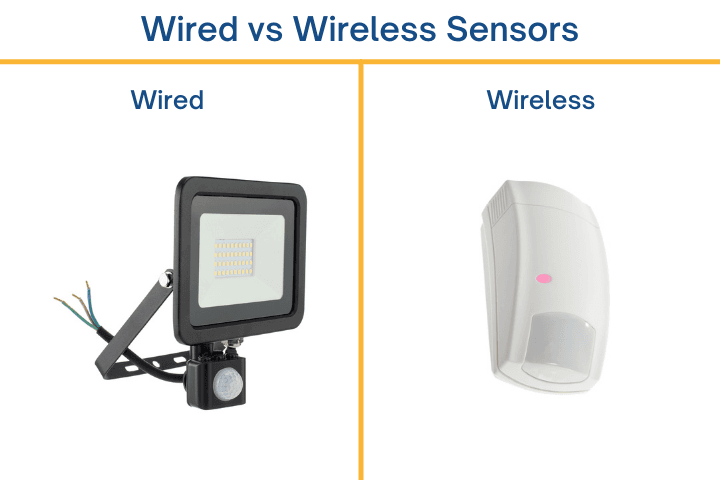
Motion sensors come in three power configurations: wired, wireless, and solar.
Wired sensors draw current directly from the circuit they're connected to, so no batteries are involved. Most outdoor floodlight-style sensors fall into this category — the sensor is either built into the fixture or wired separately on the same circuit.
Indoor security motion sensors are sold in both wired and wireless versions. A wired indoor sensor gives you constant power but requires running cable behind walls or trunking — much more work to install. Wireless models are battery-powered and pair with your security panel over RF or Wi-Fi, so installation is just a matter of mounting the unit.
Solar-powered motion sensors are a third option, common on outdoor floodlights and standalone security devices. A small solar panel charges an internal battery during the day, so there are no wires to run and no batteries to swap.
How Long Do Motion Sensor Batteries Last?
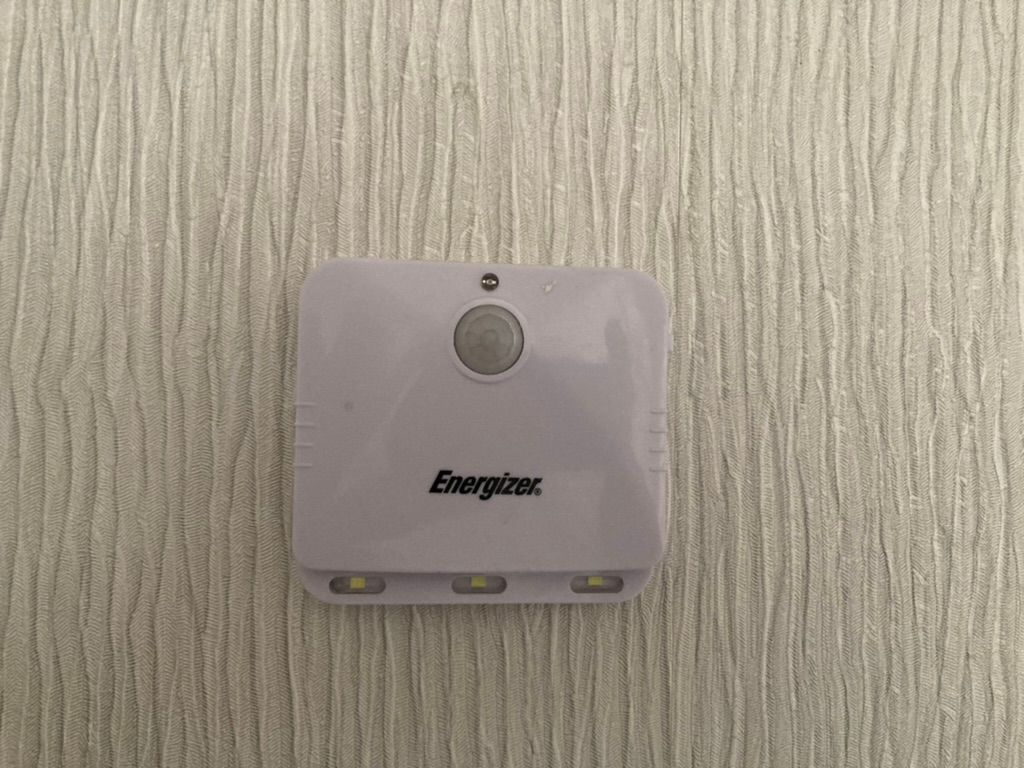
Battery life depends on four things: the sensor model, the battery chemistry, how often the sensor triggers, and the ambient temperature.
Manufacturer ratings span a wide range. Ring publishes "up to 3 years" for its Motion Detector running on AA cells, though high-traffic placements often shrink that to a year or less. The DSC PG9984P, which uses a 3V lithium CR123A, is rated for around 5 years. Honeywell's 5800-series can stretch to roughly 10 years on lithium. Cold weather noticeably reduces capacity on alkaline cells, so a sensor in an unheated garage will die sooner than the same model indoors.
Most security panels alert you when a battery is low, but it's worth knowing what "low" looks like before the alert fires: degraded detection range, occasional false triggers, and intermittent offline reports are all common as voltage sags. If you've been getting unexplained alarms or missed detections from one specific sensor, a fresh battery is the cheapest fix to try first.
My rule of thumb: replace AA-powered sensors proactively every 2–3 years, and lithium CR123A sensors every 5 years, regardless of whether the panel has flagged them.
Choosing the Right Battery
For AA and AAA sensors, stick with a name-brand alkaline (Duracell, Energizer) or a lithium primary (Energizer Ultimate Lithium). Bargain-bin cells leak more often and start with lower capacity — exactly what you don't want sealed inside a sensor mounted on the ceiling.
In cold climates, lithium AA cells outperform alkaline by a wide margin: alkaline capacity drops sharply below freezing, while lithium primaries hold steady down to about -40°F. For CR123A sensors, any reputable brand (Panasonic, Duracell, Energizer) is fine — avoid generic no-name CR123A cells, which tend to underdeliver on rated capacity.
| Battery Type | Replaceable? | Typical Lifespan | Best For | Notes |
|---|---|---|---|---|
| Alkaline AA/AAA | Yes | 1–4 years | Indoor, moderate traffic | Most common; weakens in cold |
| Lithium AA/AAA | Yes | 3–7 years | Cold environments | Higher cost, longer life |
| Lithium CR123A | Yes | 5–10 years | Pro security panels (ADT, DSC, Honeywell 5800) | Industry standard for wireless security |
| Coin cells (CR2032 etc.) | Yes | 1–3 years | Compact sensors | Flat side is positive (+) |
| NiMH rechargeable | Yes (recharged) | 5–10 years of cycles | Eco-conscious, non-security uses | Often misread as low battery by alarm panels |
| Sealed/integrated | No | Whatever the unit lasts | Disposable consumer sensors | Rare in residential security |
Are Motion Sensor Batteries Replaceable?
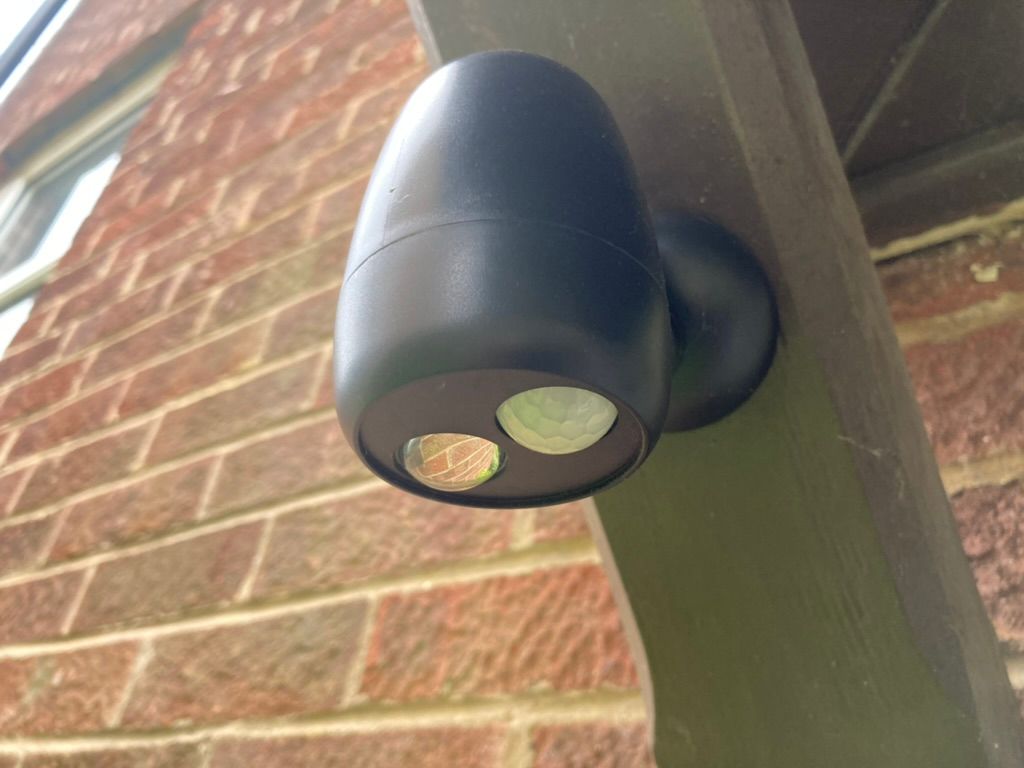
Almost all wireless motion sensors on the market use replaceable batteries — and that includes the lithium-powered ones. The 3V CR123A cylindrical lithium cell is the standard for ADT, Ring (first-gen Motion Detector), DSC PowerG, Xfinity, and Honeywell's 5800 series, and it slots out of the battery tray exactly like an AA. Manufacturers actively recommend lithium chemistry over alkaline for these sensors because lithium lasts longer (5–10 years versus around 4 years for alkaline) and handles the high-current bursts of PIR transmission more cleanly.
The distinction that actually matters isn't lithium versus alkaline — it's whether the battery is soldered or integrated into the unit, or whether it slots in and out. Truly sealed motion sensors are rare in residential security, but a few exist at the bargain end of the market. When buying, look for "replaceable battery" or a stated battery model (CR123A, AA, etc.) in the product listing. If neither is mentioned, ask before you commit.
Should You Use Rechargeable Batteries?
Rechargeable NiMH AA and AAA cells look attractive on paper — one set replaces dozens of disposables, and the long-term cost is the lowest of any option. But there's a catch with security motion sensors: NiMH cells output a lower nominal voltage (1.2V vs. 1.5V for alkaline) and their voltage curve drops gradually rather than holding flat. Many security panels misread that gradual drop as a low-battery fault and start firing alerts well before the cells are actually depleted.
Charging time depends on the charger. Slow overnight chargers in the 100–300 mA range take 10–16 hours per cycle, standard smart chargers handle a set in 2–6 hours, and fast chargers can finish in 1–3 hours at the cost of cycle life.
My take: if a sensor takes CR123A lithium primaries, use them. They outlast NiMH in this application, they don't trigger false low-battery alerts, and they handle cold environments better. Save rechargeables for low-stakes devices like motion-activated indoor lamps, where a misread voltage isn't going to wake you up at 3 a.m.
PIR vs. Microwave vs. Dual-Tech Sensors
PIR (passive infrared) is the most common motion sensor type — it detects the heat signature of a body crossing its field of view. PIR is power-efficient, which is why most battery-powered sensors are PIR.
Microwave sensors emit a low-power radio signal and detect the Doppler shift when something moves through the beam. They draw more current than PIR, so battery-powered microwave sensors are uncommon — most are wired.
Dual-tech sensors combine both, and only trigger when both methods agree there's motion. This dramatically cuts false alarms but roughly doubles the power draw of a PIR-only sensor, so dual-tech battery models (like the DSC PG9984P) need a higher-capacity lithium cell to hit a 5-year service life.
Also read: Do Motion Sensors Work Through Glass?
How To Replace the Battery in a PIR Motion Sensor
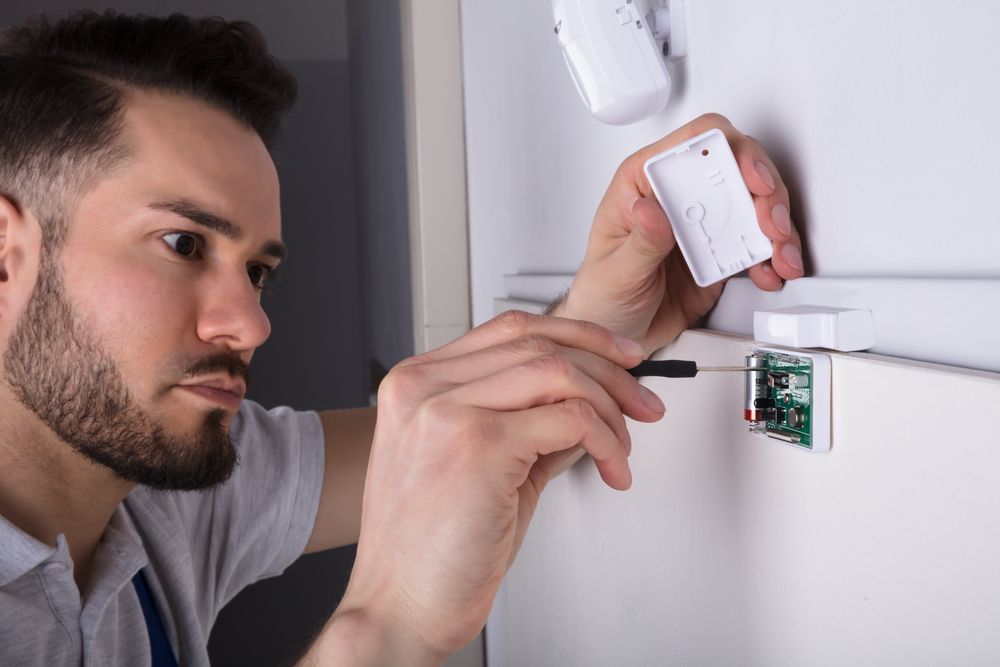
Swapping the battery in a wireless motion sensor takes about a minute:
- Locate the release catch (usually on the top, bottom, or side of the housing) or the visible screw holding the cover on. Check the manual if it isn't obvious.
- Press the catch or unscrew the panel and lift the cover off.
- Remove the old batteries.
- Insert the replacements, paying attention to polarity. AA and AAA cells need to match the + and − markings inside the compartment. CR coin cells like CR2032 install with the flat "+" side facing up. CR123A cylindrical cells have a raised positive end and a flat negative end — the spring resists reverse insertion but won't always block it, so check the markings before snapping the cover shut.
- Close the housing and trigger the sensor to confirm it's transmitting.
- If your security panel was beeping, the alert may need to be cleared manually — check your system's reset procedure.
Related: How To Make Motion Sensor Light Stay On?
Motion Sensors and LED Lights
If you're integrating a motion sensor with LED fixtures — say, a hallway light that triggers on entry — there are a couple of compatibility notes worth flagging. Many older motion switches were designed for incandescent loads and leak a small amount of current to power their internal electronics. With LEDs, that leak can be enough to make the lamp flicker, glow faintly when it's supposed to be off, or refuse to switch off cleanly. Look for a motion switch rated specifically for LED loads, or use a sensor with a separate neutral wire that doesn't rely on load-side leakage.
For dimmable LED setups paired with a motion sensor, make sure the sensor and dimmer are both LED-compatible — mismatching them is the most common cause of buzzing, flicker, and shortened LED life.
Final Words
Wireless motion sensors solve a real installation headache: no fishing wires through walls, no electrician, no permit. The trade-off is batteries, but with realistic lifespans of 1–10 years depending on chemistry and placement, that's a small price for the install savings.
For most home setups, I'd skip integrated/sealed units, lean on lithium CR123A primaries for any sensor that takes them, and proactively replace AA-powered sensors every 2–3 years. Save rechargeables for non-security applications — the false low-battery alerts aren't worth the savings.
FAQ
How long do motion sensor batteries last?
1–3 years for AA-powered sensors in busy areas, and 5–10 years for sensors using lithium CR123A cells like the Honeywell 5800 series or DSC PG9984P. Cold weather and frequent triggering shorten battery life noticeably.
Are lithium motion sensor batteries replaceable?
Yes. Lithium CR123A cells are the standard for major security brands (ADT, Ring Gen 1, DSC PowerG, Honeywell 5800) and slot in and out exactly like AA cells. The myth that "lithium = non-replaceable" confuses chemistry with packaging — what matters is whether the battery is soldered or integrated into the unit, not what it's made of.
Can I use rechargeable batteries in a motion sensor?
Technically yes, but security panels often misread the lower voltage of NiMH cells as a low-battery fault and fire alerts before the cells are actually depleted. For security sensors, stick to alkaline or lithium primaries. Rechargeables are fine for non-security devices like motion-activated lamps.
Do CR batteries have polarity?
Yes — every CR battery has a positive and negative terminal. CR2032 coin cells have the flat "+" side facing up; CR123A cylindrical cells have a raised "+" end and a flat "−" end. The shape makes reverse insertion harder than with AA cells, but it isn't impossible, so check the markings inside the compartment before closing the cover.
Are there motion sensors that don't need batteries?
Yes. Wired sensors draw power from the circuit they're connected to, and solar-powered sensors charge an internal battery from a small solar panel. Both eliminate routine battery replacement, though wired models cost more to install upfront.