
How To Set Landscape Lighting Timer?
A dusk-to-dawn photocell tracks sunset automatically year-round — so a timer that seems broken in December may just be reading a sky you accidentally blocked.
 Eugen
EugenEugen Nikolajev
Creator of LED Lighting Info
Hi, I am Eugen. I was always one of those kids who had all sorts of weird lighting gadgets for every occasion.
Now, I want to share my knowledge and experience about lighting with you on LED Lighting Info.
Read my editorial standards
Key Takeaways
There are three main timer types: analog (mechanical), digital, and dusk-to-dawn (photocell).
- Analog timers use pins pushed into position to set on/off windows.
- Digital timers are programmable to the minute, often with day-specific schedules.
- Dusk-to-dawn timers use a light sensor to switch on at sunset and off after a set duration or at sunrise.
If a timer stops working, most issues come down to the time being set wrong, wiring, or weather damage.
Running landscape lights 24/7 wastes electricity and washes them out in daylight — a timer fixes both problems by switching the circuit on and off automatically. Here's how to set one up, what to do when it stops working, and how to reset it.
Low-Voltage vs. Line-Voltage: Pick The Right Timer
Before buying a timer, check which type of circuit your lights run on. Most modern landscape lighting is low-voltage (12V), powered through a transformer that steps household 120V down to 12V. For these setups, the timer is almost always built into the transformer itself — you don't install a separate inline timer.
Line-voltage (120V) landscape circuits use a different class of timer wired into the supply. A 120V timer cannot drive a 12V lighting circuit directly, and a low-voltage transformer's internal timer can't be swapped for a line-voltage unit. Confirm the voltage on your transformer label before shopping.
If the timer will sit outdoors and isn't enclosed in a weatherproof transformer, check the IP rating. Look for IP44 or higher for splash resistance, and IP65+ if it's exposed to direct rain. Indoor-rated timers will fail quickly outside.
How To Adjust Timer On Outdoor Lights
The way you adjust a timer depends on the type. Here's a quick comparison before getting into the specifics.
Analog Timer
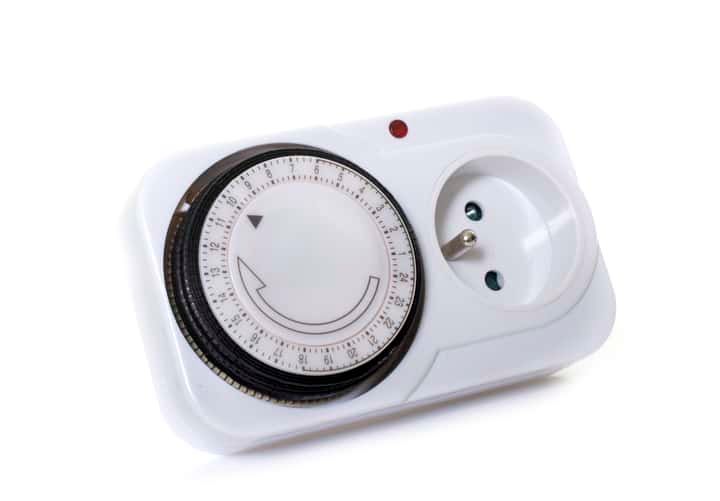
Analog timers (Amazon), sometimes called mechanical timers, are simpler than digital ones but trade off customization. They use a push/pull pin system arranged around a circular dial, with a way to set the current time in the middle — usually a clock face or a rotating dial that tracks the time of day.
To program one, set the current time first, then toggle the pins into the 'on' position for the times you want the lights running. The lights will be on for as long as the 'on' pins are engaged — you're not setting a start and finish time, you're filling in a 24-hour ring of on/off slots.
Pin direction varies by model — on some, pushing the pin inward toward the dial center means 'on'; on others, the opposite is true. Check the instructions that came with your specific timer rather than assuming.
Resolution depends on the pin count. Cheaper units give you one pin per hour, while standard 24-hour timers like the Woods 50102WD or BN-LINK 15-minute timer use 96 pins for 15-minute precision (96 × 15 minutes = 1,440 minutes = 24 hours).
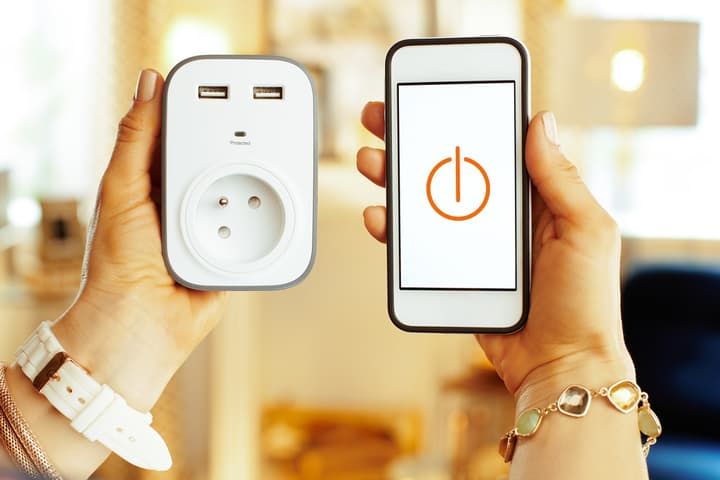
Mechanical timers also come in plug-in form for sockets. If your landscape lighting runs off an outlet instead of a hardwired circuit, plug a socket timer into the outlet and plug the lighting into the timer. A smart plug (Amazon) is often a better choice in this case — it gives you minute-level precision and smartphone override from anywhere.
Digital Timer
Digital timers give you minute-level precision and, on most models, day-of-week scheduling. Standalone digital timers exist, but you'll more commonly find them built into low-voltage transformers used in full landscape lighting setups — for example, this Malibu transformer (Amazon).
Programming is straightforward: set the current time, then enter an on time and an off time. The button interface takes a minute to learn but is more accurate than a pin dial.
Dusk-To-Dawn (Photocell) Timer
A dusk-to-dawn timer uses a light sensor (photocell) to switch the lights on automatically when ambient light drops below a threshold at sunset, and off at sunrise — or after a fixed run duration. The big advantage is that it adjusts to seasonal daylight changes on its own, so you never have to reprogram for shorter winter or longer summer days.
Many modern landscape transformers combine a photocell with a digital countdown. Malibu's 200W transformer, for instance, can switch on at dusk and turn off automatically after a chosen 4, 6, 8, or 10-hour run, or at a specific programmed time. Standalone dusk-to-dawn outlet adapters are also available for plug-in setups.
For best results, position the photocell where it gets a clear view of the open sky — not under an eave or next to a porch light, which will confuse the sensor.
Adjusting For The Seasons
Unless you're using a dusk-to-dawn photocell, you'll need to reprogram your timer a few times a year to track changing daylight. A rough cadence:
- Adjust at each daylight saving time change (spring forward, fall back) — many timers don't shift automatically.
- Tweak again at the solstices (around June 21 and December 21) when sunrise/sunset are at their extremes.
- After power outages, double-check the displayed time on digital timers — some lose their clock without battery backup.
What To Do When Lighting Timer Is Not Working
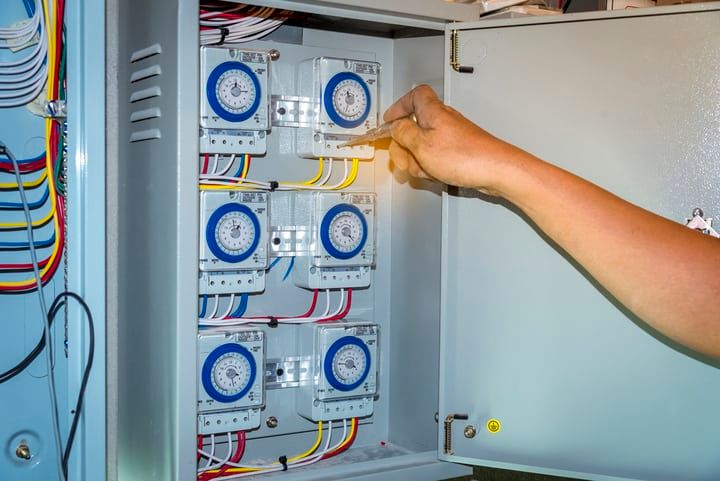
Work through these checks in order — from easiest to hardest — to narrow down the cause:
- Lights turning on at the wrong time? Check the AM/PM or 24-hour setting. A 9am vs. 9pm mix-up is the most common cause.
- AM/PM is right but timing is off by a few hours? Verify the current time displayed on the timer — if it's wrong, the schedule will be too.
- Timer shows the correct time but lights never activate? Check the wiring between timer, transformer, and fixtures. A loose or reversed connection will block the circuit.
- Timer display blank or analog dial not ticking? Confirm power is reaching it — test the outlet or check the breaker.
- Outdoor timer stopped working after weather? Check the IP rating. If the unit isn't rated for outdoor use, moisture has likely damaged it — switch off the power, remove it, and replace with a weatherproof model.
- Everything looks correct but the timer still misbehaves? Try a factory reset (see below). If that fails, the unit is likely damaged internally and needs replacing.
How To Reset Landscape Lighting Timer
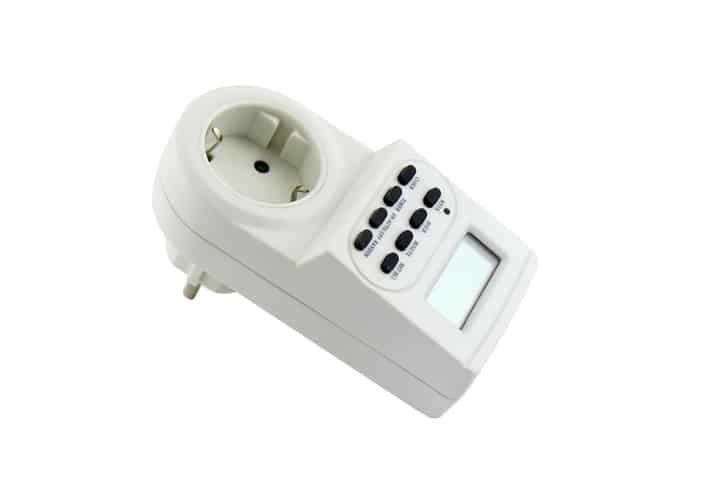
Reset procedures differ by model, so check the manual first. As a general guide:
Digital Timers
- Look for a button or recessed pinhole labeled R, RES, or RESET. Recessed buttons usually need a paperclip or pin to press.
- If there's no dedicated reset, check the timer menu for a factory-reset option.
- As a last resort, disconnect the timer from power, wait around 10 minutes for any backup capacitor to drain, then reconnect.
Analog Timers
Move every pin to the 'off' position. Because mechanical timers have no electronic memory, the pin positions are the program — clearing them is the reset. There's no need to disconnect power.
| Feature | Analog (Mechanical) | Digital | Dusk-to-Dawn |
|---|---|---|---|
| Precision | 15-min to 1-hour increments | To the minute | Triggered by light level |
| Setup complexity | Low | Medium | Low |
| Day-specific schedules | No | Yes (most models) | No |
| Adjusts for seasons | Manual | Manual | Automatic |
| Smartphone control | No | Sometimes (smart plug) | Rarely |
| Best for | Simple on/off windows | Custom daily programs | Hands-off seasonal use |