
Can LED Lights Make Speakers Buzz? 3 Reasons + Fix
Your LED bulb isn't broadcasting radio waves — but its driver switches on and off up to two million times per second, which is squarely inside the AM band.
 Eugen
EugenEugen Nikolajev
Creator of LED Lighting Info
Hi, I am Eugen. I was always one of those kids who had all sorts of weird lighting gadgets for every occasion.
Now, I want to share my knowledge and experience about lighting with you on LED Lighting Info.
Read my editorial standards
Key Takeaways
Radios and speakers can buzz due to LED lights for one of three reasons: a ground loop, electromagnetic interference from the LED driver's switch-mode power supply, or unshielded audio wiring acting as an antenna. Each has a different fix, and the order in which you try them matters.
If your speakers buzz or your AM radio fills with static the moment your LED lights come on, the lighting probably is at fault — but the mechanism is rarely what you'd expect from "radio waves coming out of a bulb."
In this guide, I'll cover:
- The three real reasons LED lights make speakers and radios buzz
- How to figure out which one you're dealing with
- Step-by-step fixes, in the order to try them
Why Do LED Lights Make Speakers Buzz? 3 Causes

A quick note on terminology: a brief crackle the instant you flip a wall switch usually comes from arcing inside the switch contacts, not from the LED itself. The continuous, steady buzz this guide is about is interference radiated or conducted by the LED system while it's running — and it has three main sources.
| Cause | Trigger | Symptom Clue | Fix |
|---|---|---|---|
| Ground loop | Two or more pieces of gear share a ground through more than one path | Hum changes when you connect or disconnect audio cables; doesn't depend on LED state | Share one outlet/power strip; use a hum eliminator |
| Driver EMI (radio interference) | Switch-mode power supply inside the LED driver | Buzz or static appears only when the LED is on; worst on AM radio | Use FCC Part 15 / CE-rated LEDs; replace cheap power supplies |
| Unshielded wiring | Audio cable runs parallel to AC mains and picks up induction or RF | Constant hum regardless of LED state | Reroute cables; add ferrite clips; use shielded cables |
Ground Loops
Ground loops occur when two or more pieces of equipment share a ground reference through more than one path — typically when they're plugged into different outlets and connected to each other via audio or signal cables. Each grounded device has one path to ground through its power cord and another through the audio cable shield, forming a closed loop.
Even small voltage differences between those two ground points push 50/60 Hz current through the signal cable's shield. That current produces tiny voltage drops along the shield that get added to the audio signal, and the amplifier reproduces it as a steady hum.
The hum is locked to mains frequency (60 Hz in North America, 50 Hz elsewhere) and usually doesn't change when you turn the LED on or off — what changes it is connecting or disconnecting the signal cables that close the loop. Ground loops are the single most common cause of audio hum, and they're aggravated wherever lots of grounded gear shares space, like home studios or living rooms with a lot of A/V equipment.
Radio Frequency Interference
LED bulbs themselves don't broadcast radio waves the way an AM transmitter does — but the switch-mode power supply inside an LED driver does generate electromagnetic noise. These drivers switch on and off many thousands of times per second (typically between 20 kHz and 2 MHz), and the harmonics of that switching can fall directly inside the AM radio band (530–1700 kHz). A poorly filtered driver effectively becomes a low-power AM transmitter.
That noise reaches your audio gear two ways: conducted onto the mains wiring (where it travels into anything else sharing the circuit) and radiated through the air to nearby cables. Cheap LED-strip power supplies are especially problematic because they cut corners on EMI filtering. A quality supply uses common-mode chokes and X/Y capacitors to keep switching noise from leaking onto your home's wiring; bargain units skip those parts, so the noise rides the mains.
FM (88–108 MHz) and WiFi (2.4/5 GHz) are rarely affected because driver harmonics generally don't reach those frequencies with significant power. AM radio is the canary — if you only hear the buzz on AM stations or speakers fed from gear near the LEDs, you're almost certainly dealing with driver EMI.
Poorly Shielded Cables
Audio cables with weak shielding pick up magnetic fields from any nearby AC wiring. Every time alternating current changes direction (50 or 60 times per second), it produces a small magnetic field around the conductor. If your speaker or interconnect cable runs parallel to AC mains for any length, it picks up that field by induction.
The cable itself doesn't "convert frequency to sound." What actually happens is that the cable acts as an antenna; the picked-up signal travels into the amplifier's input stage; and small nonlinearities there rectify it into an audible hum or buzz — the same mechanism by which a crystal radio demodulates AM. The fix end-to-end is the same: stop the cable from acting as an antenna in the first place.
⚠️ Don't overlook dimmers. Phase-cut dimmer switches chop the AC waveform on every cycle and create their own EMI bursts that can buzz both through the lights and into nearby audio gear. If the buzz only appears when the lights are dimmed, your dimmer is the cause — swap it for one rated for LED loads, or replace the bulb with a model the dimmer manufacturer lists as compatible.
How To Diagnose LED Light Interference
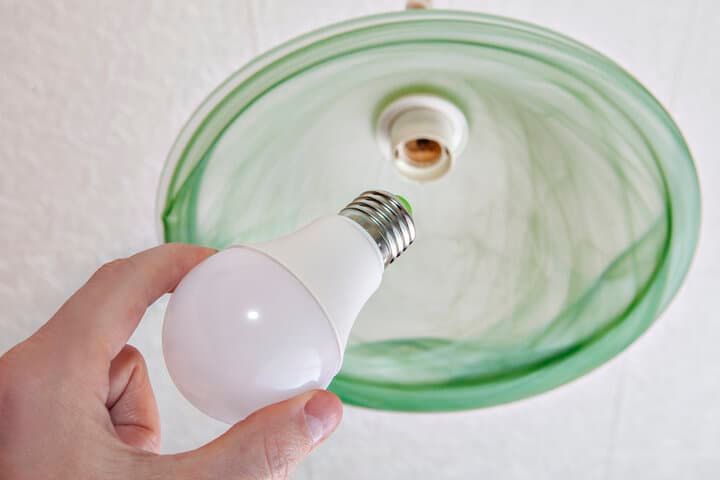
The fastest way to confirm the LEDs are involved at all is to unplug them. If the buzz stops, the lighting system is the source — and you can narrow it down further:
- Swap the bulb for a different one on the same fixture. If the buzz stops, the bulb's driver was the emitter.
- If you're using LED strips, swap the power supply but keep the strip. If the buzz stops, the supply was the emitter.
- If neither swap helps, you're looking at a wiring or grounding issue — move on to the fix steps.
Cheap LED-strip power supplies are an especially common source of buzz, for two reasons. First, inadequate output smoothing leaves 120 Hz ripple (rectified mains) on the DC rail, which can make the LEDs themselves hum audibly. Second, and more often the speaker problem: skimped input EMI filtering lets high-frequency switching noise leak onto the AC mains and radiate from your wiring.
Investing in a properly filtered supply usually solves both. Before you order, check the wattage your LED strip actually needs (multiply the strip's watts-per-meter by your run length and add ~20 % headroom) — a 12 V / 2 A (24 W max) supply like the one below covers short sections of standard 5050 strip but is undersized for longer runs.
If swapping the supply doesn't help, you've ruled out driver EMI as the dominant source — what remains is a ground-loop or unshielded-cable problem. The fix steps below are the next stop.
How To Fix LED Light Interference
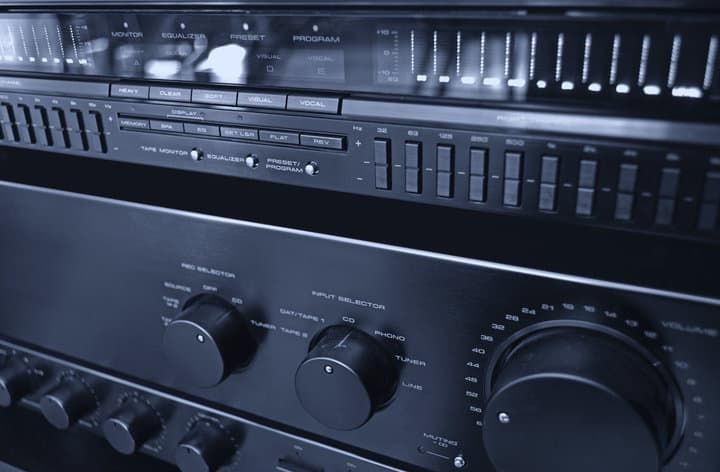
Once you know which of the three causes you're dealing with, work through these fixes in order — they're listed cheapest-first:
- Plug the affected audio gear and the LED supply into the same outlet or power strip. This gives them a single ground reference and shrinks the ground-loop area to nearly zero. Counterintuitively, putting them on different circuits often makes a loop worse, not better, as long as the audio cable still bridges the two grounds.
- Reroute audio cables away from AC mains. Don't run them parallel to power cords; cross at right angles where they have to meet. Even a few inches of separation cuts induced 50/60 Hz hum substantially.
- Clip a ferrite choke on the audio cable closest to the LEDs. This is the cheapest fix for radiated driver EMI. Loop the cable through the clip two or three times if the fit is loose.
- If the buzz is a 50/60 Hz ground-loop hum that won't go away, fit a hum eliminator (audio isolation transformer) between the offending devices. It galvanically breaks the loop without lifting your safety ground.
- Replace the LED itself with a higher-quality bulb or driver. Look for FCC Part 15 (Class B) compliance in the US, or CE marking and EN 55015 in Europe — these standards verify that the driver's emissions stay below limits in the AM and shortwave bands. The difference isn't that premium LEDs run on a "different frequency"; it's that they include the input filters, shielding, and circuit-design care needed to keep switching noise contained.
On ferrite clips: pick them by the cable's outer diameter, not by what kind of signal the cable carries. A slim 3.5 mm aux cable often needs a 3–5 mm clip, an RCA interconnect typically 5–7 mm, and an XLR or speaker cable 7–9 mm or larger. Multi-pack assortments cover all common sizes, and Type 31 or Type 43 ferrite material works best for AM-band noise.
- What's included in the package: you will get 20 pieces of noise clips with 5 different sizes, 4...
- Detailed size information: these vhf radio noise filters come in 5 different inner diameters,...
If a true ground loop is the issue and shared outlets aren't an option, a hum eliminator is the most reliable fix. These are small inline transformers that pass the audio signal but block the DC and low-frequency current that flows around the loop, so they kill the hum without lifting the safety ground (a dangerous shortcut that should never be used).
- Removes unwanted voltage and current in the ground line to eliminate ground-loop hum
- Gives you a solid, safe ground, unlike devices that remove the ground altogether
FAQ
Why does my AM radio buzz when LED lights are on, but FM and WiFi don't?
AM radio (530–1700 kHz) overlaps directly with the harmonics of typical LED driver switching frequencies (20 kHz–2 MHz). FM (88–108 MHz) and WiFi (2.4/5 GHz) sit far above where driver harmonics carry meaningful power, so they're rarely affected. AM is essentially the early-warning band for driver EMI.
What should I look for when buying LED bulbs that won't cause interference?
In the US, look for explicit FCC Part 15 (Class B) compliance on the package or datasheet. In Europe, look for CE marking and conformance with EN 55015. These standards mandate limits on conducted and radiated emissions in exactly the bands that affect AM radio and audio gear. Brand-name bulbs from established manufacturers are far more likely to meet them than no-name imports.
Could my dimmer switch be causing the buzz instead of the LED?
Yes — and it often is. Phase-cut dimmers chop the AC waveform on every cycle and generate their own EMI bursts. If your buzz only happens when the lights are dimmed, swap to a dimmer rated specifically for LED loads, or use a bulb the dimmer manufacturer lists as compatible.
Does a ferrite clip-on choke really help?
It can, especially for AM-band noise picked up by long unshielded cable runs. Choose the choke by the cable's outer diameter (not by signal type) and use Type 31 or Type 43 ferrite material for best results in the AM range. If the clip fits loosely, loop the cable through it two or three times to increase impedance.
Should I just remove the safety ground to break a ground loop?
No. Lifting the ground is dangerous — it removes a critical fault-protection path and can leave chassis voltage on equipment if a hot conductor fails. Use a hum eliminator (audio isolation transformer) instead; it breaks the loop at the audio path while leaving every device's safety ground intact.
Final Words
Three causes, three signatures: ground loops produce 50/60 Hz hum that depends on cabling, not on the LED state; driver EMI tracks the LED switch and shows up worst on AM radio; and unshielded cables hum constantly whenever they run near AC mains. Work through the diagnostic order — unplug, swap bulb, swap power supply, share an outlet, ferrite clip, hum eliminator — before assuming you need new gear, and prefer LED products that explicitly list FCC Part 15 (Class B) or EN 55015 compliance.
Sometimes it's not just your radio or speakers — many LED lights interfere with garage doors and other RF-controlled devices for the same underlying reason: poorly suppressed switching noise from the driver.