
Can Smart Light Bulbs Be Hacked To Spy On You?
Turning your smart bulb off through the app doesn't cut its radio — the chip stays on standby, listening, as long as it's plugged in. The only real off switch is the wall.
 Eugen
EugenEugen Nikolajev
Creator of LED Lighting Info
Hi, I am Eugen. I was always one of those kids who had all sorts of weird lighting gadgets for every occasion.
Now, I want to share my knowledge and experience about lighting with you on LED Lighting Info.
Read my editorial standards
Key Takeaways
Smart light bulbs cannot spy on you directly — they have no cameras or microphones. They can be hacked, however, and a sophisticated attacker could exploit firmware vulnerabilities to pivot from a bulb onto your Wi-Fi network and reach the devices that do have cameras and microphones. Keeping firmware up to date, replacing unsupported bulbs, and using strong, unique passwords on every connected device dramatically reduces the risk.
With the rise of smart home tech, more people are rightly concerned about the data security of connected devices. Rumors still swirl around smart light bulbs in particular: can they act as spy cameras, listen in on your conversations, or open up your home network? Is it really safe to install smart lighting in your home?
To help separate the real risks from the noise, in this article I'll explain:
- Whether smart lights can record sound
- What information smart bulbs could access
- If smart bulbs can give attackers access to your home network
- Whether smart bulbs can steal your computer data
- How to secure your smart bulbs (and what to do if you suspect a breach)
Can Smart Lights Record Sound?

Smart bulbs are incapable of recording sound for the simple reason that they don't have any microphone or other sound-recording hardware.
A standard smart bulb is built around just a few simple components:
- An LED lighting array, varying in complexity depending on whether it's a fixed-white bulb, a tunable-white bulb, or a full RGB bulb.
- Power management circuitry to ensure correct voltage flow into the LEDs.
- A heat sink to keep the LEDs cool.
- A wireless chip that typically connects to a hub over Zigbee or Z-Wave, although some bulbs talk directly to your phone over Wi-Fi or Bluetooth.
Some specialist products do bundle a microphone or camera into a bulb-shaped form factor, but those are sold explicitly for that purpose. A regular smart bulb has no reason — and no business case — to include audio capture hardware.
What Information Can a Smart Bulb Spy On?

Because the bulb itself only handles lighting and wireless communication, there's almost no information about you that it can record directly. At best, your smart lighting hub stores data on when and how you use your lights.
In theory, an attacker who compromised that hub could infer some lifestyle patterns from your usage data — but the signal is weak. If your lights switch off every day at 8am, is that because you're leaving for work, or because there's enough natural light? It's hard to draw firm conclusions about someone's life from light-switch timestamps alone.
The bigger concern isn't what the bulb itself records — it's what the bulb can reach. A compromised bulb sits on your home network, which means it can potentially be used as a pivot point to attack other devices that do have cameras, microphones, or sensitive data. That's the scenario the next section covers.
Can Smart Bulbs Be Used to Infiltrate Your Home Network?

Wi-Fi vs. Zigbee/Z-Wave Bulbs
Before getting into the attack scenario, it's worth knowing how your bulbs actually connect. Smart bulbs broadly fall into two camps:
- Direct Wi-Fi bulbs (e.g. many TP-Link Tapo, Wyze, and budget brands) join your home Wi-Fi like any other device. They're easier to set up — no hub needed — but every bulb is a separate Wi-Fi endpoint with its own attack surface, and a compromise can hand the attacker your Wi-Fi credentials directly.
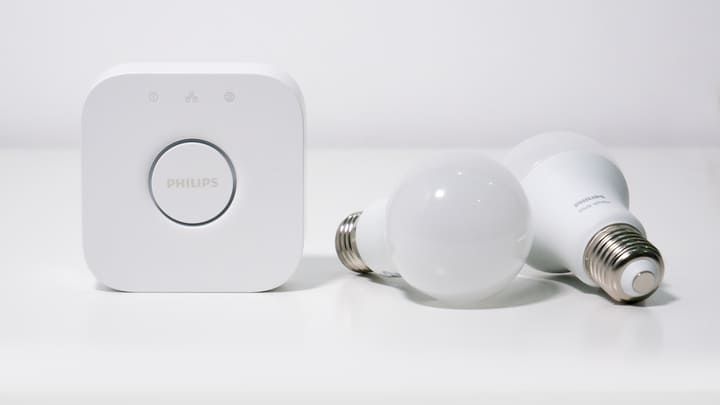
- Hub-based bulbs (e.g. Philips Hue, IKEA Tradfri) talk over Zigbee or Z-Wave to a bridge, which is the only device on your Wi-Fi. The bulbs themselves don't know your Wi-Fi password. The attack surface shifts to the bridge, but Zigbee itself is a separate radio protocol attackers need specialised hardware to talk to.
Neither approach is automatically safer — both have produced documented vulnerabilities — but the failure modes are different.
How a Smart Bulb Attack Actually Works
The clearest documented attack chain comes from research by Eyal Ronen et al. (Weizmann Institute / Dalhousie University, 2017) and a follow-up disclosure by Check Point Research in 2020 (CVE-2020-6007) against Philips Hue. The attack goes like this:
- An attacker within radio range pushes malicious firmware to a vulnerable Zigbee bulb.
- The bulb starts misbehaving — flickering, ignoring commands, or showing as unreachable in your app.
- You reset the bulb and re-pair it to your hub, which is the obvious troubleshooting step.
- On re-pairing, the malicious firmware exploits a buffer-overflow vulnerability on the bridge over Zigbee.
- The bridge is on your Wi-Fi, so the attacker now has a foothold on your home network and can attempt to reach cameras, computers, and any other connected device.
Direct Wi-Fi bulbs have their own version of this. On some models, the Wi-Fi password has been found stored in plaintext on the chip's flash memory — recoverable by anyone who picks up a discarded bulb. This was demonstrated on LIFX bulbs in 2019, and as recently as October 2024, India's CERT-In issued a high-severity advisory for several Philips smart-lighting models (firmware versions before 1.33.1) for storing Wi-Fi credentials in plaintext. Better-designed bulbs use AES encryption for credential storage, so the risk varies wildly by manufacturer and firmware version.
The Mirai Botnet — A Useful Reminder
In October 2016, the Mirai botnet took down DNS provider Dyn, making major sites including Twitter, Reddit, Netflix, and GitHub inaccessible across much of the US. The Mirai botnet didn't infect smart bulbs — it primarily targeted IP cameras, DVRs, and home routers. And it didn't rely on sophisticated hacking either. It scanned the internet and tried logging in with a hardcoded list of just 62 default factory username/password pairs (root/root, admin/admin, and the like). Devices that hadn't had their default credentials changed were taken over.
The lesson Mirai teaches us about smart bulbs isn't about exotic firmware exploits — it's that the most common IoT attack vector is unchanged default credentials. Changing default passwords on every connected device, and on the router itself, is one of the highest-leverage things you can do.
Range Isn't a Security Boundary
A common misconception is that an attacker has to be physically close to your home — within a router's normal coverage of about 30–50 meters indoors or up to ~250 meters outdoors. That's only true for someone using off-the-shelf consumer hardware. With a high-gain directional antenna, an attacker can pick up Wi-Fi signals from a kilometer or more away. The unamplified Wi-Fi distance record set at DEF CON in 2005 was 125 miles (201 km), using nothing more exotic than 802.11b and homemade antennas.
Don't rely on physical distance to protect you. Rely on a strong WPA2 or WPA3 password and up-to-date firmware on every connected device.
Should I Avoid Using Smart Light Bulbs Entirely?
I don't think you need to. You're almost certainly already using a lot of technology that's connected to the same home network — a smartphone, a smart TV, maybe wireless security cameras. To be completely off the grid, you'd have to give all of that up too.
Being connected is part of modern life, and smart lights are part of that. The realistic goal isn't zero risk — it's sensible defaults that close off the easy attacks. If you use reputable brands, keep firmware up to date (or set it to automatic), and pick strong passwords, the chance of suffering a data theft via your light bulbs specifically is very low.
Can Smart Bulbs Access Data on Your Computer?

Just because your computer shares a Wi-Fi network with your smart lights, that doesn't mean the bulbs have access to your files. There's no direct path from a light bulb to your laptop's hard drive.
If an attacker compromises a bulb and uses it as a foothold on your network, the most they can typically observe is traffic patterns. Most internet traffic today is encrypted via HTTPS, so banking sessions, email, and the like are protected end to end.
But local-network traffic between your devices is often not encrypted (mDNS, SSDP, some IoT control protocols, legacy HTTP devices), so don't treat your home Wi-Fi as a fully trusted zone. From a foothold inside your network, an attacker could probe for vulnerable services or attempt man-in-the-middle attacks against weak TLS configurations.
A well-configured firewall on your computer, and OS-level updates kept current, defend against most of these follow-on attacks.
Can a Smart Light Be Hacked When Turned Off?
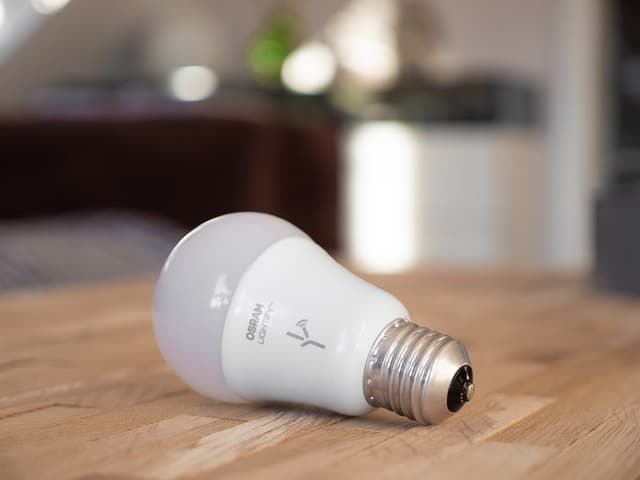
You might think turning your bulbs off would shrink the window of attack. Unfortunately, that doesn't help. As long as a smart bulb is plugged in, the microchip inside is on standby — listening for the next 'turn on' command. Switching it off through the app doesn't power down the radio; it just tells the LEDs to stop emitting light.
Read more: Do Smart Bulbs Use Electricity When Off?
The only way to fully take a bulb off the air is to cut its power at the wall switch or remove it from the socket — at which point you've also lost remote control of it. So the practical answer is to secure the bulb properly rather than try to time-slice when it's reachable.
How to Secure Your Smart Bulbs: A Checklist
If you take only a handful of actions, take these. They close off the overwhelming majority of realistic smart-bulb attacks:
- Stick to reputable brands. Major manufacturers (Philips Hue, LIFX, TP-Link Tapo, IKEA, Lutron, GE Cync) publish security policies and ship firmware patches. Cheap no-name bulbs often never receive updates.
- Enable auto-updates in the manufacturer's app. If auto-updates aren't available, check manually every couple of months.
- Replace bulbs that are no longer supported. End-of-life devices stop receiving patches, which is why you'll see official advisories (like the October 2024 CERT-In one) for older Philips models with plaintext credential storage.
- Use a strong, unique Wi-Fi password. A long passphrase mixing letters, numbers, and symbols is far harder to brute-force than a single dictionary word. Make sure WPA2 or WPA3 is enabled on your router (avoid WEP and WPA — they're broken).
- Change every default password. On the bulb's app account, on your router's admin panel, on any hub. Mirai-style botnets specifically hunt for unchanged factory credentials.
- Put IoT devices on a separate guest network. Most modern routers let you create a second SSID isolated from your main network. Putting bulbs, plugs, and cameras on the guest network keeps them away from your laptops and phones if anything is ever compromised.
- Keep your router firmware current too. The router is the gatekeeper. An out-of-date router undermines everything else.
- Factory-reset bulbs before disposal. Don't bin or resell smart bulbs without resetting them — on vulnerable models, your Wi-Fi credentials may still be readable from the chip.
One thing you'll sometimes see recommended is hiding your Wi-Fi SSID so it doesn't show up in nearby-network lists. I'd skip it.
Wi-Fi security researchers consider hidden SSIDs to be security theater — any device that has joined your network keeps broadcasting probe requests for it, and the SSID is trivially recoverable with free passive-sniffing tools. It doesn't stop a targeted attacker, and it makes life slightly more annoying for legitimate users.
What to Do If You Suspect You've Been Hacked
If a bulb is behaving strangely — flickering, ignoring commands, dropping off the network repeatedly — it's almost always a firmware bug or a Wi-Fi issue, not an attack. But if you have specific reason to suspect a compromise, here's the order I'd take things in:
- Disconnect the suspect bulb from your hub or app, then physically unscrew it. That removes it from the network immediately.
- Change your Wi-Fi password — especially if you have any direct-Wi-Fi bulbs from older or no-name brands. Also change the password on the manufacturer's app account.
- Log into your router's admin interface and review the connected-devices list. Anything you don't recognise should be blocked, and the router admin password rotated.
- Update the firmware on your router, your hub, and every other smart device — not just the suspect bulb.
- Run an anti-malware scan on the computers and phones that share that network, in case anything was pivoted onto from the bulb.
- If the bulb is end-of-life or no longer receiving firmware updates, replace it with a current model from a manufacturer that ships patches.
The Takeaway
Pulling everything together:
- Smart bulbs cannot listen to or watch you — they have no microphones or cameras.
- They can be hacked, and a compromised bulb can be used as a foothold onto your home Wi-Fi, where the real targets (cameras, computers, phones) live.
- The most common IoT compromises in the wild come from unchanged default passwords and unpatched firmware — not exotic exploits.
- Stick to reputable brands, enable auto-updates, replace unsupported devices, use strong unique passwords, and put IoT gear on a separate guest network. Do those things and your smart bulbs are not a meaningful risk.
Also read: Do Smart Bulbs Slow Down WiFi?