
Ultimate Guide To Smart Home Lighting
A single smart bulb can cost $50, and that's before you discover it needs a hub your phone won't talk to. Getting the protocol right before you buy changes everything.
 Eugen
EugenEugen Nikolajev
Creator of LED Lighting Info
Hi, I am Eugen. I was always one of those kids who had all sorts of weird lighting gadgets for every occasion.
Now, I want to share my knowledge and experience about lighting with you on LED Lighting Info.
Read my editorial standards
Before you spend $50 on a single smart bulb, here's what to know to buy right the first time.
Smart bulbs offer real benefits over standard LEDs — remote control, scheduling, voice commands, color and color-temperature changes — but they're expensive and the wireless protocols (Wi-Fi, Bluetooth, Zigbee, Z-Wave, and Matter) can be confusing. This guide walks through what smart lighting does, how each protocol compares, what bulbs and hubs cost, and how to install them without surprises.
Table of Contents
How Does Smart Home Lighting Work?
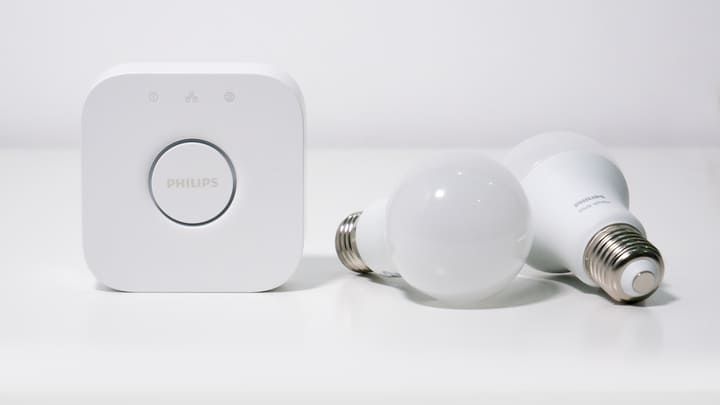
A smart bulb is essentially a regular LED with a small control chip added inside.
The chip lets you control bulb features — on/off, brightness, and (on color-capable bulbs) color and color temperature — from an app on your phone or tablet, a voice assistant, or a scheduled routine.
Download the manufacturer's app, pair the bulb, and you'll have full control from the palm of your hand.
Different Types of Smart Lighting
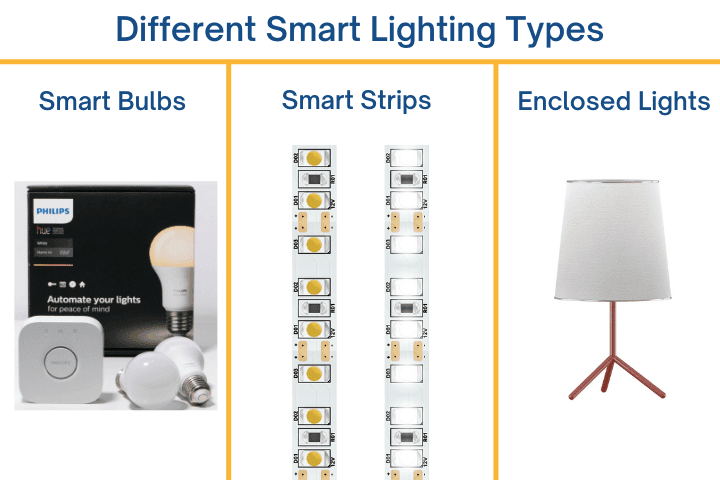
There are three main categories of smart light to choose from.
- Smart light bulbs — drop-in replacements for standard bulbs, available in the same sizes and in screw or bayonet fittings. They work in any regular fixture.
- Smart light strips — LED strips you stick to almost any surface, then control via app. Ideal for up-lighting in coving, behind a TV (bias lighting), or as highlights for staircases, under kitchen units, or in darker alcoves. You can read more about strip lighting in my other guide.
- Self-contained smart lights — finished lamps and fixtures with the smart technology built in. Useful when you want a complete design rather than a smart bulb dropped into a plain desk lamp.
Smart Light Benefits
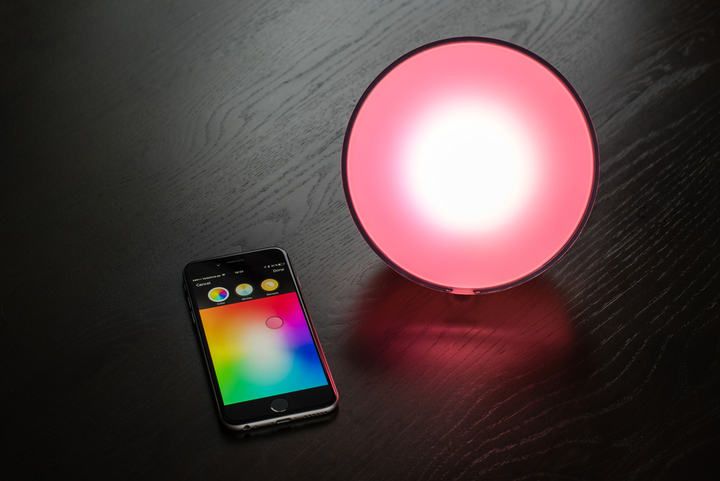
What can you actually do with bulbs you control from an app? More than most people expect.
- Remote control — turn lights on or off from your phone. Useful for reading in bed without leaving the covers, or shutting off a light you forgot when you left the house.
- Scheduling — set lights to come on at sunset, dim at bedtime, or follow custom routines.
- Wake-up routines — many bulbs simulate a gradual sunrise, brightening over 15–30 minutes to wake you more gently.
- Children's nightlights — set a dim light at bedtime and have it switch off automatically once they're asleep, no creeping in required.
- Accessibility for the hard of hearing — paired with a smart smoke detector, smart bulbs can flash when the alarm triggers, giving a visible alert if you can't hear the siren.
- Voice and assistant control — works with Alexa, Google Home, and Apple Home / Siri (via HomeKit or Matter).
- Third-party integrations — IFTTT-style apps can flash lights when a delivery arrives, mirror lightning on Halloween, or sync bulbs to TV content with tools like Hue Sync.
- Vacation mode — randomized schedules that simulate occupancy while you're away.
Color Options: Warm White, Cool White, and Full RGB
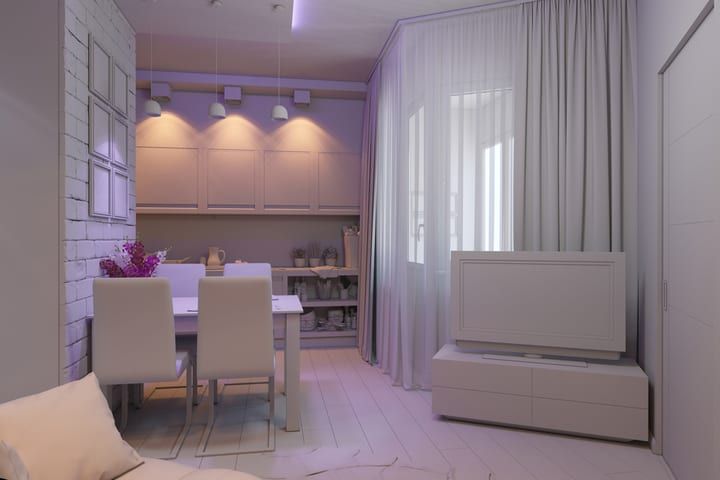
Smart bulbs come in three broad color flavors.
The cheapest are fixed-white bulbs — a single color temperature, usually a warm 2700K or a cooler 4000K, similar to the middle of the Kelvin scale for standard bulbs.
A step up, tunable-white bulbs (often called "white ambiance" or similar) let you change the color temperature on demand — a cooler white when you need to focus, then a warmer temperature in the evening when you want to wind down.
At the top end, full RGB (and RGBW) bulbs cover the full color spectrum — roughly 16 million shades, in theory. These are useful for mood lighting, kids' rooms, or syncing to media. Just be careful you don't accidentally hand a child the option to cycle through flashing colors if you'd rather not annoy the neighbors.
Smart Lighting Costs
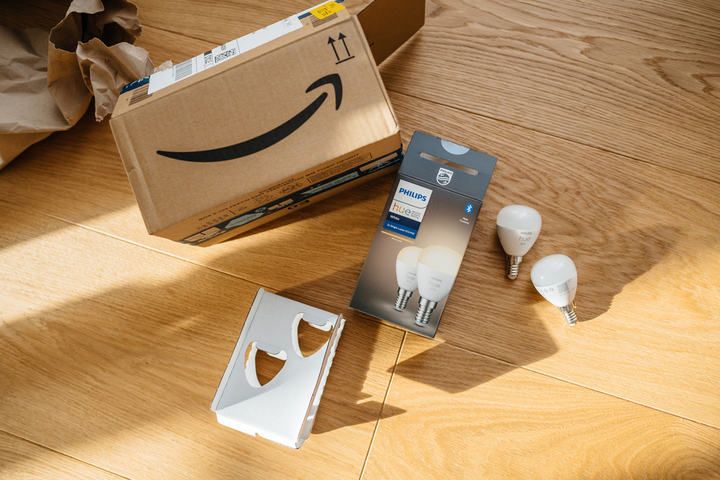
Smart lights don't need special fixtures or wiring, but they cost significantly more than standard bulbs. That's the main reason most homes haven't gone all-in on them.
At the time of writing, a single Philips Hue White A19 bulb runs about $20, while a Hue White & Color Ambiance bulb is roughly $45–$50 per bulb. The Hue Bridge sits around $60 if you want one separately, though it's often cheaper bundled in a starter pack. By contrast, you can buy a 6-pack of basic non-smart LEDs for the price of one Hue bulb. Prices change frequently with sales, and multi-packs cut the per-bulb cost significantly — check current retailer listings before you commit.
Running costs are a different story. A smart LED uses about the same energy as a comparable non-smart LED — typically 8–10 W for a 60 W-equivalent bulb. The control chip adds a small standby draw (usually under 0.5 W per bulb), which is negligible against the savings vs. an old incandescent. Replacing a 60 W incandescent with a 9 W smart LED running 2 hours a day saves roughly $6 per bulb per year at $0.16/kWh — though most of that saving comes from the LED, not from being "smart."
Wi-Fi vs Bluetooth vs Zigbee vs Z-Wave vs Matter: Technologies Used In Smart Lighting
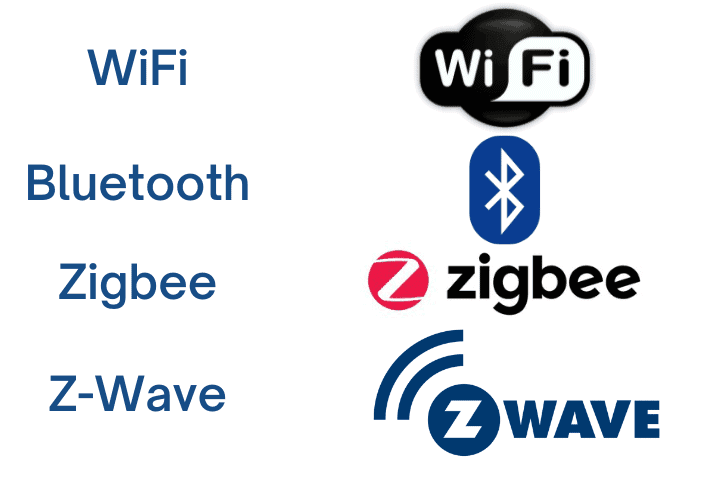
Smart bulbs talk to your phone, hub, or voice assistant over one of a handful of wireless protocols. Here's how the main options compare.
Wi-Fi
Wi-Fi smart bulbs connect directly to your home router — no extra hub required. When you tap the app, your phone reaches the bulb through the router.
Benefits: coverage is generally strong (with a decent router), there's no extra hardware to buy, and brands like TP-Link Kasa, LIFX, Wyze, and Sengled have widespread Wi-Fi-only lines.
Drawbacks: every bulb adds a device to your network. A cheap router can struggle if you also stream video, run video calls, and have a dozen other smart devices on the same Wi-Fi. Wi-Fi is also more prone to drop-outs than the dedicated mesh protocols below.
Bluetooth

Many newer smart bulbs include Bluetooth, usually Bluetooth Low Energy (BLE). Your phone pairs directly with the bulb — no router, no hub.
Range is limited compared to other wireless protocols — typically 30–100 ft (10–30 m) indoors, depending on the BLE version, walls, and interference. Newer Bluetooth 5.0+ bulbs reach further than older 4.x hardware. There's also a cap on how many bulbs one device can talk to at once.
Philips Hue, for example, limits the Bluetooth-only Hue app to 10 bulbs. Adding the Hue Bridge raises that to 50 lights per Bridge, but at that point you're on Zigbee, not Bluetooth. The 10-bulb limit is a Hue app constraint rather than a hard Bluetooth specification — other manufacturers set their own limits.
Bluetooth-only also makes it harder to group bulbs into rooms or control them while you're away from home.
Zigbee

Zigbee is a self-forming mesh network. As soon as you power on a Zigbee device, it reaches out and connects with other Zigbee devices in range — and each device also acts as a signal repeater. The more bulbs you add, the stronger and more reliable the network becomes.
Zigbee operates on the same 2.4 GHz band as Wi-Fi, so there's a small chance of interference, but it's uncommon in practice. Zigbee bulbs require a dedicated hub — either a branded lighting hub (like the Philips Hue Bridge) or a multi-protocol hub for broader smart-home tech.
Some smart speakers double as a Zigbee hub. Current examples include the 4th-generation Amazon Echo, Echo Hub, and several Echo Show models. The earlier Echo Plus line has been discontinued — its Zigbee hub role was folded into the standard 4th-gen Echo, which also supports Matter and Thread.
Z-Wave

Z-Wave is similar to Zigbee — a low-power mesh protocol requiring its own hub — but it operates in the sub-GHz band rather than 2.4 GHz. Specifically, 908.42 MHz in the US (868.42 MHz in Europe, with other regional variants), so it doesn't compete with your Wi-Fi traffic. Each Z-Wave device also extends the mesh range automatically.
Z-Wave was historically a proprietary, closed protocol, which kept licensing fees high and the ecosystem narrow. The standard has gradually opened — the ITU adopted the lower layers as G.9959 in 2012, Sigma Designs released large portions of the specification into the public domain in 2016, and in 2020 the Z-Wave Alliance was restructured as an independent standards body. In 2022 the source code was opened to alliance members. The licensing barrier that limited Z-Wave's spread is largely gone.
Z-Wave is uncommon in smart bulbs specifically, but widely used across the rest of the smart-home category — locks, sensors, switches, thermostats, and security devices from brands like Ring, Aeotec, Zooz, Fibaro, Schlage, and Assa Abloy.
Matter (and Thread)
Matter is a cross-platform smart-home interoperability standard launched in October 2022, backed by Apple, Google, Amazon, and Samsung, among others. It isn't a transport like Wi-Fi or Zigbee — it's an application-layer standard that runs on top of Wi-Fi, Ethernet, and Thread (a low-power mesh network similar to Zigbee, used heavily by Apple HomeKit and newer Google/Amazon devices).
The practical benefit is that a Matter-certified bulb works natively with any Matter controller — Apple Home, Google Home, Alexa, SmartThings — without per-ecosystem skills or bridges. Philips Hue added Matter support via the Bridge in 2023; Nanoleaf, TP-Link Tapo, Eve, and others now sell Matter-over-Thread bulbs directly. If you're buying today and care about future-proofing or want to mix ecosystems, Matter support is worth checking.
Which Network Is Best?
There's no single right answer.
Philips Hue bulbs run on Zigbee (with Bluetooth for direct-app control on a smaller scale). TP-Link Kasa and LIFX bulbs run on Wi-Fi only, no hub needed.
Generally, Wi-Fi is the go-to option for cheaper smart bulbs. More expensive systems lean on Zigbee, often with Bluetooth as a fallback for setup or small-scale control. Z-Wave is rare in bulbs but worth considering if you're already invested in a Z-Wave system for locks, sensors, or switches. Matter cuts across all of these and is the standard worth biasing toward for new purchases.
Zigbee and Z-Wave systems generally cost more upfront (you need a hub) but give you tighter control, faster response, and more reliable whole-home coverage than Wi-Fi-only setups.
| Technology | Hub Required | Typical Range | Interference Risk | Device Limit | Best For |
|---|---|---|---|---|---|
| Wi-Fi | No (uses your router) | Whole-home (router-dependent) | Higher on crowded 2.4 GHz networks | Limited by router bandwidth | Small setups; no extra hardware |
| Bluetooth | No | 30–100 ft indoors (BLE version dependent) | Low (adaptive frequency hopping on 2.4 GHz) | ~10 per app on Hue; varies by brand | A few bulbs in one room |
| Zigbee | Yes | Mesh — extends with each device | Low, despite using 2.4 GHz | Up to 50 per Hue Bridge; hundreds on dedicated hubs | Whole-home setups, advanced routines |
| Z-Wave | Yes | Mesh — extends with each device | Very low (sub-GHz, no Wi-Fi conflict) | Up to 232 nodes per network | Locks, sensors, switches (uncommon in bulbs) |
| Matter | Matter controller (Apple Home, Alexa, Google Home, SmartThings, etc.) | Inherits from Wi-Fi or Thread | Same as underlying transport | Varies by controller | Cross-platform interoperability; future-proofing |
Smart Bulbs And Hubs: Do You Need One?
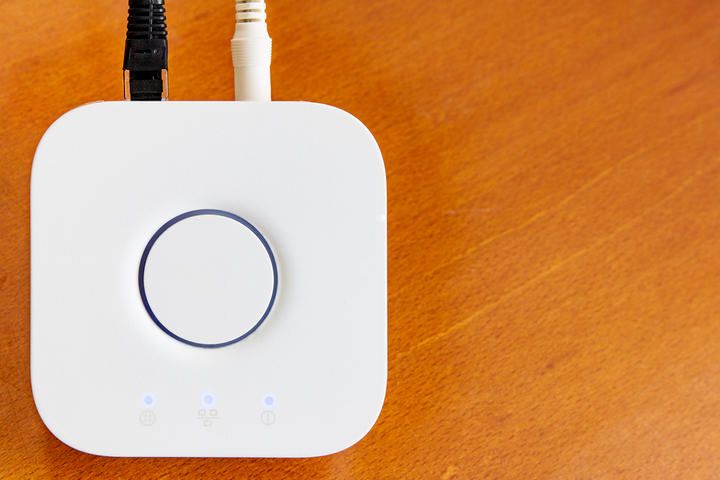
Earlier generations of smart lighting almost always required a dedicated hub. Today, many bulbs work without one — either over Bluetooth, over Wi-Fi, or via a Matter controller you may already own (an Echo, HomePod, or Google Nest). But a hub still buys you more control, especially at scale.
A hub is a small device that connects all of your smart bulbs and relays commands between your phone (or voice assistant) and the bulbs. When you change a setting, the app talks to the hub, and the hub talks to the bulbs — usually over a different protocol like Zigbee or Z-Wave.
Bluetooth-only setups skip the hub but cap you at a small number of bulbs (around 10 for Hue) and limit grouping — you can issue one command to all of them, but you can't split bulbs into multiple rooms, each with its own schedule. Wi-Fi-only systems like TP-Link Kasa or LIFX also work without a hub, but every bulb consumes router bandwidth.
A hub lets you group bulbs into named rooms and scenes, run routines and automations, and control your lights remotely while you're away from home. The remote-access piece is also what makes vacation mode work — randomized on/off schedules that help deter intruders by making the house look occupied.
Setup is straightforward. Most dedicated hubs (the Philips Hue Bridge, for example) need a power outlet and an Ethernet cable from the hub to your router. Some newer hubs — like SmartThings Hub V3 or Aqara M2 — connect over Wi-Fi instead, and Wi-Fi-only systems (LIFX, TP-Link Kasa) skip the hub entirely. Check the requirements of your specific hub before buying.
Do Smart Bulbs Work With Home Assistants?
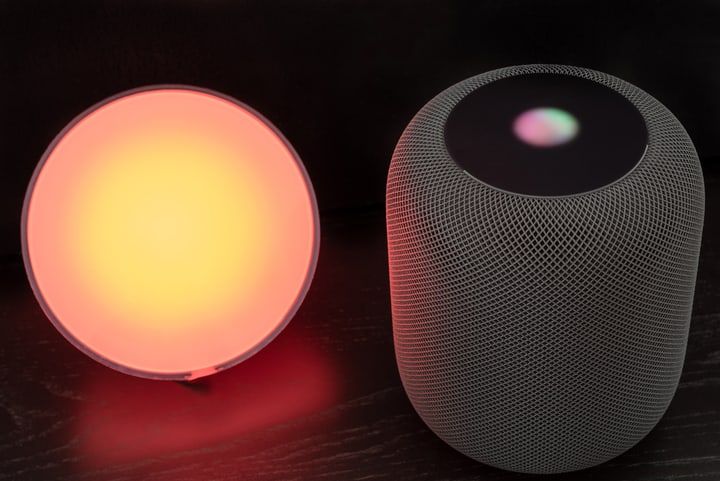
Smart bulbs and voice assistants are practically made for each other.
Asking Google, Alexa, or Siri (via Apple Home / HomeKit or Matter) to switch on the lights as you walk in is faster than unlocking your phone and opening the app. On a healthy Wi-Fi connection, the lights respond near-instantly.
With a hub and room names configured, commands like "Alexa, turn on the kitchen lights" or "Siri, set the bedroom lights to 30% brightness" cover most everyday use cases.
Combine smart lights with other smart-home devices and you can build full routines around a single voice trigger. "Hey Google, start movie night" could dim the main lights, set the strip behind the TV to a cool color, open Netflix on a smart TV, and nudge the thermostat — all from one phrase.
How To Install Smart Home Lighting
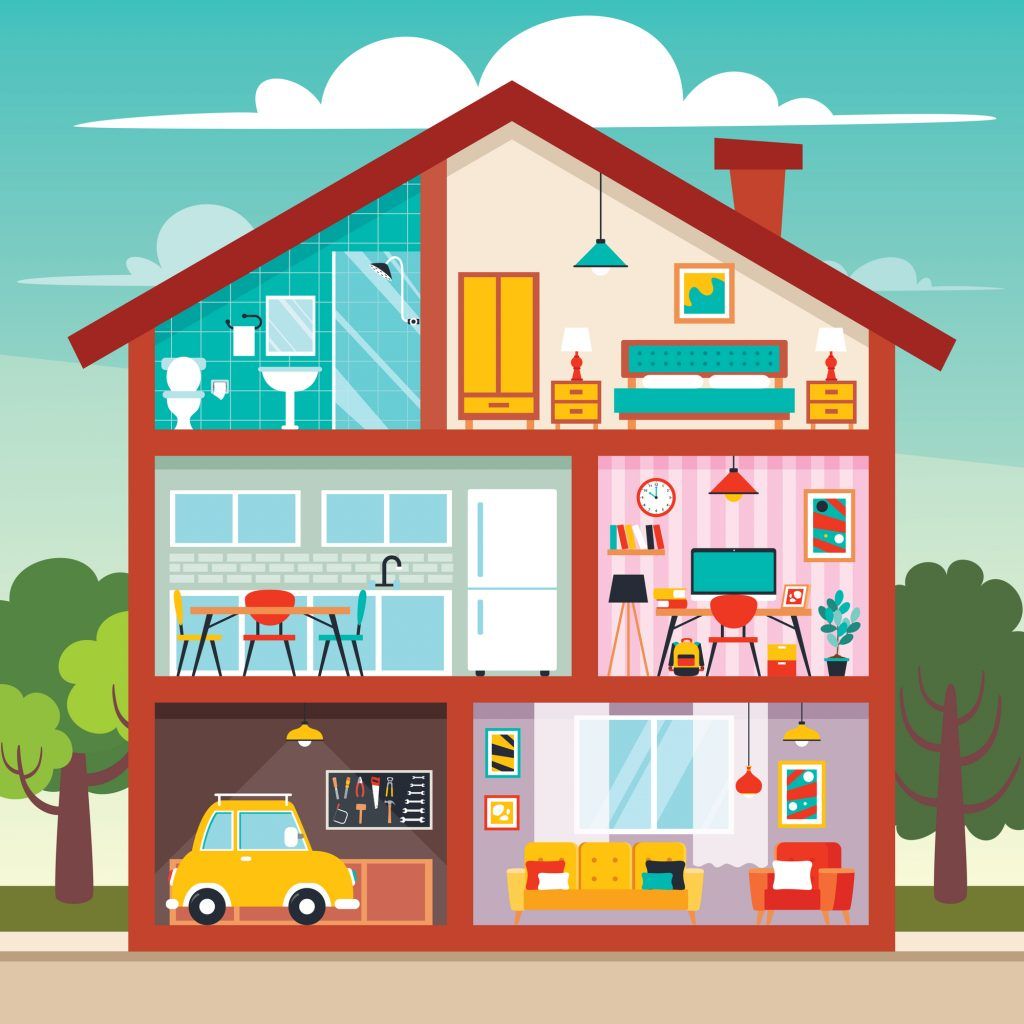
Installing smart bulbs is mostly trivial:
- No special base or fitting required.
- No special wiring.
- No extra power or higher-wattage fixture.
Smart bulbs drop straight into your existing fixtures and work the same as any LED.
There is one thing to plan for, though: the strength of your home Wi-Fi network.
If you have a large home or a poor-quality router, your bulbs might not connect properly. And the more bulbs you add to a Wi-Fi-only system, the more load you'll put on the router.
Think about how many devices you already have on your network — smart TVs, phones, laptops, doorbells, speakers. Adding a dozen Wi-Fi light bulbs can roughly double that count. ISP-supplied routers often struggle past a certain point, so consider upgrading the router or using a Zigbee-based system (Hue, Innr) that keeps bulbs off your Wi-Fi entirely. If your home is large but your device count is low, a Wi-Fi extender or mesh router can solve coverage problems.
Related: Do Smart Bulbs Use Electricity When Off?
How Many Bulbs, And Where?
It's tempting to swap every bulb in the house, but you probably don't need to.
Focus on the bulbs you actually toggle often — living room, bedroom, kitchen — or any fixture you wish you could control without getting up. A bulb in a rarely-used closet, or one that stays on for hours uninterrupted, isn't a high-value upgrade.
If you're going wider, don't limit yourself to indoor fixtures. Porch and garden lights can be smart too, though many outdoor lights already run on motion sensors — weigh whether smart control is worth the extra spend over a simple PIR.
Also read: Do Smart Bulbs Work With Touch Lamps?
Choosing The Right Lights
Plan your lighting before you shop, rather than reflexively replacing every existing bulb.
Consider the mix of bulbs and strips. Strips work well for highlighting alcoves and ceilings or running under kitchen units; bulbs cover general illumination.
Match the lighting to its purpose. For task and safety lighting, traditional bulbs will illuminate the space better. For mood lighting, a strip light can do a better job of creating a subtle accent or projecting light into darker corners.
Work out your intended light levels per room before deciding how to split your budget between bulbs, strips, or fixtures.
Also read: Do Smart Bulbs Work In Ceiling Fans?
Skip Traditional Dimmer Switches
One critical compatibility note before you install anything: never put a standard smart bulb in a fixture controlled by a traditional hardware dimmer switch. Hardware dimmers chop the AC waveform to reduce brightness, and smart bulbs aren't built to tolerate that. The result is flickering, buzzing, and often permanent damage to the bulb, the switch, or both.
If you want dimming, leave the wall switch in the regular "on" position and dim the bulb electronically through the app or a voice command. If you'd rather have a physical wall control, use the manufacturer's wireless dimmer (the Hue Dimmer Switch is the obvious example), which signals the bulb wirelessly rather than cutting power. See more in Do Smart Lights Work With Dimmer Switches?.
Best Smart Lighting Systems For Home
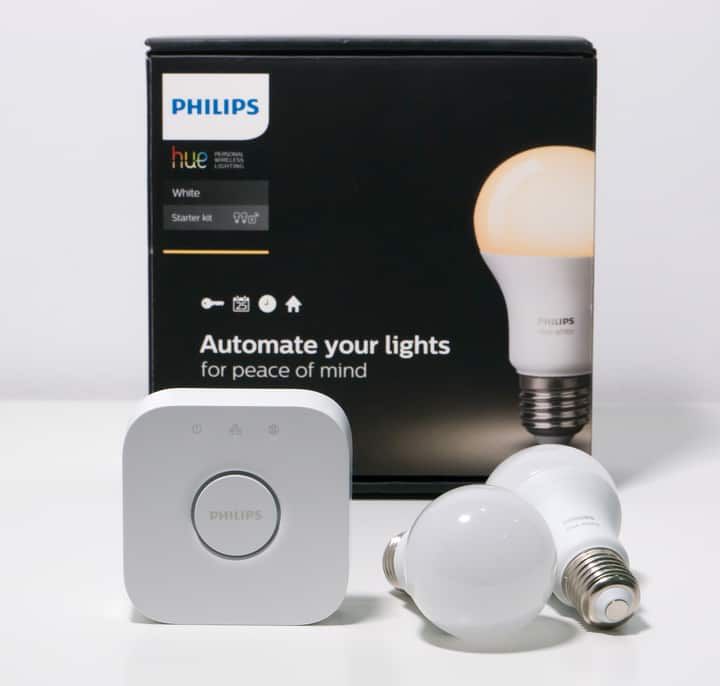
There are far too many smart bulb brands to cover individually here — instead, here's general guidance, then notes on the two most popular brands.
If you want the full range of customization — multi-room scenes, advanced routines, tight integration with other smart devices — go Zigbee (or a Matter-over-Thread system). If you just want to switch a handful of bulbs on and off from your phone or via voice, Wi-Fi is fine.
A bulb from a reliable smart brand will last 15,000–25,000 hours. At 10 hours a day, that's 4–7 years; at the DOE's residential estimate of roughly 1.5–2 hours per day of operation, the same bulb could easily last 20+ years.
With a cheaper bulb, don't expect the same quality. Components are manufactured to lower standards and will burn out faster, so you'll be replacing bulbs more often if you save heavily upfront.
App quality also matters. Major brands invest in hardware and software; budget brands often ship apps that are slow to load and clumsy to use — and you'll be using that app every time you want a non-voice control.
Philips Hue
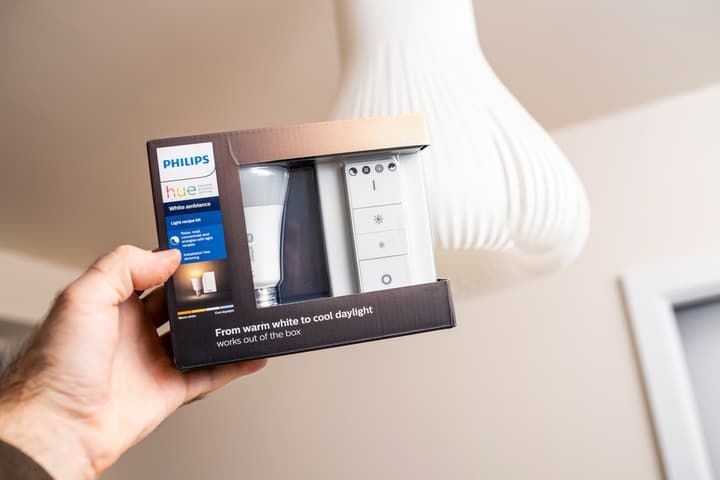
Philips Hue is the most established smart lighting brand in the western market. They were one of the first to ship Zigbee-based smart bulbs and they now have the broadest lineup — regular bulbs, light strips (including outdoor variants), self-contained lamps like the Hue Bloom and Hue Impress, and accessories like dimmer switches and extension cables.
A standout feature is the Play HDMI Sync Box, which sits between your TV or console and your display and syncs the room's Hue lights to whatever's on-screen. As the colors on the screen change, so do the lights in the room — useful for movies and games. If you own a Philips Ambilight TV, the Sync box isn't needed because the technology is already built in.
Hue bulbs and accessories are among the most expensive smart lights you can buy, but reliability, app polish, and ecosystem breadth (including Matter via the Bridge) make them the safe default for anyone who wants something that just works.
TP-Link
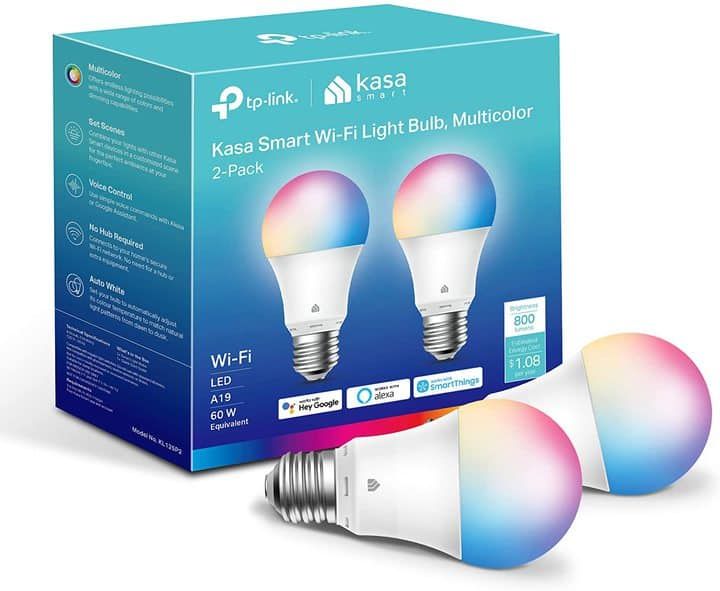
TP-Link's Kasa and Tapo bulbs run on Wi-Fi — no separate hub needed. They're solid-quality bulbs with a lifespan that rivals Philips Hue, at a noticeably lower price.
Because they're Wi-Fi-only, they have a narrower feature set than Hue when it comes to advanced multi-room routines. You can control them with Alexa or Google Home, but you'll need to install the relevant "skill" or service link in the assistant app — search for TP-Link Kasa or Tapo and follow the prompts. Newer Tapo Matter-over-Wi-Fi bulbs simplify this by working with any Matter controller out of the box.
If you don't need complex automations, you have a robust Wi-Fi setup, and you want to keep costs down, TP-Link is the more affordable starting point.
FAQs
Do Smart Bulbs Need Special Wiring?
Smart bulbs don't need any special wiring — they work in any regular light fixture, and strip lights just plug into a standard outlet.
They run on the same power as a regular LED. The control chip draws a tiny amount of extra power, so smart lighting doesn't really use more electricity than its non-smart equivalent.
Do Smart Bulbs Require a Smart Switch?
You don't need to buy a smart switch if you buy smart bulbs, though most manufacturers sell their own wireless switches so you don't have to open the app every time.
If you already own a smart switch, you may not need smart bulbs at all — you already have programmable control over the fixture. Smart bulbs still add features the switch can't (color, dimming, per-bulb scenes), so they're worth considering if you want those.
Remember: don't combine a smart bulb with a traditional hardware dimmer — see the warning earlier in this guide.
Can I Combine Multiple Smart Bulb Brands?
Technically, nothing stops you from mixing brands — but you won't end up with one tidy lighting system.
Without Matter, you'll usually need a separate app per brand, you can't easily group bulbs from different brands into a single room, and "switch off all lights" voice commands won't work cleanly across ecosystems. Third-party tools can paper over some of this with scenes and automations, but each new bulb adds setup overhead.
The cleanest fix is Matter — if every bulb in the house is Matter-certified, they can all live under a single Matter controller (Apple Home, Alexa, Google Home, SmartThings) regardless of brand. Outside of Matter, stick to one manufacturer per home and resist the urge to chase deals on a rival brand.
Do Smart Bulbs Work Without Wi-Fi?
Not all smart bulbs need Wi-Fi. Many can be controlled over Bluetooth, and Zigbee/Z-Wave bulbs talk to their hub rather than the router (though the hub itself usually needs internet for remote access and updates).
If you have just a few bulbs and don't need remote access, Bluetooth alone is enough.
If the Wi-Fi drops while you're at home, you can still control smart bulbs manually using the regular wall switch. If the switch is on but the bulb is off, flick the switch off, wait around 5 seconds, then switch it back on. On most reputable brands this reset will force the bulb on so you can keep using your lights with the network down.
Are Smart Bulbs A Security Risk?
Some people worry about whether smart bulbs can spy on you. They don't have cameras or microphones, so they can't directly "spy" — but a sophisticated attacker could in theory use a vulnerable bulb's network connection as a foothold to attack other devices on your home network.
That risk is true of any device you put on your network: a smart TV, a phone running an outdated app, a cheap IP camera. Smart bulbs aren't inherently riskier, and buying from a reputable manufacturer means you'll get regular firmware updates.
Follow the usual basics — use a strong Wi-Fi password, keep firmware up to date, and consider putting smart-home devices on a separate guest or IoT network — and you'll be fine.
Final Words
A decade ago, smart lighting was the preserve of the tech-savvy. It's become mainstream as the technology has matured, prices have come down, and standards like Matter have made cross-platform setups much easier.
The best part is that you don't have to commit to a whole-home overhaul on day one. Start small — a couple of bulbs in one room, ideally a starter pack with the hub if you're going Zigbee — and build out from there. You'll spread the cost, learn the app, and get a feel for which routines actually pay off before you scale up.
My rule of thumb: pick a single ecosystem (Hue for a high-end Zigbee setup, TP-Link or LIFX for a Wi-Fi-only setup, or a Matter-first lineup if you want cross-platform flexibility), buy a starter pack rather than a single bulb, and add to it over time. Mixing brands works in theory but creates ongoing friction in practice — Matter is gradually fixing that, but it's not yet a reason to ignore ecosystem lock-in entirely.
Get the protocol decision right and the rest of the setup is mostly screwing in bulbs.