
Do Smart Lights Slow Down WiFi?
Smart bulbs use tens of MB per month — less than a single video call — yet they can still drag your WiFi down. The culprit is device slots and 2.4 GHz airtime, not data.
 Eugen
EugenEugen Nikolajev
Creator of LED Lighting Info
Hi, I am Eugen. I was always one of those kids who had all sorts of weird lighting gadgets for every occasion.
Now, I want to share my knowledge and experience about lighting with you on LED Lighting Info.
Read my editorial standards
Key Takeaways
Smart LED bulbs use very little bandwidth on their own, so they rarely slow down WiFi by themselves. Issues typically only appear on entry-level routers when you combine 20+ smart devices with heavier traffic like streaming or video calls. The real constraint isn't bandwidth — it's the number of simultaneous WiFi connections and 2.4 GHz airtime, which is exactly what a Zigbee, Z-Wave, or Thread hub helps avoid.
If your WiFi has felt sluggish since you started adding smart bulbs, you're not alone — but the real cause might surprise you.
How Much Data Does a Smart Bulb Use?
A WiFi smart bulb typically uses only a small amount of bandwidth — on the order of tens of MB per month — for status updates and command messages. The exact figure depends on the brand and how often the bulb syncs with the manufacturer's cloud. Tuya-based bulbs, for example, tend to generate constant keepalive traffic, while others mostly stay idle until you change a setting.
A bulb only really talks to your router when you change its color, turn it on or off, or when a scheduled automation triggers. It isn't streaming anything, so total data use is trivial compared with a single video call or a 4K stream.
What Actually Causes WiFi Slowdowns?
There's no fixed "20 bulb" threshold where WiFi falls over. What actually drives slowdowns is a combination of three things: the number of simultaneous client connections your router can handle, congestion on the 2.4 GHz band that almost all smart bulbs use, and the router's chipset and queue handling under load.
Practical limits vary by router class:
- Basic consumer routers: roughly 20–50 active clients before things degrade.
- Mid-range consumer routers: roughly 50–150 active clients.
- WiFi 6 routers like the NETGEAR Nighthawk line: rated for 100+ clients.
Some routers advertise support for 200+ devices on paper, but in practice most consumer routers run smoothly with around 30–50 active devices. Beyond that, you'll usually want a mesh WiFi system or a dedicated smart-home hub to keep things responsive.
The 2.4 GHz band itself is also worth flagging. Almost every WiFi smart bulb is 2.4 GHz only, and that band is shared with microwaves, baby monitors, older laptops, Bluetooth devices, and your neighbor's WiFi. Even a modest number of bulbs can feel sluggish if the band is already noisy.
Bulb placement matters too. Bulbs tucked deep into corners, inside metal fixtures, or behind walls will respond more slowly because the WiFi signal to them is weaker. Other 2.4 GHz devices on the network — Alexa speakers, smart TVs, Sonos, smart plugs — all add to the same airtime budget.
A robust WiFi network is the foundation here. If your router is already struggling before any smart bulbs are added, it will struggle more once they're in.
WiFi vs. Zigbee vs. Z-Wave vs. Thread: The Protocol Matters

Not all smart bulbs talk to your network the same way. The radio protocol a bulb uses determines whether it counts against your WiFi's device budget at all.
| Protocol | How It Connects | Hub Needed? | Effect on WiFi |
|---|---|---|---|
| WiFi (LIFX, most Wyze, Tuya, Kasa, Feit) | Each bulb is a 2.4 GHz WiFi client on your router | No | Each bulb takes a router slot and 2.4 GHz airtime |
| Zigbee (Philips Hue, Innr, Ikea Tradfri) | Forms its own mesh on IEEE 802.15.4; talks to a hub/bridge | Yes (e.g., Hue Bridge) | Only the hub uses a WiFi slot |
| Z-Wave (Aeotec, Inovelli, Zooz) | Mesh on 908 MHz (US); talks to a Z-Wave hub | Yes | Only the hub uses a WiFi slot |
| Thread (Nanoleaf Essentials, Eve, some Hue) | Mesh on IEEE 802.15.4; needs a Thread border router | Yes (border router) | Only the border router uses a WiFi slot |
| Bluetooth (some Hue, Sengled, Govee) | Direct phone-to-bulb over Bluetooth Low Energy | No (but limited range) | None — doesn't use WiFi at all |
A common myth is that smart bulbs extend your WiFi by acting as a mesh. That's false for WiFi bulbs. WiFi bulbs (LIFX, most Wyze, most Tuya/Kasa, Feit) connect directly to the router as individual 2.4 GHz clients — they don't repeat WiFi or extend coverage.
Bulbs using Zigbee, Z-Wave, or Thread do form a self-healing mesh among themselves — each powered bulb acts as a small repeater and forwards messages to nearby bulbs, eventually reaching a hub or border router. But that mesh runs on its own low-power radio protocol, separate from your WiFi. It does not extend your WiFi signal at all.
Thread is worth calling out as the modern option. Combined with Matter — the cross-protocol smart-home standard launched in 2022 — Thread bulbs work with Apple Home, Google Home, and Amazon Alexa through whichever Thread border router you already own (an Apple HomePod, Google Nest Hub, or recent Echo, for example). For new builds today, a Matter-over-Thread bulb is usually the most future-proof choice.
When Do You Need a Hub?
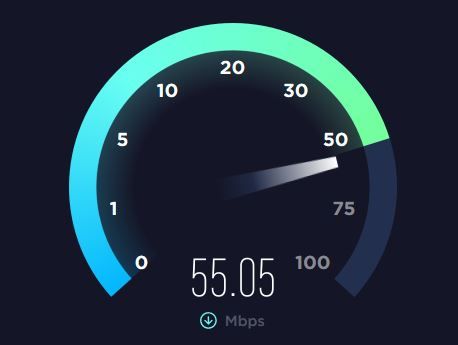
There's a practical way to reduce your router's device load: use a hub. A Zigbee, Z-Wave, or Thread hub connects to your router as a single device, while the bulbs themselves talk to the hub over their own radio protocol. So 20 bulbs become 1 WiFi connection, not 20.
Here's how the two setups compare:
| Setup | Monthly Data (rough) | Router Slots Used | Works When Internet Is Down? |
|---|---|---|---|
| 20 WiFi bulbs (direct to router) | A few hundred MB total | 20 slots | No — most need cloud |
| 20 Zigbee/Thread bulbs via hub | Often <50 MB for a small Hue setup; varies by hub | 1 slot | Yes — local control via hub |
A typical smart-home hub uses very little internet bandwidth — often under 50 MB per month for a small Philips Hue setup, though it can range higher (hundreds of MB to a few GB) depending on how many cloud-synced devices and integrations are active. The exact figure depends on the hub model, the number of bulbs and sensors connected, and how often it talks to cloud services.
The other big advantage is offline control. Zigbee, Z-Wave, and Thread bulbs can keep working when your internet is down because they communicate locally through a hub like the Philips Hue Bridge or a SmartThings/Aeotec hub. With SmartThings specifically, only automations stored on the hub run fully locally — controlling devices through the SmartThings app still requires the cloud. The Philips Hue Bridge handles physical switches, motion sensors, in-home app commands, and scheduled routines locally without internet.
WiFi-only bulbs (LIFX, most Wyze, and most Tuya-based bulbs) don't have this fallback — they need WiFi and, in many cases, the manufacturer's cloud.
My rough rule: if you're running fewer than ~10 smart bulbs and have a decent router, WiFi bulbs are fine. Past that, or if you care about offline reliability, a hub-based ecosystem (Hue, SmartThings, or Matter-over-Thread) is the better bet.
Troubleshooting: My Smart Bulbs Are Already Slow
If your bulbs respond slowly or your WiFi has degraded since you installed them, work through these steps in order:
- Count active devices on your router. Most router admin pages list connected clients. If you're past 30–50 on a basic router, that alone explains the slowness.
- Move heavy devices to 5 GHz. Phones, laptops, and TVs should be on the 5 GHz band, leaving 2.4 GHz mostly free for the bulbs that need it.
- Change your 2.4 GHz channel. Channels 1, 6, and 11 are the only non-overlapping options in most regions. Try each and see which has the least neighbor traffic.
- Add a Zigbee or Thread hub. Move your noisiest WiFi bulbs to a hub-based ecosystem so they stop competing for router slots and 2.4 GHz airtime.
- Upgrade to a mesh WiFi or WiFi 6 router. If you're past 50 active devices, a single basic router is the bottleneck — not the bulbs.
Also read: Why Are My Smart Lights Disconnecting?
The Bottom Line
Smart bulbs almost never slow down WiFi because of the data they use — that's negligible. They cause problems when too many of them are direct WiFi clients on a router that's already near its connection or 2.4 GHz airtime limit.
If you're just starting your smart home journey with a few bulbs in a bedroom, plain WiFi bulbs are fine. Once you're scaling past 10–20 lights, switch to a hub-based ecosystem — Philips Hue (Zigbee), SmartThings, or anything Matter-over-Thread — and your router will thank you.
FAQ
Do smart bulbs slow down WiFi?
Not because of the data they use — a WiFi smart bulb only consumes tens of MB per month. They can slow your network when too many of them count against your router's simultaneous-client limit or congest the 2.4 GHz band, which is what most smart bulbs use.
How many smart bulbs can I put on my WiFi?
There's no fixed number. Basic consumer routers handle around 20–50 active clients before slowing down, mid-range routers 50–150, and WiFi 6 routers 100+. If you want more bulbs than that, use Zigbee, Z-Wave, or Thread bulbs with a hub so they don't take individual WiFi slots.
Do smart bulbs extend WiFi range?
No. WiFi smart bulbs do not repeat or extend your WiFi signal — they're just clients on it. Zigbee, Z-Wave, and Thread bulbs do form a mesh among themselves, but that mesh runs on a separate low-power radio and only carries lighting commands back to a hub. It doesn't help with WiFi coverage.
Will smart bulbs work without internet?
Zigbee, Z-Wave, and Thread bulbs paired to a local hub (like the Philips Hue Bridge) keep working when your internet is down — physical switches, in-home app commands, and scheduled routines all run locally. WiFi-only bulbs like LIFX usually need both WiFi and the manufacturer's cloud, so they go offline when your internet does.
Is Thread or WiFi better for smart bulbs?
For more than a handful of bulbs, Thread is generally better. Thread bulbs don't take WiFi slots, work locally through a Thread border router (already built into many Apple, Google, and Amazon hubs), and are unified by the Matter standard, so they work across ecosystems.