
Do Smart Lights Work With Dimmer Switch?
Your smart bulb has its own dimming circuit — plug it into a standard TRIAC wall dimmer and you're running two competing systems at once, which is why you get flicker and buzz.
 Eugen
EugenEugen Nikolajev
Creator of LED Lighting Info
Hi, I am Eugen. I was always one of those kids who had all sorts of weird lighting gadgets for every occasion.
Now, I want to share my knowledge and experience about lighting with you on LED Lighting Info.
Read my editorial standards
Key Takeaways
Don't pair smart bulbs with standard wall dimmers. Either use a regular on/off switch (left in the ON position) and dim through the app, or use a purpose-built accessory like the Lutron Aurora that talks to the bulb wirelessly without cutting power.
Smart bulbs and traditional wall dimmers don't mix. The bulb has its own dimming circuit, and a standard wall dimmer feeds it a chopped AC waveform that the bulb's driver can't regulate cleanly — the result is flicker, buzz, and shortened bulb life.
Do Smart Bulbs Need Switches To Work?
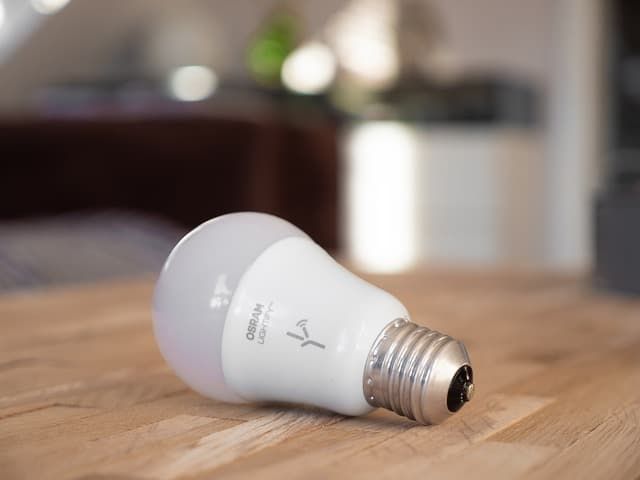
The short answer is no. On/off, dimming, and color changes are all handled by the chip inside the bulb, controlled from an app or voice assistant.
Smart bulbs reach assistants like Alexa and Google Home using a variety of protocols. Wi-Fi bulbs (such as TP-Link Kasa or LIFX) connect directly to your router over a shared Wi-Fi network. Zigbee bulbs — Philips Hue, IKEA TRÅDFRI, many Sengled models — need a hub or bridge that plugs into your router. Newer bulbs may use Bluetooth, Thread, or the cross-platform Matter standard. Whichever protocol the bulb speaks, the assistant communicates with it through your home network.
What the bulb does need is constant power. The fixture has to stay energized so the chip can listen for commands — which usually means leaving the wall switch in the ON position at all times.
Wiring a fixture with no disconnect at all is technically possible, but in most jurisdictions it violates electrical code — permanent fixtures are required to have a means of cutting power. Keep the wall switch and just leave it on.
The Biggest Problem With Switches And Smart Bulbs
Smart bulbs have to sit on standby, waiting for instructions. The moment someone flips the wall switch off, the bulb loses power entirely — at that point the app can't reach it because there is no electricity in the socket. There is no back-channel between a 'dumb' wall switch and a smart bulb.
Modern smart bulbs (recent Hue firmware and most Matter-compatible bulbs) let you configure a 'power-on behavior' so that when power returns, the bulb resumes its last state or a default setting. That handles the case of an accidental switch flip — but the bulb still can't receive any commands while the wall switch is off.
Will A Dimmer Switch Work With Smart Bulbs?
Standard wall dimmers — TRIAC or forward-phase — reduce brightness by chopping the AC waveform. They delay turn-on after each zero-crossing, so the bulb only sees part of each half-cycle.
A smart bulb's LED driver expects a clean, full sine wave to regulate its internal DC output. Feed it a chopped signal and it can't maintain stable voltage, especially at low dimmer settings. The result is visible flickering, an audible buzz, and often early bulb failure.
On top of that, the wall dimmer is fighting the bulb's own built-in dimming circuit. Whatever level you set on one is distorted by the other. The fix is straightforward: replace the wall dimmer with a regular on/off switch and use the app or voice assistant for dimming.
How To Dim Smart Bulbs Without A Dimmer Switch
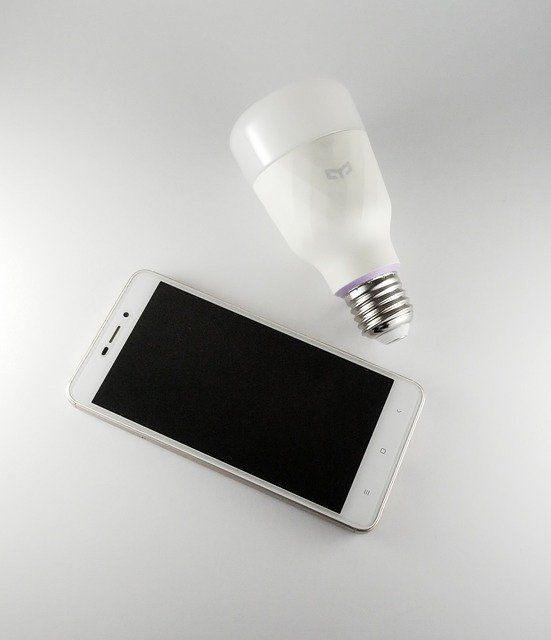
Two methods cover almost every smart lighting situation:
- Mobile app — Open the bulb's app and use the slider to set brightness. Most apps also let you save scenes (for example, 'Movie Night' at 20%).
- Voice assistant — Say 'Alexa, dim the kitchen lights to 50%' or 'Hey Google, set the bedroom lamp to maximum.' Works with any assistant the bulb supports.
Both methods can also schedule brightness changes — a slow fade-up at sunrise, a dim-down before bed, or a preset for movie time.
Should I Get A Smart Dimmer With Smart Bulbs?
Smart switches and smart dimmers are the other path to app- and voice-controlled lighting. They replace the wall switch itself and leave the bulb side untouched.
A smart on/off switch works with virtually any bulb, dimmable or not. A smart dimmer, however, still requires that the bulb itself be rated as dimmable — pairing a smart dimmer with a non-dimmable LED or CFL can cause flickering, buzzing, or damage to the bulb. Always check the packaging for a 'dimmable' label before pairing.
Here is how the two approaches compare on the most common decision points:
| Feature | Smart Bulb | Smart Dimmer Switch |
|---|---|---|
| Color changing | Yes | No |
| Works with existing bulbs | No | Yes (must be dimmable) |
| Voice control | Yes | Yes |
| Schedule / timer | Yes | Yes |
| Per-fixture cost | Higher per bulb | One switch covers any compatible bulb |
| Survives wall-switch flip | No | Yes |
Pairing a generic smart dimmer with smart bulbs is usually a waste of money — and it can break things. Most smart dimmers (including standard Lutron Caséta) cut power to the bulb when switched off, taking the smart bulb offline.
There is one exception worth knowing: purpose-built smart-bulb dimmers. Philips Hue's 'Friends of Hue' ecosystem includes the Lutron Aurora, a rotary dimmer that physically locks an existing wall switch in the ON position and sends Zigbee commands directly to the Hue bulb. Switches from RunLessWire, Senic, and Niko work the same way. If you want a real wall control without losing smart-bulb features, look for a switch certified to work with your bulb's ecosystem.
One more thing to check before buying a smart dimmer: many models require a neutral wire at the switch box. Older homes — especially those built before the late 1980s — often don't have a neutral run to the switch. Lutron Caséta and a few Leviton Decora models offer no-neutral options for that case.
If you prefer a smart switch that remembers the brightness you set last, take a look at these (Amazon). For timing and scheduling without opening the app, this smart switch covers the basics.
What If You Already Have A Dimmer?
If a fixture you want to upgrade already has a wall dimmer, there are three reasonable options:
- Replace the dimmer with a regular on/off switch, install a smart bulb, and dim from the app.
- Replace the dimmer with a smart on/off switch and use a regular dimmable LED — simpler if color and scenes aren't important.
- Keep the dimmer in place but turn it all the way up and never adjust it. This works in a pinch, but anyone in the household can break the bulb's app control with one accidental twist.
Final Words
- Don't pair smart bulbs with standard TRIAC wall dimmers — the chopped waveform causes flicker, buzz, and early failure.
- Leave the wall switch in the ON position. Smart bulbs need constant power to receive commands.
- Check for a 'dimmable' label before pairing any bulb — smart or not — with a dimmer.
- For a wall control on a smart bulb, use a Friends-of-Hue accessory like the Lutron Aurora rather than a generic smart dimmer.
- Confirm your switch box has a neutral wire before buying a smart dimmer, or pick a no-neutral model.
In my experience, the simplest setup that just works is a regular on/off switch with smart bulbs in the fixture, controlled from the app — and a Friends-of-Hue accessory on the wall if anyone in the household wants a physical control.