
Why Won’t My Pool Lights Change Color?
Lose one color channel and every shade containing it goes wrong at once — that's a failed LED driver, not a burnt-out bulb, and no reset will fix it.
 Eugen
EugenEugen Nikolajev
Creator of LED Lighting Info
Hi, I am Eugen. I was always one of those kids who had all sorts of weird lighting gadgets for every occasion.
Now, I want to share my knowledge and experience about lighting with you on LED Lighting Info.
Read my editorial standards
Key Takeaways
Most LED pool lights change color through short power interruptions: flip the wall switch off and on in a specific pattern and the fixture’s onboard controller advances through colors and shows. If your pool runs on an automation system like Pentair IntelliCenter with a Color Sync Controller, or Hayward OmniLogic with Universal ColorLogic 2.0, the controller handles the cycling and lets you jump straight to a chosen color from a touchscreen or app.
When pool lights stop changing color, the fix depends on what type of light you have and why it’s stuck — most cases come down to a glitched fixture that needs a reset, a tripped GFCI, or a hardware failure inside the housing.
Work through the problem from the easiest checks to the ones that mean opening up the fixture:
- Identify which type of pool light you have
- Check the GFCI
- Try a power reset (general, then manufacturer-specific)
- Diagnose hardware failures: motor, LED driver, or a flooded fixture
Identify Your Pool Light Type
Color-change failures fall into two very different categories depending on how the fixture produces color. Find the model number on the label inside the niche, junction box, or transformer enclosure, then match it to one of these:
| Light Type | How It Changes Color | Common Models |
|---|---|---|
| Color-wheel (mechanical) | A small motor rotates a stack of colored lenses in front of a single white bulb. You can usually see the lens disc through the housing. | Pentair SAm, SAL, Spectrum, Amerlite; older Hayward halogen |
| RGB LED (electronic) | Clusters of red, green, and blue LEDs mix to produce every color in the palette. The lens looks uniform, with no spinning disc. | Pentair IntelliBrite 5G; Hayward ColorLogic, Universal ColorLogic 2.0, CrystaLogic |
The diagnostic path branches sharply from here. RGB LED fixtures usually fail because of a glitch (fix with a reset) or a single-channel driver failure (replace the fixture). Color-wheel fixtures usually fail because the motor seizes or the gear strips — sometimes a repair, sometimes a replacement.
Check the GFCI First
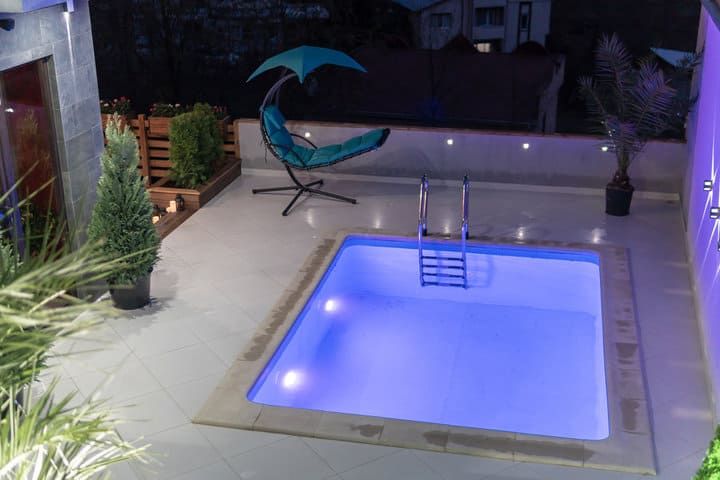
GFCI trips are a common cause of lights that look stuck or unresponsive, and they’re the cheapest thing to rule out. The trip can be subtle: the breaker doesn’t always pop visibly, but the protection circuit can still block the brief power interruptions that color cycling depends on.
Find the GFCI outlet or breaker that protects the pool lights, press the test button to force a trip, then press reset. Even if it didn’t appear tripped before, recycling it can clear a latched fault. This takes ten seconds and needs no tools.
Try a Power Reset
If the symptom looks like a glitch — wrong color, lights out of sync, or modes that won’t advance — a full power reset clears most of them. Two common procedures, depending on the manufacturer:
- Power the lights off for two full minutes, then power them back on. They should cycle to white.
- Switch the lights on for 10 seconds, then flip them off and immediately back on.
If neither works, the fixture probably has a manufacturer-specific reset documented in its manual.
Manufacturer-Specific Procedures

Hayward Universal ColorLogic (UCL)
The procedure below applies to Hayward Universal ColorLogic fixtures. ColorLogic 4.0, ColorLogic 2.5, and CrystaLogic each use different sequences — pull up the model-specific guide on Hayward’s site before attempting anything else. Starting with the lights ON:
- Step 1: Turn the lights OFF for 11–14 seconds, then turn them back ON.
- Step 2: Repeat that OFF/ON cycle 4 times total. The lights will flash red and white to confirm UCL mode.
- Step 3: To advance through colors, turn the lights OFF and immediately back ON. Each quick cycle moves to the next color or show.
- Step 4: When the right color is showing, leave the lights ON for two minutes. The fixture stores that color as the default.
Hayward’s Universal ColorLogic & CrystaLogic Troubleshooting Guide covers other symptoms as well, including lights that are dim or unresponsive. For OmniLogic-controlled installations, Hayward also documents how to control the lights from the app — if your pool is on automation, drive the colors from there instead of cycling the breaker.
Pentair IntelliBrite and Color Sync Controller
Hayward’s UCL PDF is the most consumer-friendly of the major manufacturers’ guides, but Pentair publishes detailed manuals for IntelliBrite and the Color Sync Controller as well — they’re just less focused on diagnostic flowcharts. Start with the IntelliBrite 5G manual for fixed-color and light-show selection sequences.
If your pool is on a Pentair IntelliCenter or EasyTouch automation system with the Color Sync Controller, don’t manual-cycle from the breaker. Drive the colors from the touchscreen, the Pentair Home app, or the Color Swim/Sync presets — the controller handles the power cycling on its own. Manual cycling on top of an automation system is one of the easiest ways to throw the system out of sync.
Jandy fixtures are documented in the Jandy WaterColors manual, which has its own off/on color sequence.
When Resetting Doesn’t Help: Hardware Failures
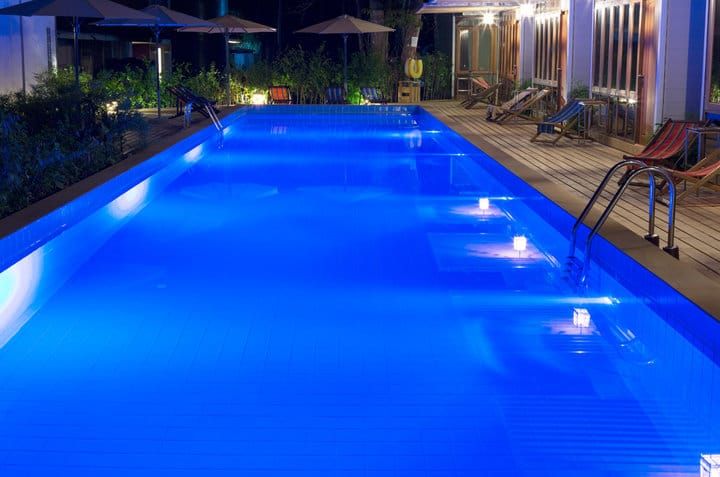
If the fixture has visible water inside, makes audible motor noise, or only some color channels respond, a reset won’t help — it’s a hardware fault, and you should move straight to diagnosis.
⚠️ Safety: Pool lights run on either 12V (low voltage) or 120V (line voltage) — and even low-voltage circuits can be backed by a 120V transformer. Before opening any fixture, removing it from the niche, or touching wiring, switch off power at the breaker and verify with a non-contact tester. Never work on pool electrical with the pump or lights live.
Color-Wheel Motor Failure
On Pentair SAm, SAL, Spectrum, and Amerlite fixtures, color comes from a motor-driven lens carousel in front of a single bulb. Over time the motor seizes or the gear strips, so when you signal a color change the lens stays put and the light stays on the same color.
The good news: the Pentair 619495 colorwheel motor with gear is widely available — Leslie’s, INYO Pools, Pool Supply Unlimited, and Amazon all stock it for roughly $100–$170, usually shipping in a few days. If the bulb is also old or you’re paying a tech for labor, swapping the entire fixture often costs about the same and resets the warranty clock.
LED Driver or Channel Failure
RGB LED pool lights mix red, green, and blue emitters (and sometimes a dedicated white) to make every color in the palette. When a fixture loses a color, the cause is almost always a failed driver on the PCB — a single bad channel kills that color across all the emitters at once. So if your reds and ambers work fine but anything containing green produces a dim or off light, that’s a green-channel driver fault, not a single burnt-out diode.
The driver lives inside the sealed underwater housing. It’s not a homeowner repair — replace the fixture.
Flooded Fixture
Water inside the housing can short the driver or seize the motor. Even if the colors are still cycling, fix this immediately — water plus electricity inside the housing will eventually destroy the fixture and can trip the GFCI repeatedly.
Switch off power at the breaker, pull the fixture out of the niche, open it, and drain it. Let it dry completely, then replace the gasket — that’s the part that failed and letting water back in is what caused the problem. Reseal, return the fixture to the niche, restore power, and test.
Final Words
My rule of thumb: try the GFCI and a reset first because they’re free and quick, then move to manufacturer-specific procedures, and only open the fixture once the easy stuff is ruled out. If resetting doesn’t fix it, the problem is almost always hardware — and once a fixture is out of warranty, replacement usually beats repair on cost, time, and reliability.