
Can You Use Smart Bulbs In Ceiling Fans?
Smart bulbs work fine in ceiling fans — until you flip the wall switch off and knock every bulb offline. Keeping that switch permanently on is the non-negotiable trade-off.
 Eugen
EugenEugen Nikolajev
Creator of LED Lighting Info
Hi, I am Eugen. I was always one of those kids who had all sorts of weird lighting gadgets for every occasion.
Now, I want to share my knowledge and experience about lighting with you on LED Lighting Info.
Read my editorial standards
Key Takeaways
Smart bulbs work in most ceiling fan light kits, but with two catches: the wall switch must stay on permanently for the bulbs to keep their wireless connection, and the bulb's app can't control fan speed. The cleanest fixes are a dedicated smart fan-speed controller paired with smart bulbs, an integrated smart ceiling fan, or replacing the fan-with-light combo with a standalone smart fixture.
Yes, you can use smart bulbs in a ceiling fan, but two practical catches trip up most people. The wall switch has to stay on at all times or the bulbs go offline, and your bulb's app still can't touch the fan motor.
In my experience, that's fine if you're happy juggling two controls; if you want one tap to handle the whole fixture, you'll want a smart fan-speed controller paired with smart bulbs, an integrated smart ceiling fan, or a standalone smart fixture in place of the fan.
Why Ceiling Fan Light Kits Are Limited
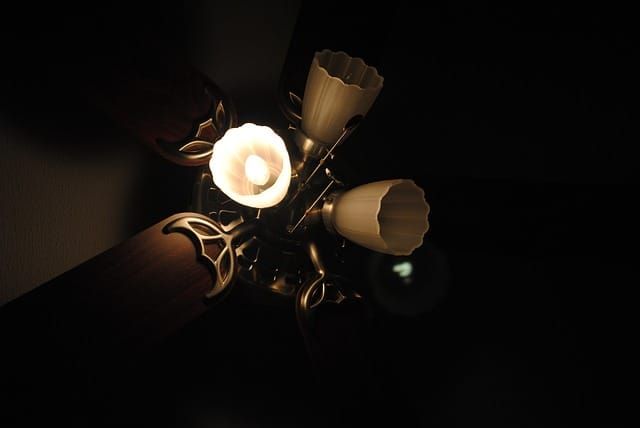
Ceiling fan light kits aren't built like standalone fixtures. The lamp portion is compact and decorative because the motor and blades already eat the available ceiling clearance, which forces compromises on both bulb size and wattage. That's why the light from many fan kits feels dim — the kit is rated for lower total output and fewer or smaller sockets, not because the bulb itself is poor quality.
Older fan light kits were required by U.S. Department of Energy efficiency standards to consume no more than 190 watts total, and many shipped with a built-in wattage limiter that physically cut power above that threshold.
Congress ended the mandatory limiter device requirement on January 7, 2019 with the Ceiling Fan Energy Conservation Harmonization Act, though the underlying 190W efficiency standard for manufacturers still applies.
For a homeowner, the more relevant number is the per-socket maximum printed on a small UL label inside each socket, usually 40 to 60 watts incandescent equivalent. Exceed that and the socket contacts overheat, the plastic components melt, and the wire insulation inside the fan's housing degrades. In a worst case, overlamping ignites an electrical fire in the ceiling box. (Falling fans, contrary to a common claim, are caused by improper mounting or a ceiling box that isn't fan-rated, not by bulb wattage.)
Here's a quick reference for the wattage limits printed on typical fan light kits, alongside what a modern LED smart bulb actually draws:
| Fixture Sockets | Max Total Wattage (per label) | Per-Socket Max (incandescent) | LED Smart Bulb Actual Draw |
|---|---|---|---|
| 2 | 100–120W | 60W | ~9W per bulb |
| 3 | 150–180W | 50–60W | ~9W per bulb |
| 4 | 180W | 40–45W | ~9W per bulb |
| 5 | 190W (DOE cap) | ~38–40W | ~9W per bulb |
The wattage caps on the label are written for incandescent loads. A Philips Hue White bulb pulls about 9 watts while producing the equivalent of a 60W incandescent, and LIFX bulbs typically sit between 7 and 15 watts. Any modern LED smart bulb sits comfortably under any fan light kit's per-socket limit, so wattage almost never rules them out. If you have a multi-socket kit and want to use fewer bulbs to reduce heat or glare, you can also leave some sockets empty safely.
Will A Smart Bulb Even Fit?
The real fit question isn't wattage — it's the socket base. Most ceiling fan light kits use one of two:
- E26 — the standard medium screw base used by most household incandescent and LED bulbs.
- E12 — the smaller candelabra base common on decorative fan light kits.
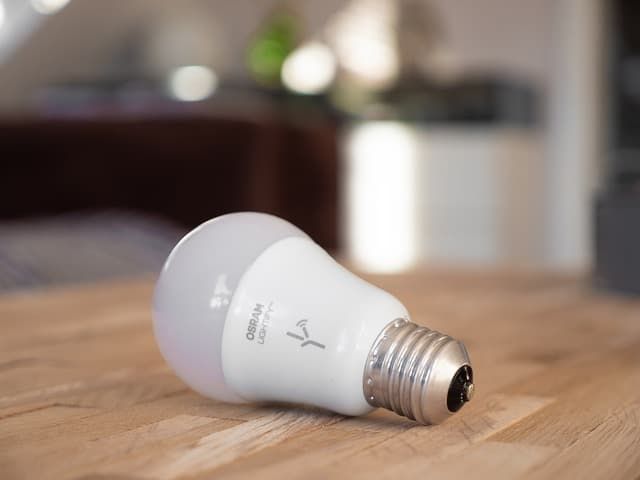
Older smart bulbs only came in chunky E26 form factors, which is where the "smart bulbs won't fit in a fan" reputation comes from. That's outdated. Philips Hue, Wyze, and several other brands now sell E12 candelabra smart bulbs, plus compact A19, BR30, and GU10 options that drop into most fan light kits without modification. Check the base on your existing bulb or look for the stamp inside the socket before buying.
The Two Problems With Smart Bulbs In Ceiling Fans
Even when the bulbs physically fit, two friction points remain.
- Problem 1: The wall switch has to stay on permanently. Smart bulbs need constant power to maintain their wireless connection — whether that's Wi-Fi (TP-Link Kasa, Wyze), Zigbee (Philips Hue, IKEA TRÅDFRI), Z-Wave, or Bluetooth. Flip the wall switch off and the bulb is dead until power returns, and the app can no longer reach it.
- Problem 2: The smart bulb can't control the fan. A smart bulb is just a bulb. Fan speed still lives on the pull chain, the wall switch, or the remote that came in the box — none of which talk to your bulb's app or your voice assistant.
Both problems get worse if the fan and light share one wall switch, which is how most ceiling fans are wired by default. Cutting power to the fan also cuts power to the bulbs, knocking them offline every time you stop the fan. Smart bulb switches sidestep the offline problem by keeping the line energized while still giving you a tactile on/off, but they don't help with fan-speed control.
The Fixes: Three Ways To Make It Work
Option 1: Smart Bulbs + A Dedicated Smart Fan Controller
The cleanest retrofit. Install a dedicated smart fan-speed controller at the wall — the Lutron Caséta Smart Fan Speed Control and Leviton Decora Smart Fan Switch are the most common picks — and put smart bulbs in the light kit. The wall controller handles fan speed, the bulbs handle light, and both show up in the same app and respond to the same voice commands.
One critical detail: never substitute a regular smart light dimmer for a fan controller. Light dimmers are designed for resistive loads, not the permanent split-capacitor motors inside ceiling fans. Wiring a dimmer to a fan motor will damage the motor and void the fan's warranty. Lutron and other manufacturers warn against this explicitly — the part you want is a fan-rated controller, not a dimmer.
Option 2: A Smart Ceiling Fan
If you're replacing the fan anyway, integrated smart ceiling fans are now widely available. Hunter SIMPLEconnect, Minka-Aire, and Big Ass Fans all sell models with built-in Wi-Fi and app control for both the motor and the integrated light kit. One device, one app, no separate bulbs or in-wall controller required.
Option 3: Standalone Smart Fixture + Separate Fan (Or No Fan)
In rooms where the fan isn't really pulling its weight, small living rooms with central A/C, dining rooms, hallways, replacing the fan-with-light combo with a dedicated smart fixture or chandelier sidesteps every problem above.
You get a clean ceiling, full smart control, and your choice of bulb size and wattage without the fan kit's constraints.
- Voice and app control of brightness, color temperature, and scenes from any compatible smart bulb.
- LED draw of 7–15 watts per bulb sits comfortably under any fan light kit's per-socket limit.
- Compact A19, BR30, and E12 candelabra smart bulbs now fit most fan light kits.
- Schedules and routines work without rewiring the fan or replacing the wall switch.
- The wall switch must stay on at all times, or the bulbs go offline regardless of protocol.
- The bulb's app cannot control fan speed — that still lives on the pull chain, remote, or wall switch.
- Fans wired with a single shared switch will cut power to both the motor and the bulbs whenever the fan is turned off.
- Decorative fan kits with covered globes can trap heat and may shorten LED lifespan if enclosed-rated bulbs aren't used.
FAQ
Will a smart bulb screw into my ceiling fan?
Most likely yes, but only if the base matches. Fans use either E26 medium-base or E12 candelabra-base sockets. Brands like Philips Hue, Wyze, and several others sell smart bulbs in both bases, plus compact A19 and BR30 form factors. Check the base on your existing bulb before buying.
Will overlamping a ceiling fan actually make it fall?
No. Overlamping causes overheating, melted sockets, degraded wire insulation, and in extreme cases an electrical fire — but falling fans are caused by improper mounting or a ceiling box that isn't rated for fan loads, not by bulb wattage.
Can I use a regular smart dimmer to control my ceiling fan motor?
No. A light dimmer connected to a fan motor will damage the motor and void the warranty. Ceiling fans need a dedicated fan-speed controller designed for permanent split-capacitor motor loads — for example, the Lutron Caséta Smart Fan Speed Control or Leviton Decora Smart Fan Switch.
Do smart bulbs need Wi-Fi to work in a ceiling fan?
Not necessarily. Many smart bulbs use Zigbee (Philips Hue, IKEA TRÅDFRI), Bluetooth, or Z-Wave instead of Wi-Fi. All of them require constant power to stay reachable from their app or hub, regardless of which wireless protocol they use.
Does the DOE 190-watt limit mean my ceiling fan will refuse to operate above that?
No. The 190W cap is an efficiency standard for manufacturers, not a runtime threshold for end users. Older fan light kits did include a wattage limiter device that cut power above the limit, but Congress ended the mandatory limiter requirement in 2019. The real risk of exceeding the per-socket wattage on the UL label is overheating and fire, not the fixture shutting off.
Bottom Line
Three takeaways when you're setting up a smart home around an existing ceiling fan:
- Smart bulbs work in ceiling fan light kits if the base matches and the wall switch stays permanently on. Wattage almost never rules them out — modern LEDs draw far less than the label assumes.
- For one-app control of both fan and light, pair smart bulbs with a dedicated smart fan-speed controller like the Lutron Caséta. Never use a regular smart light dimmer on a fan motor.
- If you're replacing the fan, an integrated smart ceiling fan is the simplest path. If the room doesn't really need the fan, a standalone smart fixture is even simpler.