
How To Use Philips Hue Without Bridge?
Bluetooth-capable Hue bulbs have shipped since 2019, and for a single room they work fine without the Bridge — until you hit the 10-bulb cap and the 30-foot range limit.
 Eugen
EugenEugen Nikolajev
Creator of LED Lighting Info
Hi, I am Eugen. I was always one of those kids who had all sorts of weird lighting gadgets for every occasion.
Now, I want to share my knowledge and experience about lighting with you on LED Lighting Info.
Read my editorial standards
Key Takeaways
Modern Philips Hue bulbs with Bluetooth can be controlled directly from the Philips Hue app whenever you're in Bluetooth range. You'll still want a Hue Bridge (or Hue Bridge Pro) once you need more than 10 bulbs, whole-home range, remote access from outside the house, geofencing, or full scene and automation support.
Philips Hue's signature setup has always been the small white Bridge that plugs into your router. But newer Hue bulbs ship with a Bluetooth radio, which raises a fair question: do you actually need the Bridge anymore?
Here's what I'll cover:
- How to set up Hue bulbs over Bluetooth, step by step
- What you give up by skipping the Bridge
- Whether an Echo can stand in for the Bridge if you want voice control
How to connect Philips Hue lights without a Bridge
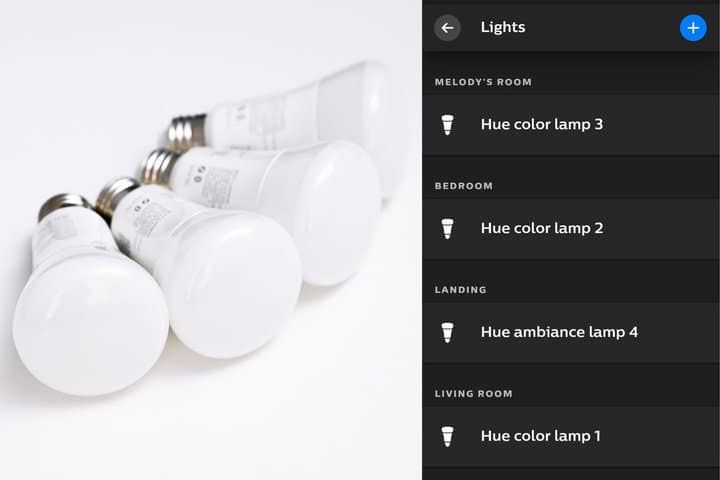
Setting up Hue over Bluetooth is straightforward. You'll need a Bluetooth-capable Hue bulb (look for the small Bluetooth logo on the top-right of the box) and the official Philips Hue app.
- Download the Philips Hue app on your phone or tablet — the same app now handles both Bluetooth-only and Bridge setups, so don't bother searching for a separate "Hue Bluetooth" app.
- Create a Hue account if it's your first time.
- Make sure Bluetooth is turned on in your phone's settings.
- Install the bulbs in their fixtures and switch them on at the wall — they'll come on at full brightness by default.
- In the app, tap the Settings cog (bottom right) and then the blue plus button next to "Lights."
- Choose "Search" to scan for nearby bulbs. The app flashes each bulb as it finds it so you can identify which is which.
- Name each bulb and assign it to a room so you can control everything in that space at once.
Why the Hue Bridge is still worth considering
Many people assume Hue bulbs use Wi-Fi — after all, for anyone who doesn't know much about smart home tech, "wireless" usually means Wi-Fi.
Hue's primary protocol is actually Zigbee, a low-power wireless standard built specifically for smart-home devices. It runs on the same 2.4 GHz band as Wi-Fi, but on different channels and a different protocol, so in practice it rarely interferes with your Wi-Fi network.
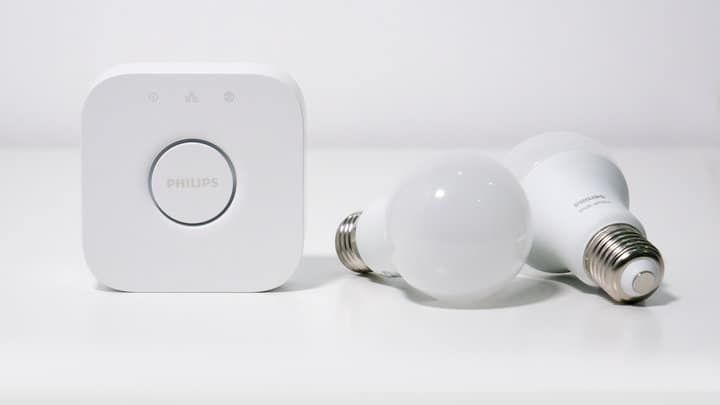
Phones can't speak Zigbee directly, so Hue uses the Bridge as a translator. When you press a button in the app, your phone sends the command over Wi-Fi to the Bridge, and the Bridge relays it to the bulb over Zigbee. The Bridge is aptly named — it's the link between your lights and your home network, and the reason you may or may not need a hub in the first place.
Hue lights launched in 2012, and starting in 2019 newly manufactured bulbs began shipping with a built-in Bluetooth radio in addition to Zigbee. (Older bulbs without that hardware can't be upgraded to Bluetooth — they always need a Bridge.)
More recently, Hue added support for Matter, the cross-vendor smart-home standard. Matter doesn't replace Zigbee at the bulb level — it's exposed through the Bridge — but it makes a bridged Hue setup play nicely with Apple Home, Google Home, SmartThings, and Alexa over a single connection.
If you're not sure whether your bulbs are Bluetooth-capable, check the box: there's a small Bluetooth logo in the top-right corner.
Bluetooth vs Bridge at a glance
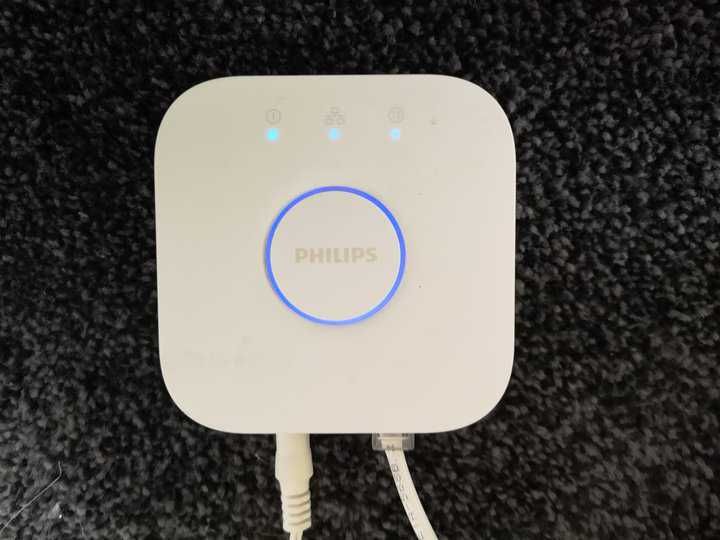
Skipping the Bridge keeps things simple — one less device to plug in, no setup involving your router. But the moment your setup grows beyond a single room, the Bridge starts pulling its weight.
| Feature | Bluetooth only | With Hue Bridge |
|---|---|---|
| Max bulbs | 10 per phone | 50 (standard Bridge); up to 150 with Hue Bridge Pro |
| Range | ~30 ft (10 m) in open conditions | Whole-home Zigbee mesh — each bulb extends the network |
| Remote control (away from home) | No | Yes |
| Voice control | Limited — only some Echo models with built-in Zigbee | Full support: Alexa, Google Home, Apple Home |
| Geofencing (Home & Away) | No | Yes |
| Custom scenes & automations | Limited | Full |
| Matter support | No | Yes (bridge-level) |
Number of bulbs
Bluetooth-only setups are capped at 10 bulbs paired to a single phone — fine for one room or a small apartment, less so for a whole house.
The standard Hue Bridge officially supports 50 lights plus 12 accessories. The hardware can technically handle up to 63 bulbs before its hard cap, but Philips recommends staying at 50 because performance suffers above that. The newer Hue Bridge Pro, launched in 2025, raises the official ceiling to 150 lights.
Range
Bluetooth reaches roughly 30 feet (10 meters) in open conditions, but walls, floors, and household interference shorten that significantly. For most homes that's enough for a single room — not enough to cover the whole house from one phone.
A Bridged setup uses a Zigbee mesh: every bulb relays signals to nearby bulbs, so your effective range grows with the size of your installation. In practice, that's the difference between "this room only" and "every light in the house."
Remote control
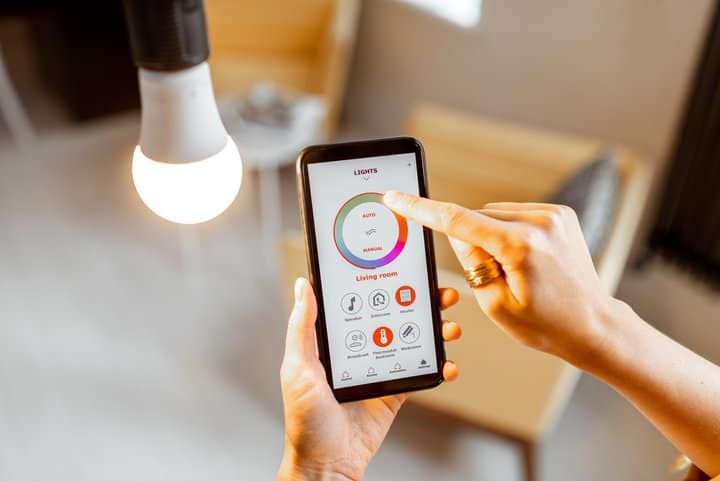
The Bridge gives you control of your lights from anywhere with an internet connection. Forgot a light on? Want to make the house look occupied while you're away? That's Bridge-only territory — Bluetooth alone has no path out to the wider internet.
Voice control
Voice control through Google Assistant or Apple Home requires a Bridge. Alexa is the partial exception — some Echo devices have a Zigbee hub built in and can stand in for the Bridge for a smaller setup. More on that below.
Geofencing
Geofencing — having lights automatically turn on when you arrive home or off when you leave — only works with a Bridge. Bluetooth-only setups have no way to track location-based routines, so you're back to flipping things on and off manually.
Custom scenes
A scene is a saved combination of brightness, color, and color temperature across one or more bulbs — think "Movie night," "Reading," or "Dinner party." With a Bridge, you can save scenes, schedule them, and trigger them from Hue dimmer switches or third-party automations. Bluetooth-only setups can't store and recall scenes the same way.
How to use Philips Hue with Alexa without a Bridge
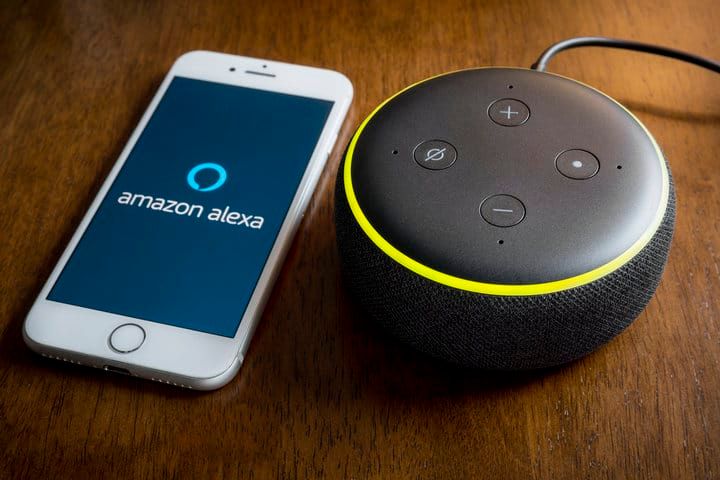
Voice control normally requires a Bridge, but some Echo devices double as one. They include a Zigbee hub — the same protocol the Hue Bridge uses to talk to bulbs — so they can pair directly with your Hue lights and skip the Bridge entirely.
Echo models with a built-in Zigbee hub include the 4th-gen (and later) Echo, Echo Studio, Echo Show 8 (3rd gen), Echo Show 10 (3rd gen), Echo Show 15 and 21, and the Echo Hub. Smaller models like the Echo Dot and Echo Show 5 don't include a Zigbee hub, so check your specific model before counting on this — Amazon used to ship a dedicated Echo Plus, but that line was discontinued around 2020.
To set it up, install the Hue Skill from the Alexa app, then either ask Alexa to "find my devices" or run a manual device scan in the app.
You'll get on/off, brightness, color, and remote voice control — but not geofencing, full custom scenes, or the broader Hue automation engine. For a simple living-room setup that's often enough, and it saves the roughly $60 a Hue Bridge costs (or about $99 for the newer Hue Bridge Pro).
Troubleshooting Hue Bluetooth setup
If a bulb won't pair, work through the easiest checks first before assuming the hardware is faulty:
- Confirm the bulb is Bluetooth-capable. Older Hue bulbs (pre-2019) don't have a Bluetooth radio. Check the original box for the Bluetooth logo, or look up the model on the Philips Hue site.
- Make sure Bluetooth is on. The Hue app can't see the bulb if your phone's Bluetooth is disabled or stuck.
- Power-cycle the bulb. Switch it off at the wall for about five seconds, then back on. A fresh boot often nudges it into pairing mode.
- Stay close during setup. Pair within 6–10 feet of the bulb, even if you plan to use it from further away later.
- Check the bulb count. Bluetooth-only setups are capped at 10 bulbs per phone. If you've hit that ceiling, remove one before adding another — or move to a Bridge.
Bluetooth or Bridge: which should you choose?
For a small setup — one room, a handful of bulbs, no urge to control lights from your office — Bluetooth alone is genuinely fine. You skip the Bridge, save money, and still get most of what makes Hue interesting in the first place.
In my experience, the Bridge starts to make sense the moment you want voice control beyond Alexa, automations that run on a schedule, lights that respond to leaving and arriving, scenes shared across multiple bulbs, or simply more than 10 bulbs. The Hue Bridge Pro adds even more headroom for larger homes.
If you already own a recent Echo with a built-in Zigbee hub, that's a useful middle ground — voice and remote control without buying a Bridge, at the cost of geofencing and full scene support.