
What Is The Width Of LED Strip Lights?
A 10mm strip doesn't always fit a 10mm channel — silicone waterproofing adds just enough bulk to jam the fit. That's the kind of mismatch that only shows up after you've already bought both.
 Eugen
EugenEugen Nikolajev
Creator of LED Lighting Info
Hi, I am Eugen. I was always one of those kids who had all sorts of weird lighting gadgets for every occasion.
Now, I want to share my knowledge and experience about lighting with you on LED Lighting Info.
Read my editorial standards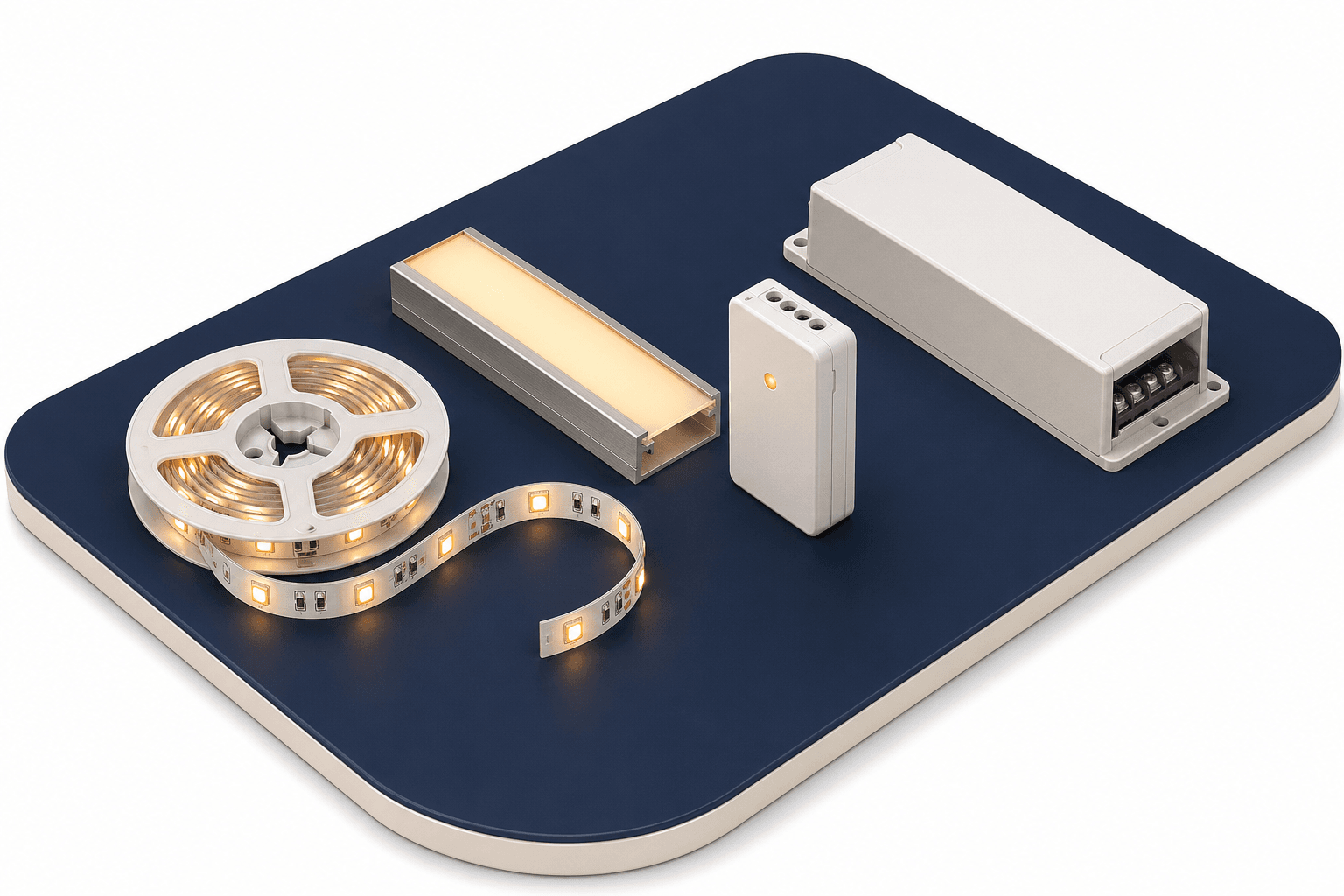
Key Takeaways
Most LED strip lights are 10mm wide — around 3/8 of an inch — regardless of the LED chip size. 8mm strips are also common for lower-power single-color builds, and wider strips up to 15mm (9/16″) exist for higher-power configurations like Philips Hue and 5050 RGB/RGBW. Thinner 5mm strips exist but are uncommon.
Strip width is one of those details that's easy to overlook — until you realize the strip you bought won't fit the channel you bought to match. The differences between standard widths are only a few millimeters, but those millimeters decide whether your install works or not.
Let's dig a little deeper. I'll cover:
- Whether LED strips usually differ in width
- The width of a 5050 and a 2835 strip
- Whether wider strips consume more energy
- When the width of a strip actually matters
Do Strip Lights Differ In Width?
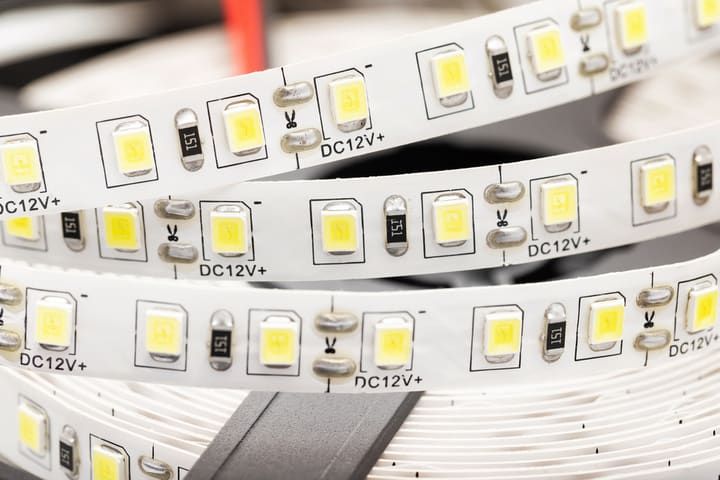
LED strip lights come from many manufacturers, and the specs aren't perfectly standardized. Still, most stick to a small set of common widths.
10mm (3/8″) is the dominant choice. It comfortably fits any of the common LED chip sizes and provides enough copper area for effective heat dissipation. 8mm is the next most common width, popular on lower-power single-color strips.
One brand that breaks from this is Philips Hue. Their Lightstrip Plus measures 14.5mm wide — around 9/16″ — per the official spec, and is also available on Amazon.
Other widths exist too. You'll find narrow 5mm strips (3/16″) for tight installs, 12mm strips, and modern Chip-on-Board (COB) strips that range from roughly 5mm up to 12mm depending on the model. COB strips have surged in popularity because the dense phosphor coating produces a continuous, dotless line of light.
How Wide Is 5050 And 2835 LED Strips?
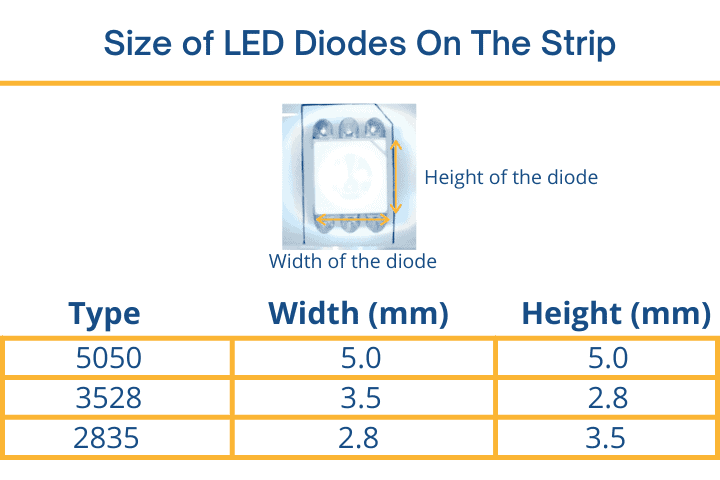
Does the size of the LED chip dictate the width of the strip? Not directly. The three most common chip sizes are 2835, 3528, and 5050 — the digits refer to the chip's footprint in millimeters. Here's how they map to typical strip widths:
| Chip Type | Chip Dimensions | Typical Strip Width | Notes |
|---|---|---|---|
| 2835 | 2.8mm × 3.5mm | 10mm | Fits comfortably; most common today |
| 3528 | 3.5mm × 2.8mm | 10mm | Legacy chip, still widely used in budget strips |
| 5050 | 5.0mm × 5.0mm | 10–14mm | Wider variants aid heat dissipation on RGB/RGBW |
Many 5050 strips still measure 10mm wide — there's plenty of room for a 5mm chip on a 10mm board. But some manufacturers prefer to put 5050 chips onto 12mm or 14mm strips because the extra copper area helps spread heat away from the chip, protecting it from damage and extending its lifespan. This matters most for higher-power 5050 RGB and RGBW configurations that push past the ~16W/m comfortable limit of a standard 10mm board.
At the other end of the scale, 5mm strips can't accommodate 5050 chips at all — there simply isn't enough space around the chip to hold it securely.
Do Wider LED Strips Consume More Energy?
If a wider LED strip carries bigger LED chips, does that mean it uses more energy than a thinner strip with smaller LEDs?
Technically yes — but the difference is minimal.
| LED chip type | Power draw per chip | Power draw per meter (60 LED strip) |
|---|---|---|
| 2835 | 0.2 Watts | 12 Watts |
| 5050 | 0.24 Watts | 14.4 Watts |
Comparing a 60-LED-per-meter 2835 strip at ~12W/m against a 60-LED-per-meter 5050 strip at ~14.4W/m, the gap is about 2.4 watts per meter (per InStyle LED). When you're calculating costs over time, that gap is barely noticeable.
What matters far more is the density of LEDs on the strip.
Individual chips have very similar power requirements, but cram more onto a meter and you'll really notice the difference. Standard strips have 30 or 60 LEDs per meter; high-density strips run 120 LEDs/m, addressable strips often hit 144 LEDs/m, and ultra-dense COB strips can reach 240–360 LEDs/m. That density — not chip type — drives most of the energy consumption.
When Does Strip Width Actually Matter?
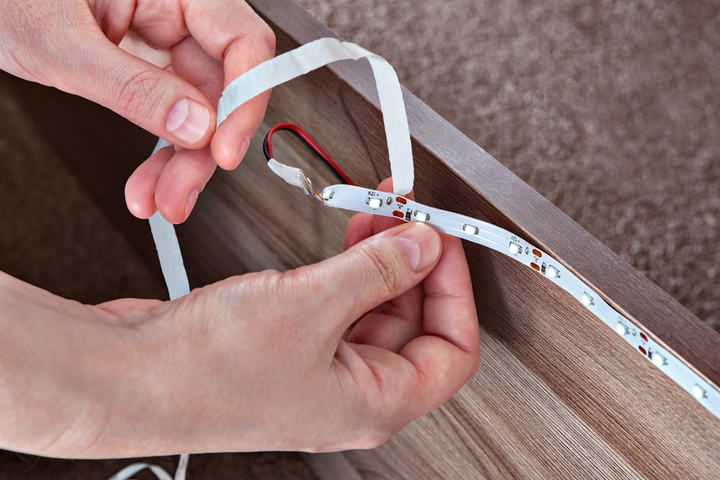
Most LED strip lights stick to a few standard widths, so for plenty of installs you can pick almost anything off the shelf. But there are three situations where those few millimeters genuinely matter.
1. Mounting on a surface
If you're sticking the strip directly to a surface — the underside of a kitchen cabinet, the edge of a desk, or a shelf — make sure the surface is wide enough to hold the strip flat. Don't let it overhang the edge or curl to fit a tight gap; both will weaken the adhesive and stress the circuitry over time.
2. Mounting in an aluminum channel
Aluminum channels hide the circuitry and protect the strip — they're an extruded aluminum body acting as a heat sink, capped with a frosted polycarbonate diffuser that softens the light.
Match the strip width to the channel width. Don't try to force a 14mm strip into a 10mm channel — the circuitry will get damaged. As a rule of thumb, choose a channel rated at least 1–2mm wider than your strip to leave room for the adhesive backing and any minor variation in the strip itself.
3. Buying a waterproof (IP-rated) strip
Waterproof strips (IP65, IP67, IP68) are coated or encased in silicone, which adds to their effective width and thickness. A 10mm bare strip with a silicone overlay may no longer fit in a 10mm channel. Always check the listed dimensions including the waterproof coating before pairing the strip with a channel — this is one of the most common reasons people end up with mismatched components.
Quick reference: choosing the right width
For most installations, default to 10mm strips — they fit the majority of channels, surfaces, and chip configurations. Step up to 12–14mm for high-power 5050 RGB or RGBW builds where heat is a concern. Drop to 5–8mm only when you're working with a tight space or a low-power single-color run. And always check the strip's dimensions including any waterproof coating before buying a matching channel.