
What Is The Difference Between 2835, 5050 And 3528 LED Strips?
Those four digits encode the chip's footprint in tenths of a millimeter — but a 2835 and a 3528 share nearly the same area yet aren't the same chip, and the smaller one often wins on brightness.
 Eugen
EugenEugen Nikolajev
Creator of LED Lighting Info
Hi, I am Eugen. I was always one of those kids who had all sorts of weird lighting gadgets for every occasion.
Now, I want to share my knowledge and experience about lighting with you on LED Lighting Info.
Read my editorial standards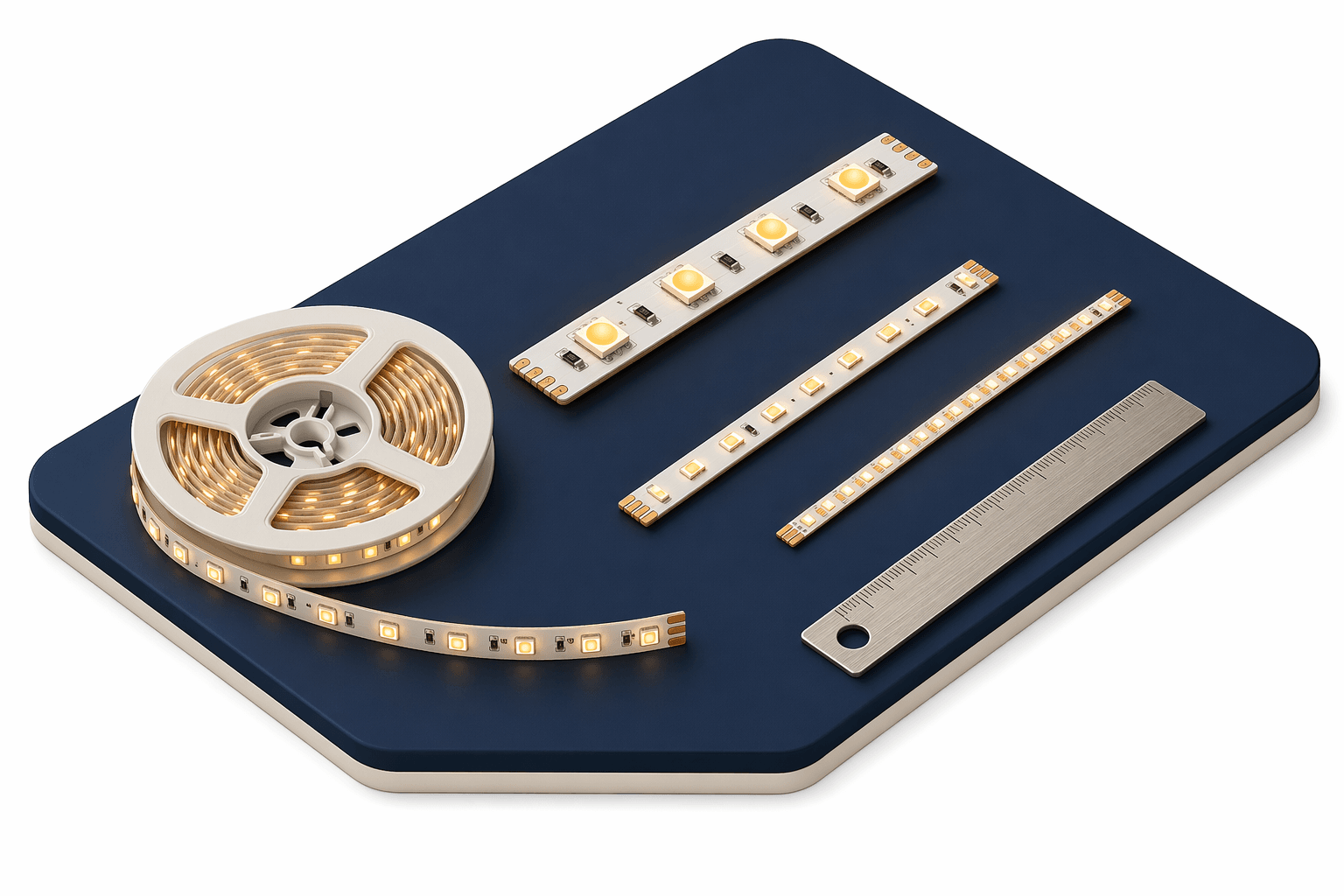
Key Takeaways
The four digits encode the LED chip's footprint in tenths of a millimeter — a 3528 is 3.5mm × 2.8mm, a 5050 is 5.0mm × 5.0mm. Larger chips can produce brighter light, but package design and density matter just as much for how a strip actually performs.
If you're shopping for LED strip lights, you'll probably notice that they often have a four-digit number on the box or in the product details.
It's likely to be 2835, 3528, or 5050 (although there are other options too). What does that code mean, and what are the differences between them?
In this article I'll explain:
- What those four digits actually mean
- Why chip size matters for brightness
- Why bigger chips draw more power
- Why density matters as much as chip size
What Does SMD Stand For?
SMD stands for Surface-Mount Device — a general electronics packaging term that covers any component soldered directly onto a PCB. An SMD LED is just an LED that uses this mounting style, with no long leads, so it can sit flat against an LED strip.
Older LED packages had comparatively long leads, but modern SMD chips are much more compact. They can be packed closer together for higher density, and different SMD chip sizes can be combined on a single strip for more flexibility.
2835 vs 5050 vs 3528: What Do The Four Digits Mean?
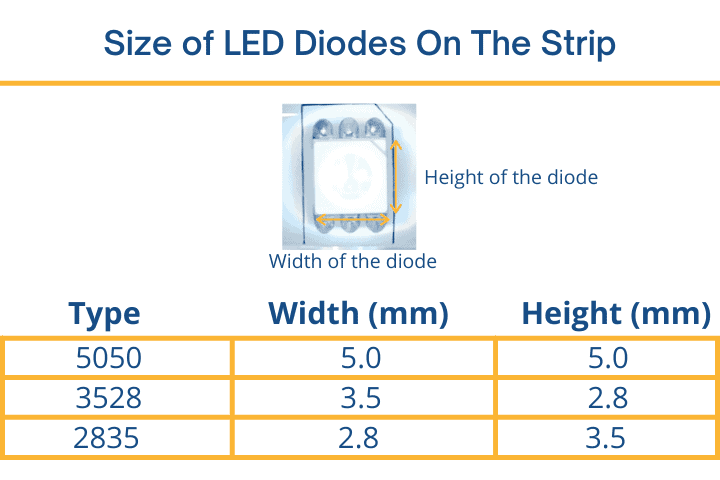
The four digits encode the chip's two footprint dimensions in tenths of a millimeter. So a 3528 chip's footprint is 3.5mm × 2.8mm, and a 5050 chip's footprint is 5.0mm × 5.0mm. The footprint dimensions are what the code describes — the chip's vertical thickness is a separate spec. A 2835, for example, is just 0.6–0.8mm thick, while a 3528 is about 1.9mm thick.
Although 2835 and 3528 chips share roughly the same footprint area, they aren't simply rotated versions of each other — they're different package designs. The 2835 is thinner, uses an exposed thermal pad on its underside for better heat dissipation, and typically produces 30–50% more light than a same-footprint 3528.
Here's how the three chip types compare at a glance:
| Feature | 2835 | 3528 | 5050 |
|---|---|---|---|
| Footprint | 2.8×3.5mm | 3.5×2.8mm | 5.0×5.0mm |
| Thickness | ~0.7mm | ~1.9mm | ~1.6mm |
| Dies per chip | 1 | 1 | 3 (RGB or parallel white) |
| Efficiency | High | Moderate | Lower per chip |
| Common density | 60–240/m | 30–120/m | 30–60/m |
| RGB capable | No | No | Yes |
Why Does LED Chip Size Matter?
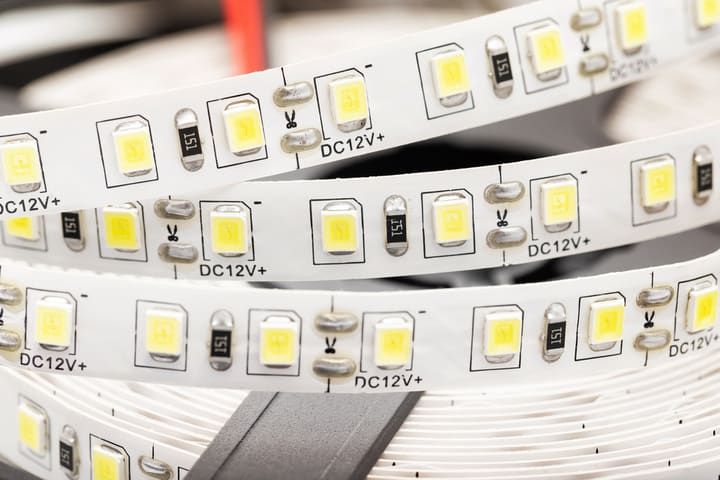
The size of the chip affects how big a die it can hold, and a larger die can produce more light. A 5050 chip outputs more light than a single 3528, simply because it's bigger and can be driven harder.
But a 2835 isn't just a rotated 3528 — it's a more modern package. It's typically more efficient than a 5050, often producing the same brightness while drawing less power, thanks to better thermal design and a more efficient die layout.
Look at the chip surfaces and you'll spot another difference. A 3528 has a small die inside a round reflector cavity. A 5050 actually contains three separate dies in one package — that's what enables RGB color mixing. The 2835's die is square with rounded corners and covers a larger share of the chip surface, part of why it converts power to light more efficiently.
The 2835 also runs cooler thanks to its exposed thermal pad, which generally translates to a longer lifespan.
My rule of thumb: unless you specifically want an RGB strip, a 2835 will give you the brightest, most efficient, longest-lasting result.
When to Choose a 5050 (RGB and RGBW)
There's one scenario where a 5050 wins clearly: customizable color. The 5050 package is large enough to hold three separate dies — red, green, and blue — which is what makes RGB strips possible.
RGB strips are popular because you can change color to match a mood. They can in theory create up to 16 million colors with a digital 8-bit-per-channel controller, though basic analog or remote-based controllers will offer far fewer distinct colors. The catch is white — mixing red, green, and blue into "white" produces a flat, slightly off-color light that's not great for task lighting.
If you want both color-changing and decent white light, look for an RGBW or RGB+CCT strip — these add a dedicated white die (or a tunable warm/cool white pair) alongside the RGB trio. They cost more, but they solve the muddy-white problem.
For pure task lighting where you need a clean, bright white, a dedicated white 2835 or 3528 strip will outperform any RGB strip. RGB is best kept for accent and ambient lighting where color, not raw brightness, is the priority.
Do Bigger LED Chips Use More Electricity?
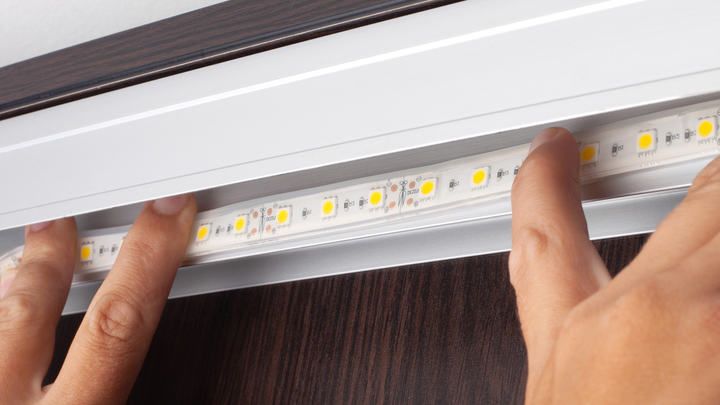
Bigger and brighter chips do use more electricity, but the relationship isn't linear. The 2835's efficiency advantage means you can get equivalent brightness from a smaller chip running at lower power.
Here's a typical 60-LED-per-meter comparison for residential-grade strips:
| LED chip type | Power per chip (typical) | Power per meter (60 LED/m) | Lumens per meter |
|---|---|---|---|
| 3528 | 0.08W | ~4.8W | 330–360 |
| 2835 | 0.1–0.15W | ~6–9W | 600–900 |
| 5050 | 0.24W | ~14.4W | ~900–1,000 |
For a one-meter strip at 60 LEDs per meter, the 5050 draws the most power — but per lumen, the 2835 is usually the winner. That's the efficiency advantage in action.
At higher densities the gap widens further, because 2835 strips can pack many more chips into a meter than a 5050 can.
Density vs Chip Size
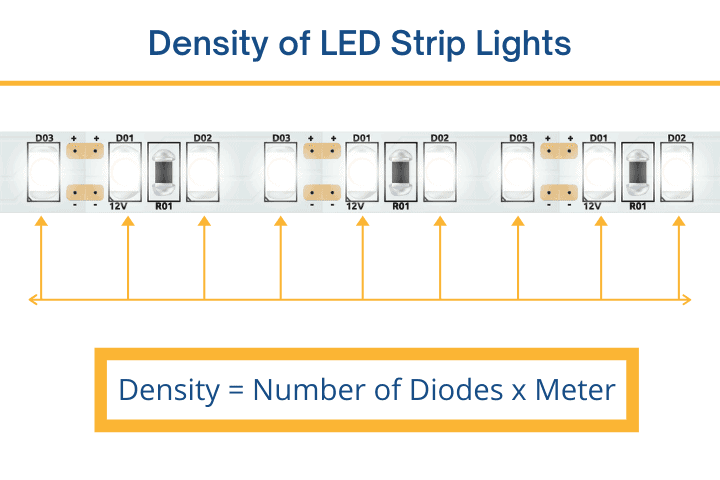
Density — measured in LEDs per meter — is often a more useful spec than chip size alone, because it directly determines a strip's brightness and visual uniformity. It's measured per meter so you can compare strips of different lengths on the same scale.
Entry-level strips usually have 30 LEDs per meter; mid-range options run at 60; and high-density strips reach 120 LEDs per meter or more.
Chip size puts a practical limit on density. A 5050 chip is 5mm across, and you need space between chips for traces and bonding. Most 5050 strips top out at 30 or 60 LEDs per meter — denser layouts (84/m and 96/m) do exist, but the larger chip and higher heat output make them expensive and uncommon.
A smaller chip like the 2835 fits comfortably at 120 LEDs per meter, and premium commercial-grade strips push that to 240 LEDs per meter. Typical 60-LED/m 2835 strips reach 600–1,200 lumens per meter, 120-LED/m versions reach 1,200–2,600 lumens per meter, and the densest 240-LED/m commercial strips can exceed 5,000 lumens per meter.
Brightness aside, the bigger benefit of high density is uniform light. The closer the LEDs are packed, the more the strip looks like a continuous line of light. Spread them out and you start seeing each chip's individual glow as a row of dots.
You don't necessarily need a high-density strip for a uniform look, though. If you can diffuse the light behind a cover or aim it at a nearby surface — for example, hidden in coving and pointed at the ceiling — you'll get a clean, even effect even from a lower-density strip.
Other Specs Worth Checking
Voltage: 12V vs 24V
Most LED strips run on 12V or 24V DC. 12V strips are common for short runs and basic projects. 24V strips suffer less voltage drop over distance, so they're a better pick for runs longer than about 5 meters and for high-density installations. The strip and its power supply have to match — a 24V strip on a 12V supply will be dim and flicker; the reverse will burn the strip out.
Color Temperature
White 2835 and 3528 strips come in different color temperatures, measured in Kelvin: warm white (2700–3000K) for cozy living spaces, neutral white (around 4000K) for kitchens and offices, and cool or daylight white (5000–6500K) for task lighting and workshops. Match the temperature to the room's purpose — cool white in a bedroom feels clinical.
IP Rating
If the strip will see moisture — bathroom, kitchen splash zone, outdoor cove — check the IP rating. IP20 is bare PCB, indoor only. IP65 has a silicone coating that handles splashes and humidity. IP67/IP68 strips are fully encapsulated for outdoor or submerged use. Higher ratings are available across all three chip types, but availability can be thinner for niche densities.
Final Words
The four-digit code on an LED strip is more than just a chip dimension — it tells you something about the package design, efficiency, density potential, and color capability of the strip.
Unless you specifically want RGB color-changing, a 2835 strip is almost always the brightest, most efficient, longest-lasting choice. It tends to cost a bit more than a comparable 3528, but the efficiency and lifespan advantages usually pay it back.
Beyond chip type, picking a power supply that can handle the length of the strip, matching voltage, choosing the right color temperature, and selecting an appropriate IP rating all matter just as much. For a full setup walkthrough — including power supply sizing and installation tips — see my complete LED strip guide.