
Do LED Bulbs Work With Motion Sensors?
That faint glow your LED holds even after the sensor cuts it isn't the bulb dying — it's the sensor quietly sipping current through the bulb to keep itself alive.
 Eugen
EugenEugen Nikolajev
Creator of LED Lighting Info
Hi, I am Eugen. I was always one of those kids who had all sorts of weird lighting gadgets for every occasion.
Now, I want to share my knowledge and experience about lighting with you on LED Lighting Info.
Read my editorial standards
Key Takeaways
If your motion sensor uses an electromechanical relay, most LED bulbs work without flicker. If it uses an electronic switch — especially a 2-wire model with no neutral wire — low-wattage LEDs often fall below the sensor's minimum load (typically 25–40 W) and flicker, ghost, or stay faintly lit when 'off'.
Pair the wrong LED with the wrong motion sensor and you'll see flicker, ghost glow, or a fixture that refuses to switch fully off. The fix usually hinges on one detail: whether your sensor uses an electromechanical relay or an electronic switch.
In this article I'll cover:
- How relay and electronic-switch sensors differ — and why it matters for LEDs
- Whether you need a special type of LED bulb (and what to look for on the sensor's spec sheet)
- Why LED flicker happens behind a motion sensor — and three ways to fix it
- Whether smart bulbs can be combined with motion sensors
Sensor Types: Relay vs. Electronic Switch
Motion sensors fall into two categories based on how they switch the load. Knowing which one you have is the single most useful piece of information for diagnosing LED compatibility.
Electromechanical relay sensors
A relay-based sensor uses a physical contact that snaps closed when motion is detected — you can usually hear the click. Because the contact is either open or closed, no current leaks through the bulb when the sensor is 'off,' so leakage-related flicker doesn't happen. Most LED bulbs work fine with these sensors. The one caveat is that LED drivers produce a brief inrush current when energized that can wear relay contacts over time, especially with large banks of bulbs — but for typical residential loads this isn't a real concern.
Electronic switch sensors
Modern sensors often replace the relay with a triac or MOSFET. They're silent and longer-lived, but they need their own operating current. If the sensor only has two wires (no neutral), it has to draw that current through the bulb itself — even when the light is supposed to be off. With incandescent bulbs the trickle is harmless. With LEDs, the same trickle slowly charges the bulb's input capacitor until it discharges in a brief pulse, producing a faint glow or repeated brief flashes.
A 3-wire (neutral-required) electronic sensor sidesteps this problem because it draws its operating current through a dedicated neutral, not through the bulb. The neutral-vs-no-neutral distinction is independent of relay-vs-electronic switching: if your wiring has a neutral at the switch box, a 3-wire sensor avoids most LED compatibility headaches regardless of the switching element inside.
Do Motion Sensors Need Special LED Bulbs?
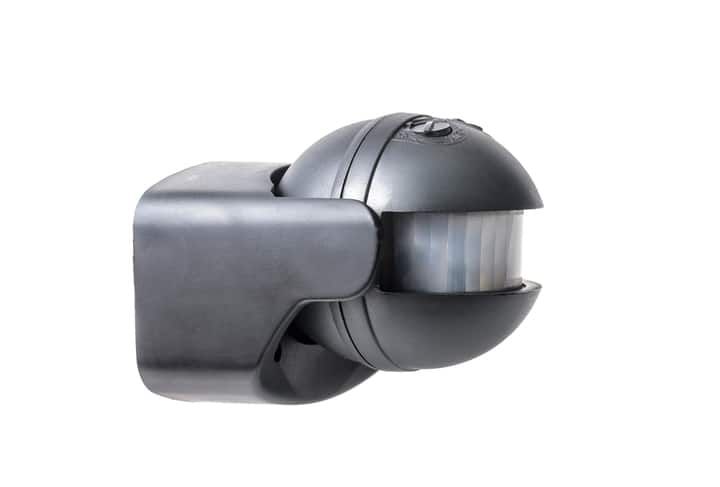
Most compatibility issues come from the sensor, not the bulb. But a few bulb-side details still matter.
Dimmable or non-dimmable?
Either works. A motion sensor switches the bulb fully on or fully off — it doesn't try to vary brightness, so the dimmable circuitry inside a dimmable LED isn't doing anything useful here. Buy whichever is cheaper.
(One thing to clarify: a non-dimmable LED will still misbehave on an actual TRIAC dimmer — not because the bulb is simply 'on or off,' but because non-dimmable drivers aren't designed to reconstruct a stable DC output from the chopped phase-cut waveform a dimmer produces. The result can be flickering, buzzing, partial dimming, or premature driver failure. That's a separate problem from motion sensors.)
What to look for on the sensor's spec sheet
When buying a sensor for LED loads, check for:
- An explicit 'LED compatible' label — confirms the manufacturer has tested the sensor with LED loads.
- A minimum load rating of 0 W, or a value at or below your total LED wattage. Many 2-wire sensors specify a 25–40 W LED minimum (or 150–200 W incandescent-equivalent); newer LED-rated models often go down to 0 W.
- A 3-wire (neutral-required) option if your switch box has a neutral wire available. This is the cleanest path to flicker-free operation.
Common Compatibility Issues
Most LED + motion-sensor problems fall into one of four buckets. Identify the symptom, then work the matching fix.
| Symptom | Likely Cause | Fix |
|---|---|---|
| LED flickers or glows faintly when 'off' | 2-wire electronic sensor leaking current through the bulb to power its own electronics | Add a bypass capacitor (e.g., Lutron LUT-MLC) at the first fixture, swap to a 3-wire or relay sensor, or add an incandescent bulb in parallel as a dummy load |
| Light won't turn on at all | Sensor isn't LED-rated, or total bulb wattage is below the sensor's minimum load | Replace with an LED-compatible sensor; verify minimum-load spec matches your bulb wattage |
| Light stays on after motion stops | Sensitivity or timer setting too high, or a faulty sensor | Adjust the sensor's timer/sensitivity dial first; replace the sensor if that doesn't help |
| Smart bulb ignores app commands | Inline motion sensor is cutting standby power, so the bulb's radio is offline | Replace the inline sensor with a smart (battery-powered or hub-linked) motion sensor |
Why LEDs flicker behind a 2-wire sensor
A 2-wire sensor needs to keep its own electronics powered even when the light is 'off.' It does this by passing a small leakage current through the bulb itself. With an incandescent filament, that current goes nowhere visible. With an LED, it slowly charges the input capacitor inside the driver until the capacitor discharges in a brief pulse — producing a faint ghost glow or repeated flashes. The lay description is that the bulb 'switches on and off,' but the underlying mechanism is the driver's input capacitor cycling.
Three ways to fix the leakage-flicker problem
1. Install a bypass capacitor (cleanest fix). A bypass capacitor wired in parallel at the first fixture absorbs the trickle current before it reaches the LED driver. The Lutron LUT-MLC (a 0.47 µF / ~6 mA shunt) is the most common off-the-shelf option. It eliminates ghosting without burning extra wattage. Note: the LUT-MLC specifically targets ghosting and leakage-induced flicker — it won't fix flicker from an incompatible dimmer or a damaged driver.
2. Replace the sensor. Swap the 2-wire sensor for a 3-wire (neutral-required) or relay-based sensor that's explicitly LED-rated. This is the most reliable long-term fix if your wiring allows it.
3. Add an incandescent dummy load. If you have multiple bulbs on the same fixture group, swap one LED for an incandescent. Residential lighting is wired in parallel by default, so the leakage current diverts through the incandescent and stops bothering the LEDs. It works, but you lose efficiency on that one bulb — a bypass capacitor is cleaner.
When the bulb itself is to blame
Cheap LEDs can flicker on a perfectly good sensor simply because the driver is poorly built. If you've already verified the sensor is LED-rated and the wiring is sound, swap one bulb for a known-good brand and see whether the flicker follows the bulb or stays with the fixture.
Can Smart Bulbs Work With Motion Sensors?
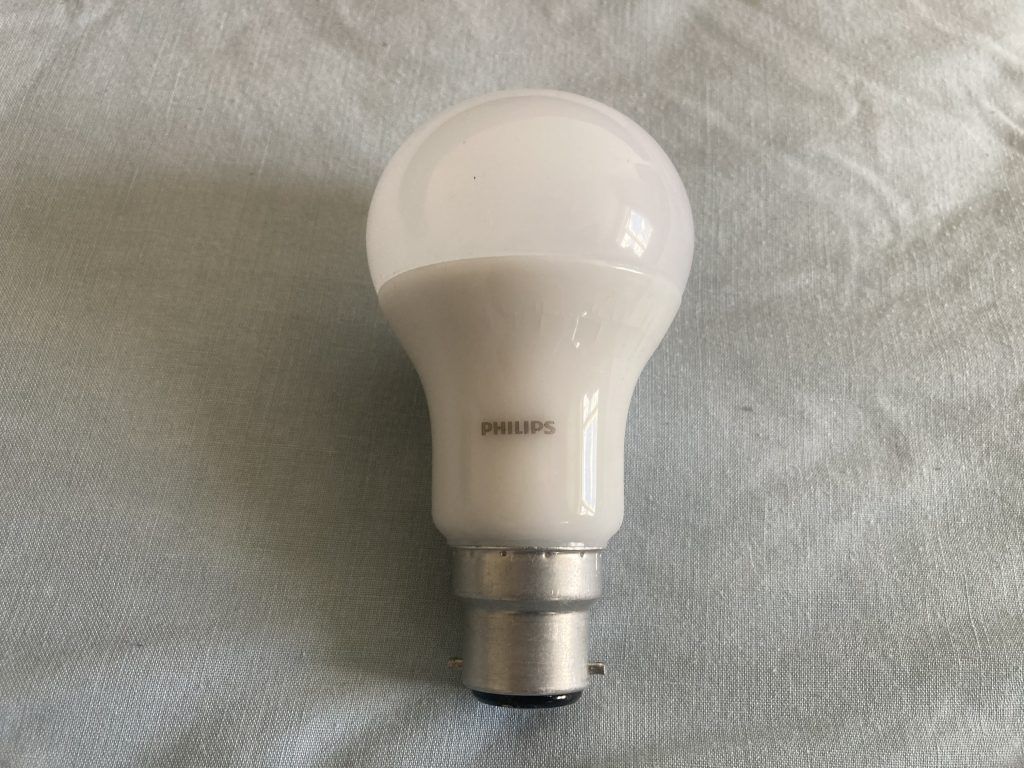
You can — but with a traditional inline motion sensor, you almost certainly shouldn't. Two problems collide.
First, smart bulbs need standby power — typically 0.2–1 W — to keep their radio and microcontroller alive. An inline motion sensor that fully cuts mains between activations leaves the bulb dead, so the app can't reach it, schedules don't run, and voice control fails. Second, the app and the sensor compete for last-command authority: if you tell the app to turn the bulb off and the sensor then detects motion, the bulb has conflicting instructions — the same kind of conflict you get pairing smart bulbs with dimmer switches.
The clean answer is to use a smart motion sensor instead of an inline one. Smart sensors are usually battery-powered and report motion to a hub (Hue Bridge, SmartThings, Home Assistant) which then sends an app command to the bulb. Mains power stays on continuously, the bulb is always reachable, and you can layer scenes, color, and schedules on top of motion triggering.
If you only need lights to come on when someone walks in — no color, no scenes — a non-smart LED behind a regular sensor is cheaper, simpler, and avoids the conflict entirely.
The Bottom Line
A quick decision framework:
- Relay sensor + standard LEDs: usually works out of the box.
- Electronic 3-wire sensor (with neutral) + standard LEDs: also fine — the sensor draws power through the neutral, not the bulb.
- Electronic 2-wire sensor (no neutral) + standard LEDs: expect flicker or ghosting unless you add a bypass capacitor or meet the sensor's minimum load.
- Smart bulbs: skip the inline sensor and use a battery-powered smart motion sensor that talks to your hub instead.
When in doubt, the single most reliable upgrade is a 3-wire LED-rated sensor. It removes the leakage problem at the source and eliminates the need for any workaround.
FAQ
Why do my LED bulbs glow faintly even when the motion sensor is off?
Almost always because you have a 2-wire (no-neutral) electronic motion sensor that leaks a small current through the bulb to power its own electronics. That trickle slowly charges the LED driver's input capacitor, producing a faint glow or repeated brief flashes. Adding a bypass capacitor (such as the Lutron LUT-MLC) at the first fixture, or replacing the sensor with a 3-wire or relay-based model, fixes it.
What's the minimum LED load for a motion sensor?
It depends on the sensor. Many 2-wire sensors specify 25–40 W of LED load (or 150–200 W incandescent-equivalent) as the minimum. Newer LED-rated sensors often advertise a 0 W minimum. Always check the spec sheet — if your total bulb wattage falls below the minimum, the sensor will misbehave.
Can I use any LED bulb with an electromechanical relay sensor?
Most LED bulbs work fine with relay-based sensors because the relay fully opens the circuit when off, leaving no leakage current to confuse the LED driver. The one caveat: LED inrush current can wear out relay contacts over many cycles, especially with large bulb counts. For typical residential loads this isn't a real concern.
Should I buy dimmable or non-dimmable LEDs for a motion sensor?
Either works. A motion sensor switches the bulb fully on or fully off; it doesn't dim, so the dimmable circuitry isn't doing anything. Buy whichever is cheaper. (Note: this is unrelated to dimmer compatibility — non-dimmable LEDs still misbehave on actual TRIAC dimmers because their drivers can't handle a chopped phase-cut waveform.)
Why doesn't my smart bulb respond to the app when wired through a motion sensor?
A traditional inline motion sensor cuts mains power between activations. Smart bulbs need 0.2–1 W of standby power to keep their radio alive, so cutting mains kills the app connection. The fix is to use a battery-powered smart motion sensor that triggers the bulb through your hub, leaving the bulb continuously powered.