
Why Does Motion Light Going On And Off Constantly? Diagnostic Quiz
Rapid flickering and occasional false triggers look almost identical from across the yard — but they're caused by completely different things, and the fix for one won't touch the other.
 Eugen
EugenEugen Nikolajev
Creator of LED Lighting Info
Hi, I am Eugen. I was always one of those kids who had all sorts of weird lighting gadgets for every occasion.
Now, I want to share my knowledge and experience about lighting with you on LED Lighting Info.
Read my editorial standards
Key Takeaways
Most rapid flicker on a motion-sensor circuit is an LED-driver/sensor compatibility issue caused by leakage current. Occasional false triggers are usually environmental:
- sensitivity set too high
- heat sources in the field of view
- insects on the lens
- wind-moved objects
Start with the sensitivity dial, clean the lens, then move on to load correction or a sensor explicitly rated for LED loads.
Motion Sensor Light Diagnostic
Your motion-sensor light is misbehaving — but the right fix depends on which problem you have. Answer a few quick questions and you'll get a targeted diagnosis with a fix sequence to try.
6 questions — takes about a minute
Answers are anonymous and may be used to improve content.
If your motion-sensor light is switching on and off when it shouldn't, the right fix depends on which kind of misbehavior you're seeing. Rapid flickering and occasional false triggers are two different problems with two different sets of causes — this guide walks through both.
In this article I'm going to cover:
- Why a motion sensor triggers when nothing's moving — and why some LEDs flicker even when it isn't
- Whether resetting the sensor will help, and how PIR, microwave, and dual-tech sensors differ
- A step-by-step fix sequence and a quick-reference summary table
Why Does My Motion Sensor Activate For No Apparent Reason?

Before troubleshooting, figure out which problem you have. Is the light flickering rapidly — strobe-like, multiple times per second? Or is it switching on cleanly every few minutes when nothing's moving? They look similar at a glance but the causes are very different.
Problem Type 1: Rapid Flickering
Rapid flicker on a motion-sensor circuit is almost always an electrical compatibility problem, not the sensor's relay cycling. The most common cause is a mismatch between modern LED bulbs and sensors that were originally designed around incandescent loads. Two things are usually going on:
- Two-wire sensors (those without a neutral connection) have to bleed a small leakage current through the bulb even in the off state to power their own electronics. An incandescent dissipates that trickle harmlessly as a tiny amount of heat. An LED driver, which contains capacitors, stores it instead — and once enough charge builds up, the LED briefly fires. The result is ghost flashes or strobe-like flicker.
- Many older sensors also require a minimum load to operate stably — typically sized for 40–60 W incandescent bulbs. A 9 W LED falls well below that threshold, leaving the sensor's internal triac or relay unable to latch cleanly.
If your fixture takes a standard screw-base (E26/E27) or bayonet bulb, you can confirm this by swapping the LED for an incandescent — if the flicker stops, you've identified a compatibility issue. Note that many modern motion-sensor security floods and ceiling lights use an integrated LED module that can't be replaced; for those you'd need to swap the whole fixture or add a load-correction device.
Two fixes work well for compatibility flicker:
- Replace the sensor with one explicitly rated as "LED compatible" with a low minimum wattage.
- Add a load-correction device (a bypass capacitor) wired in parallel with the bulb. This gives the sensor enough load to behave normally without losing the LED's efficiency advantage.
It's also worth ruling out the basics: a loose bulb in its socket, dirt on the contacts, or a poor connection in the fixture wiring can all produce flicker that mimics a compatibility issue.
Problem Type 2: Occasional False Triggers
If the light switches on every few minutes for no visible reason — rather than flickering rapidly — the issue is almost always at the sensor end. The well-documented causes are:
- Sensitivity set too high. Most sensors have a sensitivity dial that, on its highest setting, will fire on the smallest change in the field of view.
- Heat sources in the field of view. A PIR sensor tracks changes in infrared radiation, so an HVAC vent blowing warm air past the sensor, sunlight moving across a wall, or a driveway radiating warmth as it cools after sunset can all register as motion.
- Insects and spiders on the lens. Spiders are cold-blooded and won't trigger a PIR sensor from any distance, but a web built directly across the lens or a bug crawling on it can absolutely cause false triggers — they fill enough of the field of view that even small thermal or optical changes register.
- RF interference from nearby electronics or wireless equipment.
- Wind-moved objects. Tree branches, hanging plants, or unsecured backyard furniture moving across the detection zone.
- Poor sensor aim. An outdoor sensor pointed at a road, a neighbor's driveway, or a reflective surface will pick up traffic, headlights, and reflections you didn't account for. This is one of the most common — and most fixable — causes of outdoor false triggers.
- Timer or dusk-to-dawn settings. Many sensors have an adjustable stay-on duration and a dusk-to-dawn override. A very short duration combined with steady re-triggering can look like the light is cycling on its own. Worth checking before assuming the sensor is faulty.
Will Resetting Your Motion Sensor Help?

How PIR (and other) sensors actually work
Most good-quality motion detectors use PIR (passive infrared) technology. Rather than detecting heat on its own, a PIR sensor watches for changes in infrared radiation across its field of view. A warm body moving from one detection zone to another produces the signal pulse that triggers the light. A stationary warm object — even a person standing perfectly still — won't normally set it off, which is why a swaying branch on a cold day rarely causes false triggers but a person walking past will.
Two other sensor types are worth knowing about.
Microwave sensors emit a low-power radio signal and detect motion by changes in the reflected signal — they're far more sensitive than PIR and can see through thin walls and glass, which is sometimes useful but is also a notorious source of false triggers from activity outside the room you're trying to monitor.
Dual-technology sensors require both PIR and microwave to fire before triggering, which dramatically reduces false alarms at the cost of slightly slower detection. If your sensor is constantly false-triggering through a window or wall, it's likely a microwave or dual-tech unit and the fix is repositioning rather than tweaking sensitivity.
How resetting works
If your sensor has a sensitivity dial, that's usually the right starting point. Many models also support a factory reset by powering the sensor off for thirty seconds and back on — check your manual.
Some outdoor motion-sensor flood fixtures (Heath-Zenith, RAB Lighting, and similar brands often work this way — check your specific manual) step through sensitivity or duration modes each time you flick the wall switch off and back on within a few seconds. So if you have one of these, you can step through Low → Medium → High → Low by toggling the switch, instead of using a physical dial. This is not how most indoor occupancy sensors work — those use onboard dials or DIP switches — so don't try to toggle-program a sensor that wasn't designed for it.
How To Fix A Triggering Motion Sensor
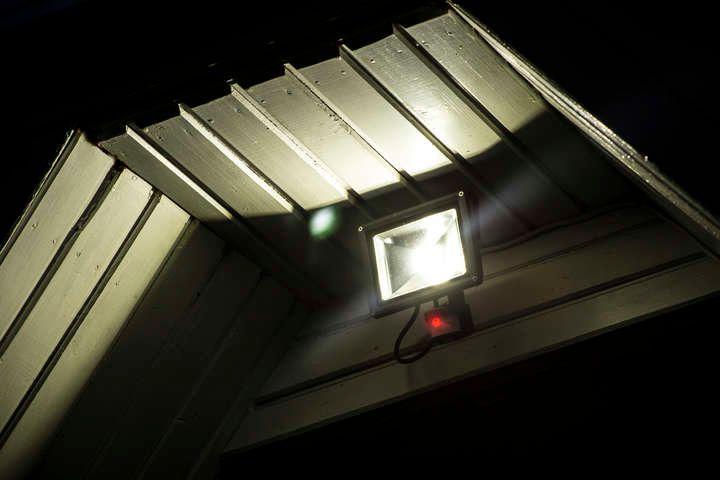
Work through these steps in order — most problems are solved well before the end of the list.
- Reset and lower the sensitivity. Power the sensor off for 30 seconds, then check the manual for a sensitivity dial or DIP switch and step it down one notch.
- Check the duration and dusk-to-dawn settings. A short stay-on time combined with steady re-triggering can look like cycling. Increase the on-duration so genuine triggers stay solidly on.
- Inspect and clean the lens. Wipe spider webs, dust, and insect debris off the housing. If webs keep coming back, a dab of insect repellent on the housing (never on the lens itself) helps.
- Check what the sensor can see. Stand in the detection zone and look back at the sensor. Are there HVAC vents blowing past it, sun-warmed walls, traffic, hanging plants, or reflective surfaces in view? Re-aim the sensor or use the masking tabs that ship with most outdoor units to block specific zones.
- Confirm it's the sensor and not the bulb. If you're seeing rapid flicker rather than occasional triggering, see the LED-compatibility section above — the fix lives at the bulb/driver, not the sensor.
- Upgrade if all else fails. Cheaper sensors lack the filtering circuitry that handles small voltage fluctuations on the supply (sometimes called "power bumps" — small, momentary dips or spikes in line voltage, distinct from a full power surge). A better-quality sensor with proper surge tolerance and an LED-compatible driver will solve most of the lingering edge cases.
Quick-Reference Summary
| Symptom | Most Likely Cause | First Fix to Try |
|---|---|---|
| Rapid flickering / strobing | LED–sensor incompatibility (leakage current charging the LED driver) | Add a load-correction capacitor or fit an LED-compatible sensor |
| Occasional false triggers | Sensitivity too high or insects on the lens | Lower the sensitivity dial; clean the lens |
| Triggers in wind | Tree branches or objects moving in the field of view | Re-aim the sensor or use masking tabs |
| Triggers around sunset / sunrise | Sun-warmed surfaces or HVAC vent in view | Reposition the sensor away from heat sources |
| Triggers for no visible reason | RF interference or low-quality sensor | Move nearby electronics or upgrade the sensor |
| Light won't stay on long enough | Stay-on duration set too short | Increase the on-time setting in the sensor menu |
Final Words
A motion light cycling on and off is almost always one of two problems: an LED–sensor compatibility issue causing rapid flicker, or an environmental/sensitivity issue causing occasional false triggers. The fixes are different — start with the symptom, narrow it to a cause, then apply the matching fix. Most sensors you can buy today are well-behaved; the ones that misfire usually do so for documented, fixable reasons.
Have you had problems with motion sensors causing your lights to constantly switch on when they don't need to? How did you solve it?