
Does A Motion Sensor Light Need A Switch?
Flipping a series-wired switch can silently reset your motion sensor's sensitivity and delay settings back to factory defaults. How you wire the switch matters as much as whether you add one at all.
 Eugen
EugenEugen Nikolajev
Creator of LED Lighting Info
Hi, I am Eugen. I was always one of those kids who had all sorts of weird lighting gadgets for every occasion.
Now, I want to share my knowledge and experience about lighting with you on LED Lighting Info.
Read my editorial standards
Key Takeaways
A motion sensor light does not need a switch, but it's still a good idea to add one. A switch ensures that the light won't turn on unless you actually want it to. If you want the light to stop responding to movement, you will have that option if you've installed a switch.
With a motion sensor, lights switch on when there's someone around to make use of them. If there are no signs of life, the lights will switch off after a preset or adjustable delay — typically ranging from a few seconds to several minutes.
Motion sensors can ensure that office lights don't stay on all night, even though the last person left the office before the sun went down.
Correct configuration is important, and many people choose to add a light switch to their circuit in addition to their motion sensor.
Does a motion sensor light need a switch in addition to the sensor? Are there benefits to installing a switch to act as a manual override device?
The answer depends on your setup. Here's what to consider:
- Whether or not motion sensors can be wired directly without another switch
- How a switch might affect your lighting system
- If it's better to have direct wiring or include a switch
Can Motion Sensors Be Wired Directly To Mains?

You do not need to have a switch as part of your lighting circuit. It's possible to create a lighting circuit with no switch of any kind, though this would mean that the light would always be on.
If you use a motion sensor, this can act as a switch, controlling when the light goes on and off. However, there might be times when you'd like to stop the light from responding to the motion.
If you want to stop the light from switching on every time anybody walks past, you can use a switch to stop it from working.
The switch can be used to stop the motion sensor from activating the light, so you can keep things dark if you'd prefer, or save electricity when you don't need the light.
Switch vs Direct Wiring: What Is The Better Option?

Suppose your lights only respond to a motion sensor, with no switches to override them manually. In that case, they'll always be activated by any type of motion.
In an office setting, this means that lights will be on whenever someone is working, even if they're working in the middle of the day and there's plenty of sunlight through the windows.
At home, you won't be able to sit outside and enjoy the gentle glow of candlelight or other accent lighting, because any movement will activate a very bright overhead light.
You'd need to keep removing the bulb when you don't want the light on or covering the motion sensor. Both workarounds are inconvenient and unsustainable long-term.
It's worth noting that lights won't necessarily be on during daylight — many outdoor fixtures include a dusk to dawn photocell, and commercial indoor occupancy sensors often include daylight harvesting. Basic residential indoor motion sensors usually do not, however, so an indoor light without a separate photocell will activate any time motion is detected, even at midday.
For most setups, a switch in the circuit is the better option.
It gives you control when you feel like you need it. If you're happy for the motion sensor to be in control, you can simply ignore the switch. Having a switch as part of your system doesn't mean you'll always need to use it.
Also read: Do Security Lights Only Work At Night?
How To Wire The Switch: Series vs Bypass
There are two common ways to wire a switch into a motion-sensor circuit, and they behave very differently.
Series wiring (the default)
Standard residential setups put the switch in series with the sensor and the light. The switch sits between the mains and the rest of the circuit, so opening it cuts power to everything — sensor included. It's simple to wire, but flipping the switch interrupts the sensor's power, which can affect saved settings on some models.
- Switch ON → circuit closed → motion sensor can activate the light
- Switch OFF → circuit open → light cannot activate, no matter how much motion the sensor sees
Bypass (parallel) wiring
A bypass switch is wired in parallel with the sensor. When the switch is open, the sensor controls the light as usual. When closed, it shorts the sensor and forces the light on, without ever cutting power to the sensor itself. This avoids the configuration-reset problem entirely and gives you a true manual override.
Smart switches and smart sensors
Z-Wave, Zigbee, and Wi-Fi smart switches give you a third option. They let you toggle the light or temporarily disable the sensor from an app or voice assistant — no physical switching required, and no power cycling that could trigger a reset. Many modern PIR sensors are also available as smart units with the same configurable behavior built in.
Does The Switch Need To Stay In On Position For The Motion Sensor To Work?
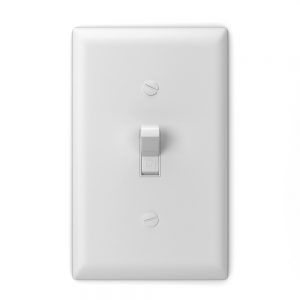
If you have a switch wired in series with your motion sensor, then it must be in the 'on' position for your light to switch on.
The motion sensor alone can't override the system because an open switch leaves a gap in the circuit and stops the electricity flow. In a standard series wiring setup, the switch cuts power to the entire fixture, including the sensor itself.
If you install a series-wired switch, it's important to remember to leave it on most of the time. Otherwise, the light might not activate when there's movement and you actually want it to. It's a good idea to get into the habit of checking that lights are switched on.
If you're switching your lights off temporarily, set a reminder alarm so you remember to switch them back on. That avoids the unwanted situation where your motion sensor can't activate the lights because you've accidentally overridden it.
Beware: Switch Can Reset Motion Sensor Configuration
Heads up: power-cycling a PIR sensor can reset its saved configuration or toggle modes. Many models use a quick on-off-on flip to switch into 'always on' mode, while leaving the switch off for around 30 seconds resets the sensor to its automatic factory default.
Some motion sensors need to be configured to work exactly as you want them to. If they're too sensitive, they could react to every moth that flies past or a swaying tree branch.
If they're not sensitive enough, your motion sensors might not make the lights switch on at all. Most people want their lights to switch on when there's a human nearby — not after they've stood under the fixture jumping up and down and waving their hands.
Many motion sensors let you configure sensitivity, detection range, and the time-delay before the light switches off. That delay is usually adjustable from a few seconds up to around 30 minutes on most PIR units. Tuning these settings ensures the lights respond to someone within the intended radius without triggering on a cat at the far end of the lawn.
If you've manually configured your motion sensors, a series-wired switch can cause problems. Switching off the light may reset the saved configuration to the factory default. Some sensors also adjust their settings each time they're switched on and off, so you could be changing sensitivity every time you flip the switch.
The bottom line: understand how your light works. If switching it on and off does affect the settings, but you want to keep manual control, consider a bypass switch or a smart sensor instead.
Related: Can Motion Sensor Lights Work On Batteries?
Final Words
A switch gives you manual control over a motion-sensor light, but the wiring choice matters. Here's how the three main setups compare:
| Setup | ✅ Pros | ❌ Cons |
|---|---|---|
| Sensor only | Simple wiring | No manual override |
| Sensor + series switch | Full control | May reset sensor config |
| Sensor + bypass switch | Best of both | Slightly more complex wiring |
For most situations, a bypass switch or a smart sensor offers the most reliable manual override without the risk of resetting your configuration. If you go with a series-wired switch instead, just remember that leaving it off can interrupt the sensor's saved settings on some models — so check your sensor's documentation before relying on the switch as your everyday on/off control.