
These 12 Common Problems With LED Lighting Ruin Home Ambiance (And How to Fix Them)
That 50,000-hour LED lifespan on the box is the ceiling, not the average — most residential bulbs are rated 15,000–25,000 hours. Heat and cheap driver electronics are usually what cut that short.
 Eugen
EugenEugen Nikolajev
Creator of LED Lighting Info
Hi, I am Eugen. I was always one of those kids who had all sorts of weird lighting gadgets for every occasion.
Now, I want to share my knowledge and experience about lighting with you on LED Lighting Info.
Read my editorial standards
Key Takeaways
Here are the most common problems with LED lighting:
- Heat management
- Flickering lights
- Issues with the LED driver
- Enclosed fixture problems
- Longevity and lifespan issues
- Dimmer switch compatibility
- Buzzing or humming bulbs
- Fading, dimming lights
- Poor color rendering
- Dull light from a new bulb
- Power surges and the damage they cause
- Issues with integrated fixtures
You might know an LED bulb can last anywhere from 15,000 to 50,000 hours and save hundreds of dollars in electricity over its lifetime. But LEDs aren't immune to problems — and in my experience, the same handful of issues come up across home after home.
LED Light Bulb Heat Issues
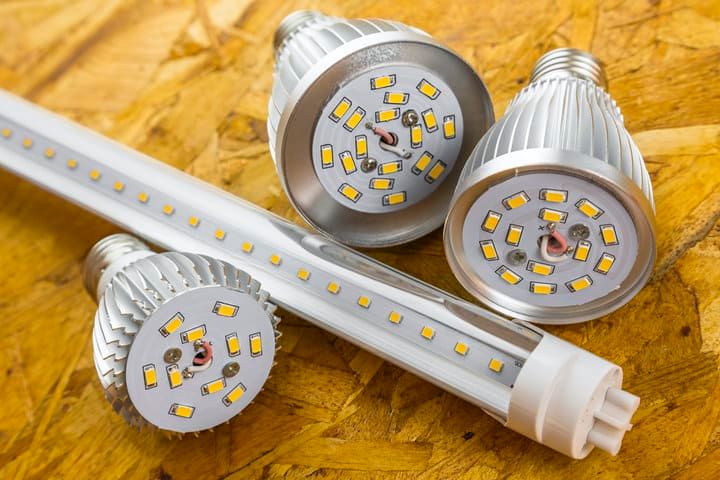
Heat is the enemy of LEDs. Excessive heat accelerates lumen depreciation, causes color shift, and shortens the life of the bulb's driver — which is what usually fails first. The chip itself is robust; what kills most LED bulbs is the heat-stressed electronics inside.
Solutions:
- Use LEDs in well-ventilated spaces and keep them away from other heat sources
- Buy quality bulbs with a proper heat sink that draws heat away from the chip
- Don't mix LEDs with halogen or incandescent bulbs in the same multi-bulb fixture — heat from the older bulbs shortens LED life
- Only use bulbs explicitly rated for enclosed fixtures inside enclosed housings
Further reading:
LED Light Flickering
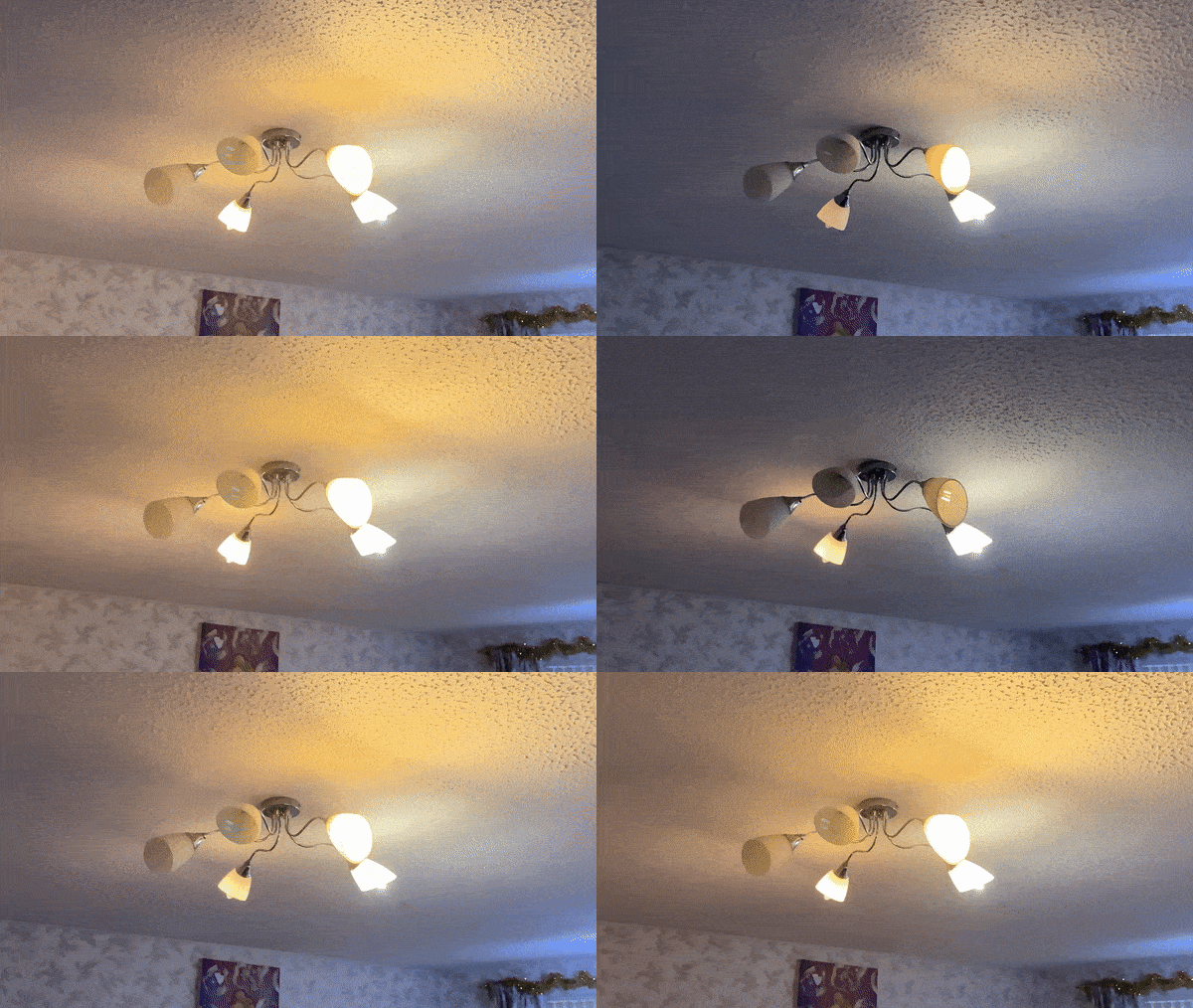
Flicker means the bulb isn't getting clean, steady current. The most common causes are an incompatible dimmer switch, a faulty driver inside the bulb, or loose wiring at the fixture or switch. On a non-dimmable circuit it's usually the bulb or the wiring; on a dimmer circuit it's almost always the dimmer.
Solutions:
- If the bulb is on a dimmer, confirm both the bulb and the dimmer are LED-rated (see the dimmer section below)
- Try a different bulb in the same fixture — the driver in the original may be faulty
- Check the wiring connections at the fixture and the switch for looseness
- If multiple bulbs across the home flicker at once, suspect a wider power-quality issue and call an electrician
Further reading:
LED Driver Problems
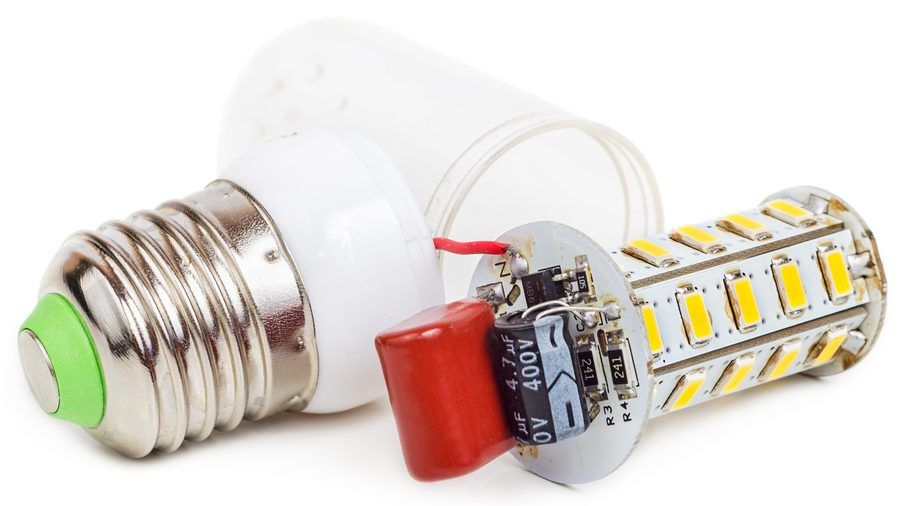
The LED driver is the component inside the bulb that converts AC mains power to DC and — critically — regulates the current flowing through the LED chip. LEDs are sensitive to current, not just voltage, so without that regulation they overheat and burn out fast. When the driver's regulation circuitry breaks down, the chip is exposed to unregulated current and the bulb fails.
Solutions:
- For sealed consumer bulbs, the driver is built in and isn't user-serviceable — replace the whole bulb
- For commercial fixtures, recessed downlights, and LED strip lights, the driver is usually a separate component — swapping it is a standard, cost-effective repair
- Avoid cheap generic bulbs — they cut costs on driver components first, which is why they fail well short of their rated life
Further reading:
LED Bulbs In Enclosed Fixtures
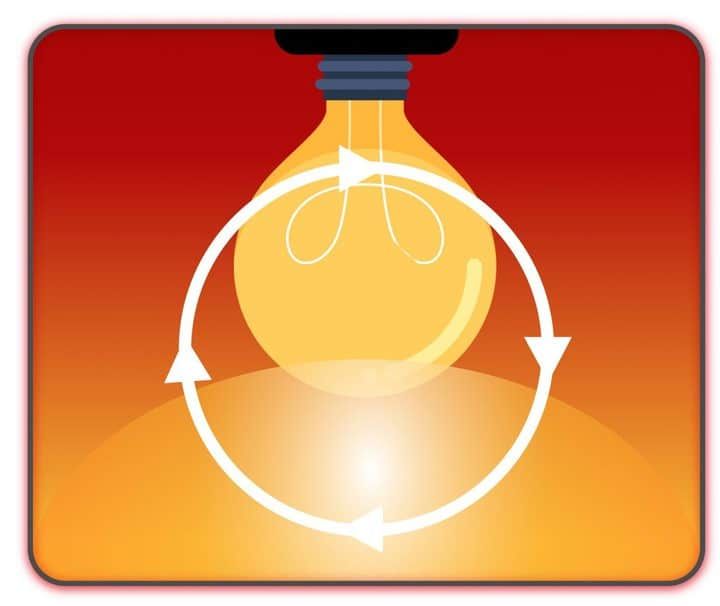
An enclosed fixture traps heat around the bulb, and trapped heat is what kills LED drivers prematurely. Even bulbs designed for enclosed use run hotter than they would in an open fixture, so expect a shorter service life either way.
Solutions:
- Only use bulbs explicitly labeled as enclosed-fixture-rated — non-rated bulbs will burn out fast and may void warranty
- Make sure the room has decent airflow and the fixture isn't sitting near another heat source
- If a properly rated bulb still fails repeatedly, contact the fixture manufacturer for advice or a refund
Further reading:
LED Bulbs Don't Last
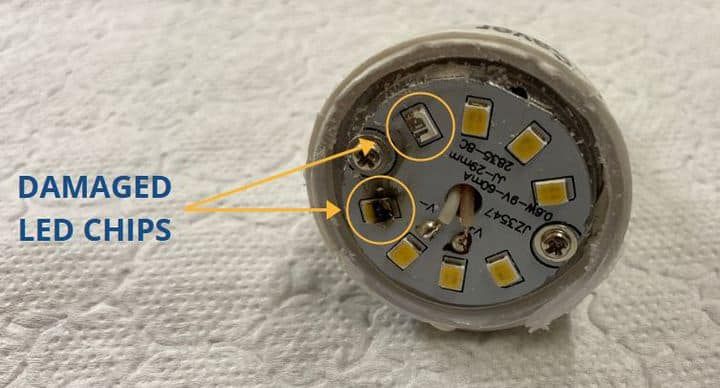
LED bulbs are often advertised with a 50,000-hour lifespan, but that figure is the upper end, not the typical experience. ENERGY STAR-certified bulbs are required to last at least 25,000 hours, and most residential A19 LEDs are rated 15,000–25,000 hours. Premium and commercial-grade fixtures are the ones that actually reach 50,000+. If your bulbs are dying well short of their rating, the cause is almost always heat, low quality, or an underlying wiring problem.
Solutions:
- Try a different brand of bulb in the same fixture to see whether the brand or the fixture is the problem
- If a second bulb also burns out fast, check the wiring at the fixture and switch — loose connections cause small surges that destroy LEDs
- Stick to reputable brands and look for ENERGY STAR certification — it guarantees a minimum 25,000-hour rating
Further reading:
LED Lights Incompatible With Dimmers
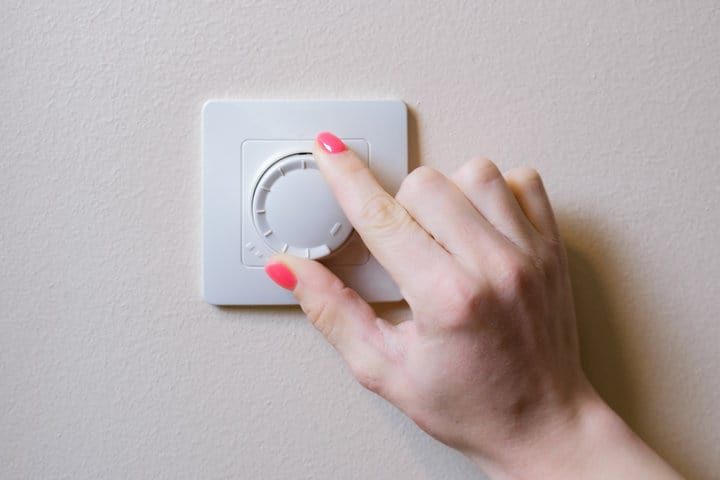
The biggest source of LED flicker on dimmer circuits is using an old dimmer designed for incandescent bulbs. Most legacy dimmers are "leading-edge" (TRIAC) types built for resistive loads, and they don't pair well with LEDs — expect flickering, buzzing, partial dimming, or the bulb failing to turn on at all. LEDs need a "trailing-edge" (ELV) dimmer or one specifically rated for LED loads.
There's a second, less obvious trap: minimum-load requirements. Even an LED-compatible dimmer often has a minimum wattage spec — typically around 25W. If you only have one or two low-wattage LED bulbs on the circuit, the dimmer may not see enough load to operate correctly, and you'll get flicker even with the "right" dimmer.
| Dimmer Type | Works With LEDs? | Notes |
|---|---|---|
| Leading-edge (TRIAC) | No — built for incandescent | Most common cause of LED flicker, buzzing, and dimming dropouts |
| Trailing-edge (ELV) | Yes — recommended | Designed for capacitive loads like LED drivers; smooth, quiet dimming |
| LED-rated / universal dimmer | Yes | Often supports both leading- and trailing-edge; check the bulb compatibility list |
| Smart dimmer / smart bulb | Yes | Easiest path; the bulb or hub handles dimming digitally, no waveform issues |
Solutions:
- Confirm the bulb is marked dimmable — non-dimmable LEDs on a dimmer circuit will flicker or fail
- Replace older leading-edge dimmers with trailing-edge or LED-rated ones
- Check the dimmer's minimum-load spec — make sure the total LED wattage on the circuit exceeds it
- Look for a manufacturer compatibility list — most LED brands publish which dimmer models they're tested with
- Or skip the wall dimmer entirely and use smart bulbs that dim digitally from a phone or app
Further reading:
LED Bulbs Buzzing or Humming
An audible buzz or hum from an LED bulb is one of the most common household complaints, and it's almost always tied to driver quality or dimmer compatibility. The driver inside cheaper bulbs can vibrate audibly under certain dimmer waveforms, and a leading-edge dimmer chopping the AC waveform many times a second is a classic cause. Buzzing on a non-dimmed circuit usually means the driver itself is faulty.
Solutions:
- If the buzz only happens on a dimmer, swap to a trailing-edge or LED-rated dimmer
- Try a different brand of bulb — driver quality varies enormously and a cheap bulb is the most common culprit
- Make sure the dimmer's minimum load is met — under-loaded dimmers often buzz
- If the buzz is on a non-dimmed circuit, the driver is faulty — replace the bulb
LED Light Suddenly Dim
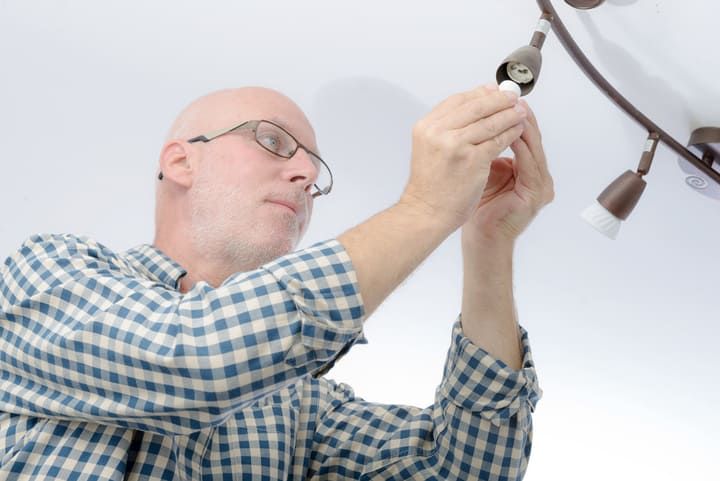
All LEDs lose some brightness gradually as they age — that's normal. A sudden, noticeable drop in brightness is different: it points to a failing driver inside the bulb or, more often, a problem with the power supply feeding the fixture.
Solutions:
- Check whether the circuit is shared with high-demand appliances — large draws can momentarily drop voltage
- Inspect the fixture, switch, and breaker for loose wiring
- If the bulb is on a dimmer, replace the dimmer — they wear out and stop delivering full output even at maximum
- Ask neighbors whether they've had power-supply problems too — it could be a wider utility issue
Further reading:
Poor Color Rendering: Why LED Light Looks Harsh or Unflattering

LEDs vary in how accurately they render colors, measured by the Color Rendering Index (CRI). Most commodity household LEDs have a CRI around 80, while higher-quality bulbs reach 90 or above — the closer to 100, the more natural skin tones, food, and fabrics look. CRI is independent of color temperature: a warm 3000K bulb and a cool 5000K bulb can both have high or low CRI.
Color temperature, measured in Kelvin (K), determines whether the light feels warm or cool — that's a separate dial from CRI. Common ranges:
- 2700K–3000K: warm white, similar to a traditional incandescent — best for living rooms and bedrooms
- 3500K–4100K: neutral or "bright white" — good for kitchens, bathrooms, and offices
- 5000K–6500K: cool white or daylight — best for workshops, garages, and task lighting
| CRI Range | Visual Effect | Recommended Use |
|---|---|---|
| Below 80 | Colors look washed out or unnatural | Avoid for living spaces |
| 80–89 | Acceptable for general use | Hallways, garages, utility rooms, closets |
| 90–94 | Accurate color rendering | Living rooms, kitchens, bathrooms, dining areas |
| 95+ | Reference-grade color accuracy | Studios, retail display, art lighting, makeup mirrors |
Solutions:
- Match the color temperature to the room — warm tones for living areas, cooler tones for kitchens, bathrooms, and workspaces
- Look for CRI 90 or above in any room where color matters: living rooms, kitchens, bathrooms, dressing areas
- Don't assume cheap bulbs publish CRI honestly — buy from reputable brands and check independent reviews
Further reading:
- How Important Is CRI In Lighting?
- How To Check Color Temperature Of LED Light?
- What Is The Difference Between Kelvin And Lumens?
Poor Quality LED Light
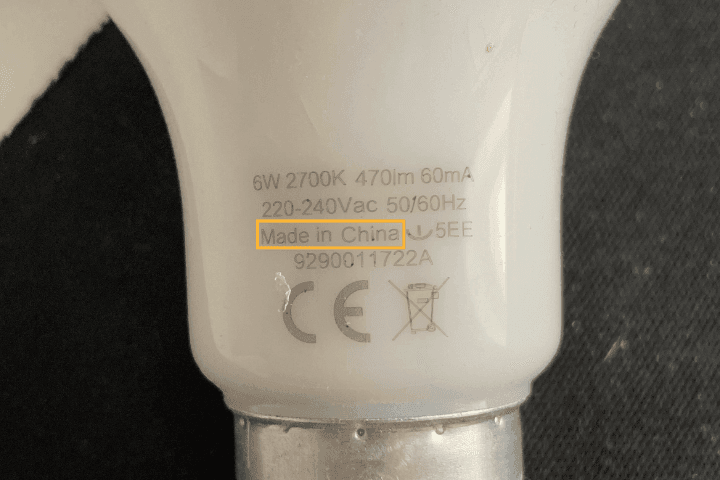
Because LEDs use far fewer watts than older bulbs to produce the same light, watts no longer tell you anything useful about brightness. The clearest measure is total lumens, and lumens-per-watt for efficiency. Cheap bulbs often skimp on both — they pack in too few or weak diodes, and they run them inefficiently.
If a new LED looks permanently dim, the most likely causes are: a low-quality bulb with a low lumen count, a few diodes that have already burned out (cheap bulbs often wire diodes in series, so one failure dims the whole bulb), or the bulb is overheating in its fixture.
Solutions:
- For overall brightness, focus on total lumens — not watts
- For efficiency, look for high lumens-per-watt. Modern quality LEDs deliver 100–130 lm/W, ENERGY STAR-certified bulbs often exceed that, and the most efficient consumer bulbs hit 180+ lm/W. Anything under 90 lm/W today is mediocre.
- If dimness traces back to overheating, improve airflow and check for loose wiring; otherwise replace the bulb with a higher-quality one
Further reading:
Power Surge Damage LED Lights
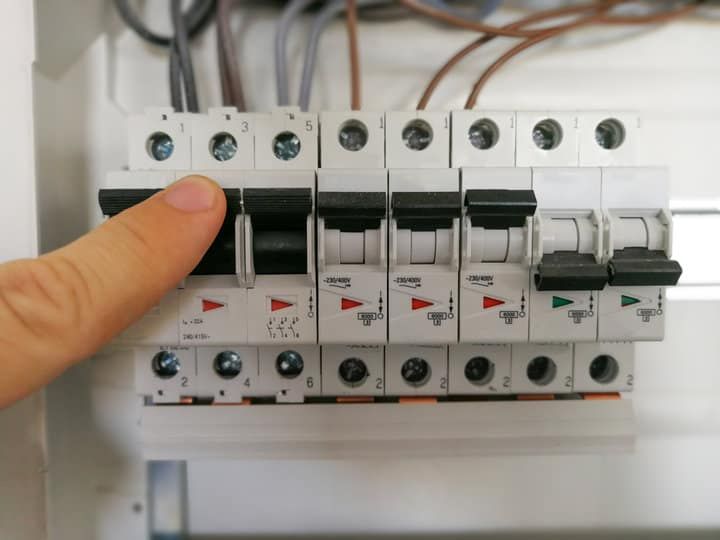
Power surges permanently damage LED bulbs by destroying the sensitive driver electronics inside — the rectifier, voltage regulator, and switching components are designed for steady mains power and don't tolerate sudden voltage spikes. Once the driver dies, the LED chip stops getting regulated current and the bulb fails.
Solutions:
- Use a surge-protected power strip for any plug-in LED fixtures, especially expensive ones
- For permanent fixtures, install a whole-home surge protector at the breaker panel — it protects every LED in the house
- After a one-off event (storm, utility transient), simply replace any LEDs that died
- If surges keep recurring, check your wiring and breaker panel — there may be a fault. Call an electrician if you aren't sure
Further reading:
Integrated LED Light Fixture Not Working
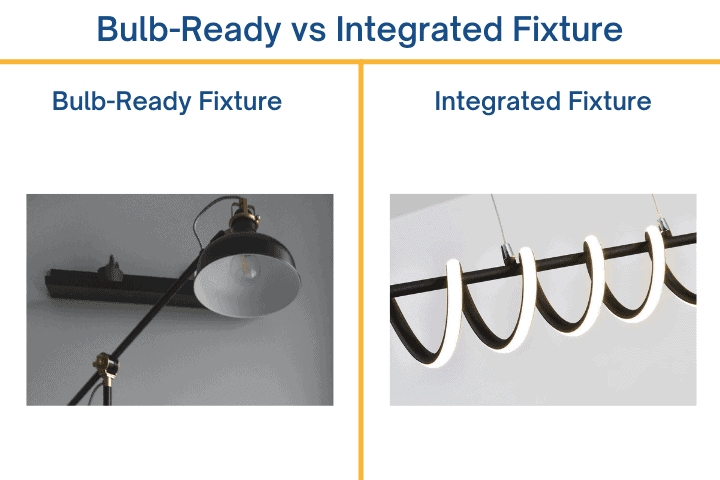
Integrated LED fixtures ship as complete units with the LEDs and driver built in — there's no bulb to swap. When one stops working, it's almost always a wiring issue or a faulty fixture.
Solutions:
- Check for loose wires and confirm each lead is connected to the matching wire on the fixture
- If the fixture has a separate, accessible driver (common in recessed downlights and strip lights), try replacing the driver before replacing the whole unit
- If the wiring is sound and the driver isn't replaceable, the fixture has failed — replace the whole unit
Further reading:
Can An Integrated LED Light Bulb Be Replaced?
How To Troubleshoot LED Lights
When an LED isn't working, the question is whether the problem lies with the bulb, the fixture, the switch, or somewhere wider in the home. Work through these steps in order, easiest checks first:
- Swap the bulb for a known-good one in the same fixture. If the new bulb works, the original bulb was the problem.
- If the new bulb also fails, try those bulbs in another fixture in the same room, controlled by the same switch. If they work there, the problem is the original fixture.
- If they still don't work, try the bulbs in a different room. If they work, the issue is in the original room — usually the switch or the wiring.
- If nothing works anywhere, suspect the breaker panel or your home's electrical supply. At that point, call an electrician.
Once you've narrowed down the faulty device, inspect the wiring or look for visible signs of wear — discoloration, melting, a burnt smell — that suggest it needs replacing.
Final Words
Most LED problems trace back to three things: poor bulb quality, the wrong dimmer or fixture for the bulb, and heat the bulb can't dissipate. My rule of thumb is to buy from a reputable brand (ENERGY STAR-certified is a good baseline), pair dimmable bulbs only with LED-rated trailing-edge dimmers, and reserve enclosed fixtures for bulbs explicitly rated for them.
Get those three right and a quality LED will quietly run for 15,000 hours or more without ever asking for attention again.
For more detail on specific topics, browse all of my LED guides.